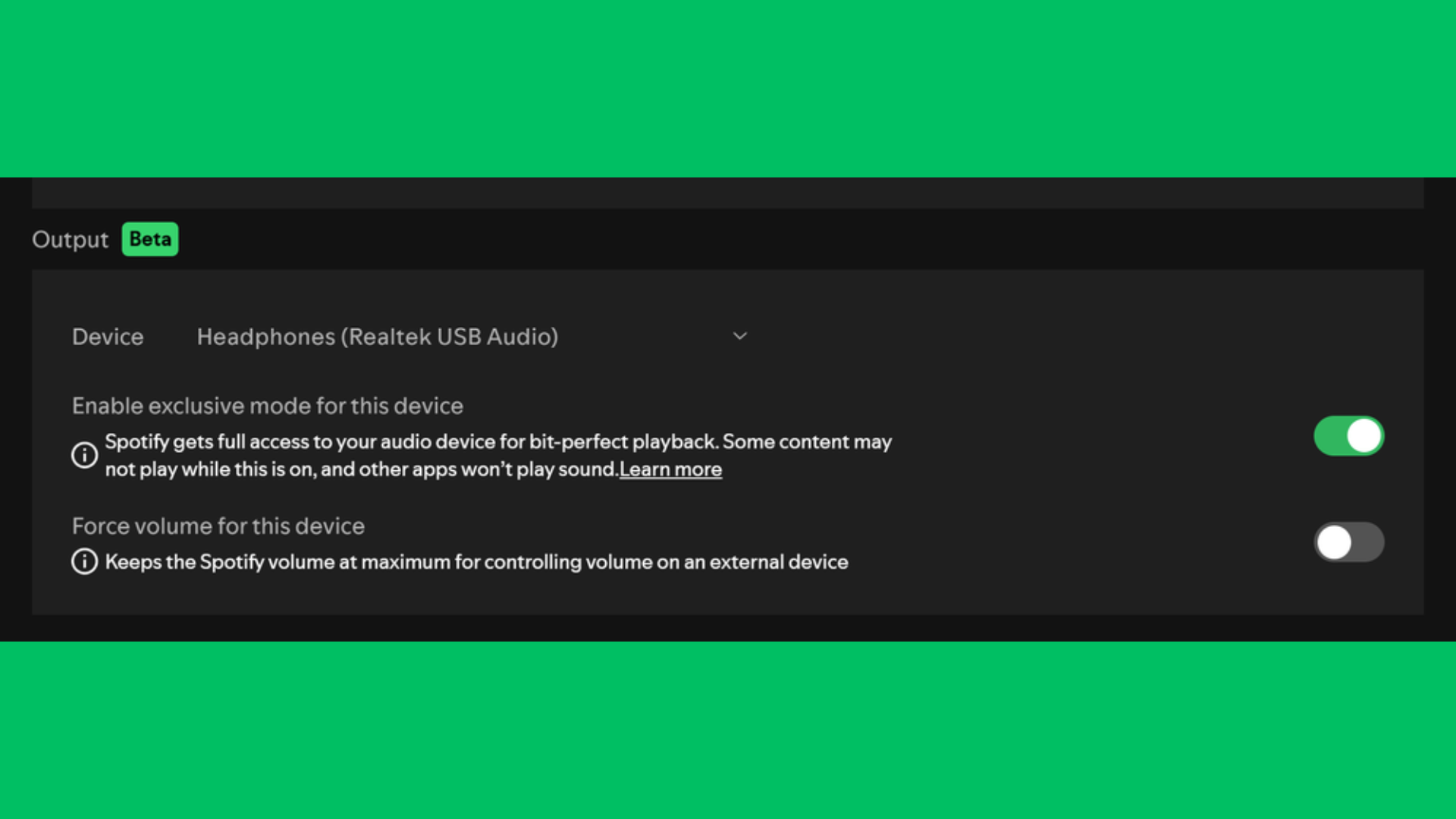

Spotify has introduced a new “Exclusive Mode” for its Windows desktop app, giving Premium subscribers a way to listen to music exactly as it was mastered. The feature takes full control of your computer’s audio processing so your system does not alter the sound before it reaches your DAC, which helps deliver cleaner and more accurate playback.
According to Spotify, “your computer may alter audio before it reaches your DAC by resampling it, mixing other system sounds in, and changing the volume,” but with Exclusive Mode turned on, the app “takes full control” to ensure “Bit Perfect playback.” This works best when you use a wired connection with a DAC and enable lossless streaming.
What Exclusive Mode does
Exclusive Mode disables other system sounds and prevents resampling, so you hear music in its original quality. It pairs well with Spotify’s lossless option, which supports up to 24-bit/44.1 kHz FLAC playback.
However, some features stop working when you enable it:
- Automix and crossfade are disabled
- Other apps cannot play audio through the same device
- It does not support podcasts or video content
How to enable Exclusive Mode
Follow these steps in the Spotify Windows app:
- Open Spotify
- Go to Settings
- Scroll to Playback
- Under Output, select your audio device
- Turn on Exclusive Mode
For better quality, turn off Normalize Volume and Equalizer. This setup lets you hear tracks “exactly as they were mastered” with no system interference.