Skip to content
OnMSFT.com
  • Home
  • About
  • Contact
  • Windows
  • Surface
  • Xbox
  • How-To
  • OnPodcast
  • Edge
  • Teams
  • Gaming
Menu
  • Home
  • About
  • Contact
  • Windows
  • Surface
  • Xbox
  • How-To
  • OnPodcast
  • Edge
  • Teams
  • Gaming
  1. Home
  2. News
  3. Windows 11: New System Components settings page discovered in preview build 25926

Windows 11: New System Components settings page discovered in preview build 25926

Priya Walia Priya Walia
August 10, 2023
2 min read

On the 9th of August, 2023, Microsoft rolled out a new Windows 11 test build—25926, in the Canary Channel for enthusiasts. This build brought with it a clandestine feature, a new “System Components” settings page, which did not find a mention in the official release notes.

Interestingly, this elusive System Components page was discovered by Windows enthusiast PhantomOfEarth on Twitter. It is hidden by default but can be forced into visibility, thanks to the ViVeTool app, a third-party tool.

Build 25926 includes a new (hidden) System Components settings page. (feature SettingsSystemComponentsPage)

vivetool /enable /id:44702824 https://t.co/URPFIzBNvo pic.twitter.com/J1tluvET6l

— PhantomOcean3 💙💛 (@PhantomOfEarth) August 9, 2023

Getting Deeper into the Page

The hidden page is a platform where you can manage various system components such as drivers, services, and stock apps. Interestingly, it was noticed that each app installed through the System Components settings page would appear twice – both on the component’s page and on the “Apps > Installed apps” panel. This discovery was made during a test where Minecraft Launcher was installed.

As this new feature is still in development, it raises some intriguing questions. Will the apps still be visible under “Apps” in Settings once the setting is fully established? Furthermore, what is the purpose of these duplicate entries in the meantime?

Enabling the Hidden Settings

Although Microsoft has hidden the System Components setting and new Snipping Tool features, suggesting that they are currently being tested in an undisclosed environment, it is still possible for technology enthusiasts to enable them on their PCs. This can be accomplished by utilizing the ViVeTool app.

Execute the command vivetool /enable /id:44702824 in the command console, and voila! You are in.

Since the said features are under scrutiny, not all Canary insiders have direct access to them. However, thanks to the ViVeTool application, any eager user can start playing around with them for feedback or learn about upcoming features in Windows 11.

In conclusion, there’s significantly more to Windows 11 build 25926 than meets the eye. As the potentially powerful yet surreptitious System Components settings page continues to gather attention, it might just be the opening act of a series of exciting developments in the future builds of Windows 11.

Via MSPoweruser

Related

Share this article:
Previous Article Apple’s App Store rules maintain despite violations found by the court Next Article Bethesda to host Starfield developer Q&A on August 16

Related Articles

Chrome’s Organizer feature may sync Gemini and AI conversations across devices

March 14, 2026

After Chrome, Edge tests launching the browser automatically when you sign into Windows

March 13, 2026
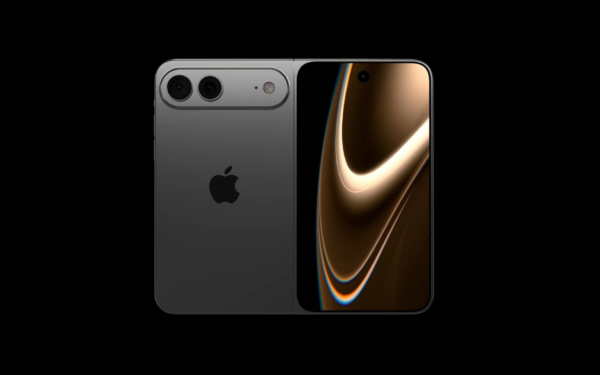
Latest iPhone Fold rumors reveal display crease details, hole-punch cameras, iOS multitasking layout, 12GB RAM, and storage options for Apple’s first foldable iPhone.

iPhone Fold Latest Rumors: Display, Cameras, RAM and Price Details Revealed

March 13, 2026

Leave a Comment Cancel reply

Your email address will not be published. Required fields are marked *

Recent Posts

  • Chrome’s Organizer feature may sync Gemini and AI conversations across devices
  • After Chrome, Edge tests launching the browser automatically when you sign into Windows
  • iPhone Fold Latest Rumors: Display, Cameras, RAM and Price Details Revealed
  • Samsung fears first mobile operating loss due to memory price surge
  • Elon Musk’s X to Change Verification in Europe Following EU Fine

Recent Comments

No comments to show.
OnMSFT.com

OnMSFT.com covers Microsoft news, reviews, and how-to guides. Formerly known as WinBeta, we have been your source for Microsoft news since 1998.

Categories

  • Windows
  • Surface
  • Xbox
  • How-To
  • OnPodcast
  • Gaming
  • Edge
  • Teams

Recent Posts

  • Chrome’s Organizer feature may sync Gemini and AI conversations across devices
  • After Chrome, Edge tests launching the browser automatically when you sign into Windows
  • iPhone Fold Latest Rumors: Display, Cameras, RAM and Price Details Revealed
  • Samsung fears first mobile operating loss due to memory price surge
  • Elon Musk’s X to Change Verification in Europe Following EU Fine

Quick Links

  • About OnMSFT.com
  • Contact OnMSFT
  • Join Our Team
  • Privacy Policy
© 2010–2026 OnMSFT.com LLC. All rights reserved.
About OnMSFT.comContact OnMSFTPrivacy Policy