Skip to content
OnMSFT.com
  • Home
  • About
  • Contact
  • Windows
  • Surface
  • Xbox
  • How-To
  • OnPodcast
  • Edge
  • Teams
  • Gaming
Menu
  • Home
  • About
  • Contact
  • Windows
  • Surface
  • Xbox
  • How-To
  • OnPodcast
  • Edge
  • Teams
  • Gaming
  1. Home
  2. News
  3. Windows 11 Insider build 22635.2483 released to the Beta Channel

Windows 11 Insider build 22635.2483 released to the Beta Channel

Kip Kniskern Kip Kniskern
October 13, 2023
2 min read

If you remember, Microsoft’s last Windows 11 Beta Channel build, 22635.2419, moved away from the dual beta channel build number structure to now use a single build number, and to rely on the “get the latest updates as they’re available” Settings > Windows Update toggle to choose whether to get the latest features as they roll out, or to delay those latest features.

This is the second build in that new structure, build 22635.2483. So if you want to get the latest features as soon as they are available to you, make sure to set the “get the latest updates” toggle!

Build 22635.2483 includes a pair of changes rolling out to all Beta Channel Insiders, toggle on or not: the updated color font format first introduced in 22632.2265 is being disabled to fix some bugs, and Windows will now require consent to share data in the EU:

  • In the European Economic Area (EEA), Windows will now require consent to share data between Windows and other signed-in Microsoft services. You will see some Windows features start to check for consent now, with more being added in future builds. Without consent to share data between Windows and other signed-in Microsoft services, some functionality in Windows features may be unavailable, for example certain types of file recommendations under “Recommended” on the Start menu.

There’s also a fix for a crash when using search. If you’re in the Beta Channel, check out the blog post and get to downloading, and remember to check your “get the latest updates” toggle!


Related

Share this article:
Previous Article Apple set to unveil iPad Mini 7 and iPad Air 6 featuring M2 chip this month, leak suggest Next Article Microsoft news recap: Activision Blizzard acquisition finally comes to a close, new mobile game store being developed, and more

Related Articles

Chrome’s Organizer feature may sync Gemini and AI conversations across devices

March 14, 2026

After Chrome, Edge tests launching the browser automatically when you sign into Windows

March 13, 2026
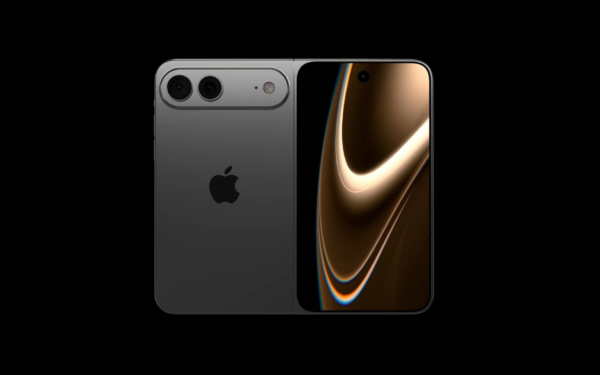
Latest iPhone Fold rumors reveal display crease details, hole-punch cameras, iOS multitasking layout, 12GB RAM, and storage options for Apple’s first foldable iPhone.

iPhone Fold Latest Rumors: Display, Cameras, RAM and Price Details Revealed

March 13, 2026

Leave a Comment Cancel reply

Your email address will not be published. Required fields are marked *

Recent Posts

  • Chrome’s Organizer feature may sync Gemini and AI conversations across devices
  • After Chrome, Edge tests launching the browser automatically when you sign into Windows
  • iPhone Fold Latest Rumors: Display, Cameras, RAM and Price Details Revealed
  • Samsung fears first mobile operating loss due to memory price surge
  • Elon Musk’s X to Change Verification in Europe Following EU Fine

Recent Comments

No comments to show.
OnMSFT.com

OnMSFT.com covers Microsoft news, reviews, and how-to guides. Formerly known as WinBeta, we have been your source for Microsoft news since 1998.

Categories

  • Windows
  • Surface
  • Xbox
  • How-To
  • OnPodcast
  • Gaming
  • Edge
  • Teams

Recent Posts

  • Chrome’s Organizer feature may sync Gemini and AI conversations across devices
  • After Chrome, Edge tests launching the browser automatically when you sign into Windows
  • iPhone Fold Latest Rumors: Display, Cameras, RAM and Price Details Revealed
  • Samsung fears first mobile operating loss due to memory price surge
  • Elon Musk’s X to Change Verification in Europe Following EU Fine

Quick Links

  • About OnMSFT.com
  • Contact OnMSFT
  • Join Our Team
  • Privacy Policy
© 2010–2026 OnMSFT.com LLC. All rights reserved.
About OnMSFT.comContact OnMSFTPrivacy Policy