Skip to content
OnMSFT.com
  • Home
  • About
  • Contact
  • Windows
  • Surface
  • Xbox
  • How-To
  • OnPodcast
  • Edge
  • Teams
  • Gaming
Menu
  • Home
  • About
  • Contact
  • Windows
  • Surface
  • Xbox
  • How-To
  • OnPodcast
  • Edge
  • Teams
  • Gaming
  1. Home
  2. News
  3. Video filters in Microsoft Teams meetings ship to general availability

Video filters in Microsoft Teams meetings ship to general availability

OnMSFT Staff OnMSFT Staff
March 13, 2023
1 min read

In January, Microsoft debuted video filters to Teams Meetings in public preview. The new feature has been specifically designed to help users customize their video streams using special visual effects like frames.

The company has now announced that the feature has now hit broad availability. The feature will help users leverage AI-powered capabilities to “soften the appearance of the video feed and add backgrounds.”

What’s more, video filters will also let users enhance focus by blocking away any background distractions. Microsoft also highlights that the feature is designed to help users better express themselves by bringing personality to each meeting.

Microsoft has indicated that the video filters are built on the Teams Platform infrastructure and can be accessed via apps that can be incorporated into the user’s meeting experience. The company will be debuting the filters with a first-party app dubbed Custom Filters.

It should be noted that you can be able to apply this feature even before joining the meeting, to be precise, in the lobby.

thumbnail image 1 of blog post titled Introducing Video Filters in Microsoft Teams Meetings

You can also choose to add video filters whilst the meeting is taking place. Microsoft has also ensured that the feature is privacy compliant in several ways highlighted in the blog post.

The feature is shipping to the desktop client first, EDU tenants won’t be able to access video filters just yet.


Share this article:
Previous Article Interested in Viva Connections Home? Check out this podcast Next Article Microsoft makes AppLocker easier to use

Related Articles

Chrome’s Organizer feature may sync Gemini and AI conversations across devices

March 14, 2026

After Chrome, Edge tests launching the browser automatically when you sign into Windows

March 13, 2026
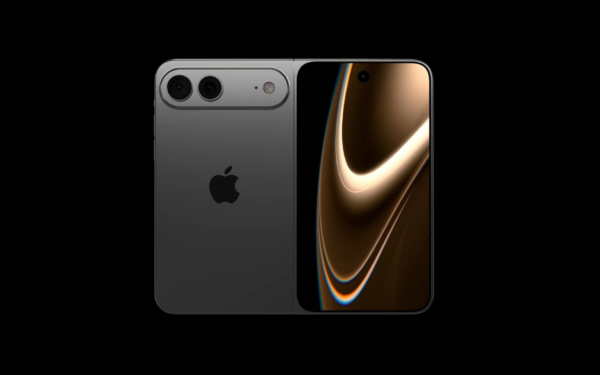
Latest iPhone Fold rumors reveal display crease details, hole-punch cameras, iOS multitasking layout, 12GB RAM, and storage options for Apple’s first foldable iPhone.

iPhone Fold Latest Rumors: Display, Cameras, RAM and Price Details Revealed

March 13, 2026

Leave a Comment Cancel reply

Your email address will not be published. Required fields are marked *

Recent Posts

  • Chrome’s Organizer feature may sync Gemini and AI conversations across devices
  • After Chrome, Edge tests launching the browser automatically when you sign into Windows
  • iPhone Fold Latest Rumors: Display, Cameras, RAM and Price Details Revealed
  • Samsung fears first mobile operating loss due to memory price surge
  • Elon Musk’s X to Change Verification in Europe Following EU Fine

Recent Comments

No comments to show.
OnMSFT.com

OnMSFT.com covers Microsoft news, reviews, and how-to guides. Formerly known as WinBeta, we have been your source for Microsoft news since 1998.

Categories

  • Windows
  • Surface
  • Xbox
  • How-To
  • OnPodcast
  • Gaming
  • Edge
  • Teams

Recent Posts

  • Chrome’s Organizer feature may sync Gemini and AI conversations across devices
  • After Chrome, Edge tests launching the browser automatically when you sign into Windows
  • iPhone Fold Latest Rumors: Display, Cameras, RAM and Price Details Revealed
  • Samsung fears first mobile operating loss due to memory price surge
  • Elon Musk’s X to Change Verification in Europe Following EU Fine

Quick Links

  • About OnMSFT.com
  • Contact OnMSFT
  • Join Our Team
  • Privacy Policy
© 2010–2026 OnMSFT.com LLC. All rights reserved.
About OnMSFT.comContact OnMSFTPrivacy Policy