Skip to content
OnMSFT.com
  • Home
  • About
  • Contact
  • Windows
  • Surface
  • Xbox
  • How-To
  • OnPodcast
  • Edge
  • Teams
  • Gaming
Menu
  • Home
  • About
  • Contact
  • Windows
  • Surface
  • Xbox
  • How-To
  • OnPodcast
  • Edge
  • Teams
  • Gaming
  1. Home
  2. News
  3. Microsoft is bringing a new slideshow experience and a timeline scrollbar to its Photos app on Windows 11

Microsoft is bringing a new slideshow experience and a timeline scrollbar to its Photos app on Windows 11

Laurent Giret Laurent Giret
May 4, 2023
2 min read

Microsoft has announced major changes coming to its Photos app for Windows 11. The changes are currently rolling out to Windows Insiders that are part of the Canary and Dev Channels.

The company has been pushing significant updates to the platform, including iCloud integration which shipped for Windows 11 users late last year. This integration allows users to link their iCloud Photos to the Microsoft Photos App.

And now, Microsoft has released yet another major update which ships with new features as well as the usual bug fixes and improvements. Here’s everything you need to know about this update:

First up, it ships with a new slideshow experience which happens to be one of the top requested features by users. The experience will allow users to recap some of their favorite memories and times in a slideshow format. The experience features transitions, animations, and 25 original music soundtracks to choose from.
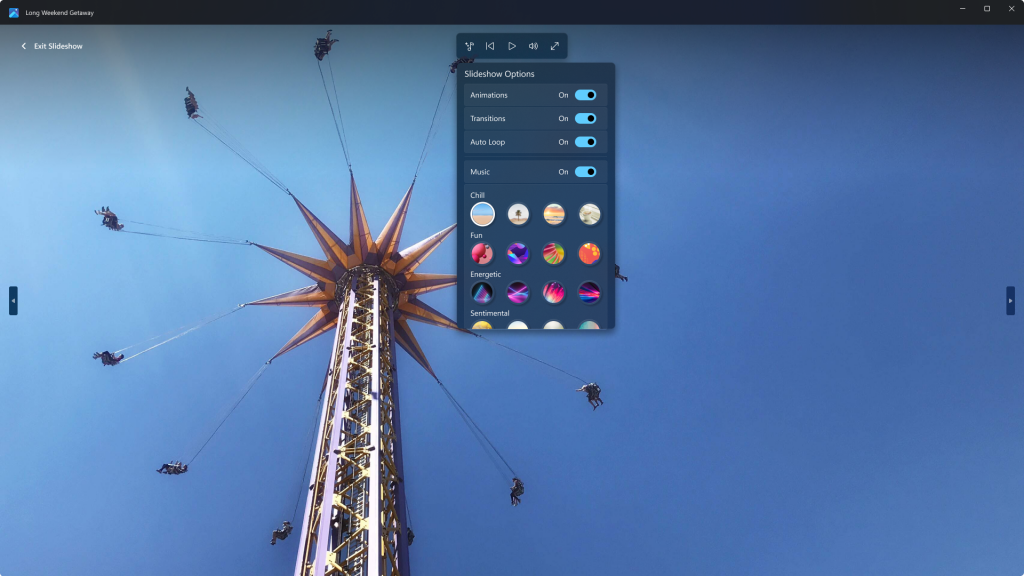
Create photo slideshows with music and animations.

Next up, the timeline scrollbar which is also a top requested feature by users is also making its way back to the All Photos, OneDrive, and iCloud Photos gallery views. The feature essentially categorizes your photos by year and month. This way it is easier for you to find a specific photo in your gallery.
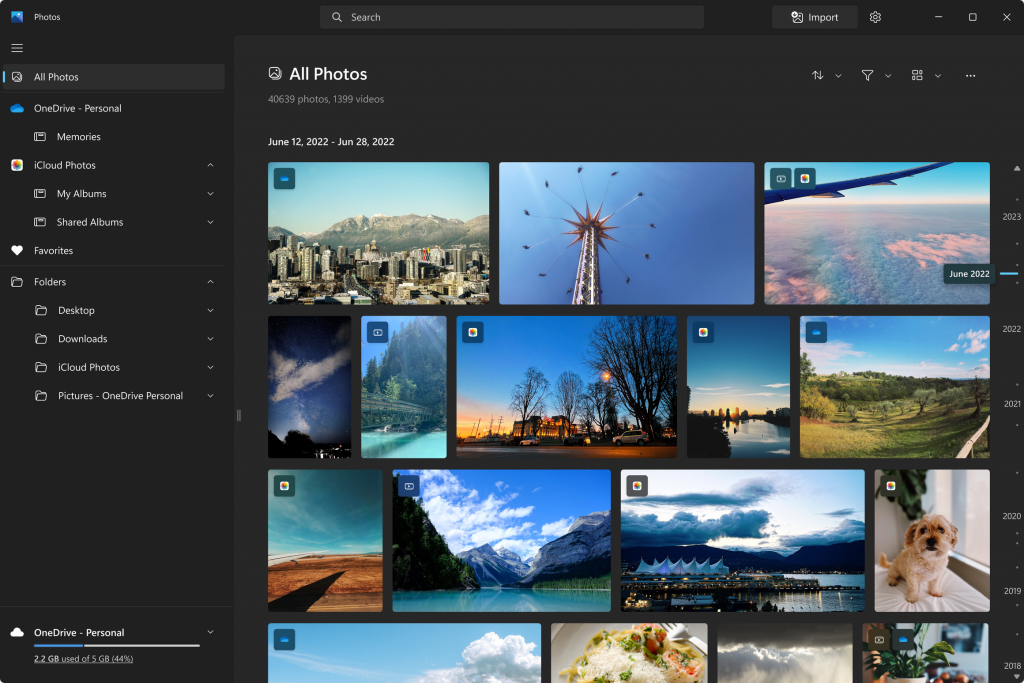
Scroll through the timeline to find the photos you need.

And finally, the update also adds a spots fix feature that’s designed to help users get rid of blemishes from their photos. It can also be used to get rid of unwanted areas from your photos.

Aside from these new features, the update also ships with several enhancements as well as fixes, we invite you to check out the full changelog over at Microsoft’s blog post. Windows Insiders part of the Canary and Dev Channels should be able to access these new changes immediately by downloading the latest Photos app (2023.11050.2013.0 or higher) from the Microsoft Store.


Microsoft Photos
Microsoft Photos
Download
QR-Code
Microsoft Photos
Developer:
Microsoft Corporation
Price:
Free

Check out more from onmsft.com!

Share this article:
Previous Article Here’s the new features and improvements shipping to Bing Chat: Chat saving support, new Actions feature, and more Next Article Try these 4 game with Xbox Free Play Days May 4-7

Related Articles

Chrome and Gemini icons representing Gemini Live voice assistant integration in Chrome

Chrome tests Gemini Live voice assistant in a floating overlay panel

March 14, 2026

Chrome’s Organizer feature may sync Gemini and AI conversations across devices

March 14, 2026

After Chrome, Edge tests launching the browser automatically when you sign into Windows

March 13, 2026

Leave a Comment Cancel reply

Your email address will not be published. Required fields are marked *

Recent Posts

  • Chrome tests Gemini Live voice assistant in a floating overlay panel
  • Chrome’s Organizer feature may sync Gemini and AI conversations across devices
  • After Chrome, Edge tests launching the browser automatically when you sign into Windows
  • iPhone Fold Latest Rumors: Display, Cameras, RAM and Price Details Revealed
  • Samsung fears first mobile operating loss due to memory price surge

Recent Comments

No comments to show.
OnMSFT.com

OnMSFT.com covers Microsoft news, reviews, and how-to guides. Formerly known as WinBeta, we have been your source for Microsoft news since 1998.

Categories

  • Windows
  • Surface
  • Xbox
  • How-To
  • OnPodcast
  • Gaming
  • Edge
  • Teams

Recent Posts

  • Chrome tests Gemini Live voice assistant in a floating overlay panel
  • Chrome’s Organizer feature may sync Gemini and AI conversations across devices
  • After Chrome, Edge tests launching the browser automatically when you sign into Windows
  • iPhone Fold Latest Rumors: Display, Cameras, RAM and Price Details Revealed
  • Samsung fears first mobile operating loss due to memory price surge

Quick Links

  • About OnMSFT.com
  • Contact OnMSFT
  • Join Our Team
  • Privacy Policy
© 2010–2026 OnMSFT.com LLC. All rights reserved.
About OnMSFT.comContact OnMSFTPrivacy Policy

