Skip to content
OnMSFT.com
  • Home
  • About
  • Contact
  • Windows
  • Surface
  • Xbox
  • How-To
  • OnPodcast
  • Edge
  • Teams
  • Gaming
Menu
  • Home
  • About
  • Contact
  • Windows
  • Surface
  • Xbox
  • How-To
  • OnPodcast
  • Edge
  • Teams
  • Gaming
  1. Home
  2. News
  3. Microsoft Forms lets you leverage AI technology to spruce up your invitations

Microsoft Forms lets you leverage AI technology to spruce up your invitations

Kevin Okemwa Kevin Okemwa
March 15, 2023
1 min read

If you use Microsoft Forms to design invitations and track responses, Microsoft has made significant improvements to the tool to enhance the experience.

With Microsoft integrating AI across its products and services, the case isn’t any different with Microsoft Forms. In fact, Microsoft is making it easier for users to send invitations via Microsoft Forms by letting them leverage AI capabilities.

The tool ships with tons of themes as well as cover pages that you can use to enhance the aesthetic appeal of your invitation. All you need to do is key in crucial details like the event’s date, time, and location. From this point, you can personalize the invitation’s design to meet your specifications.
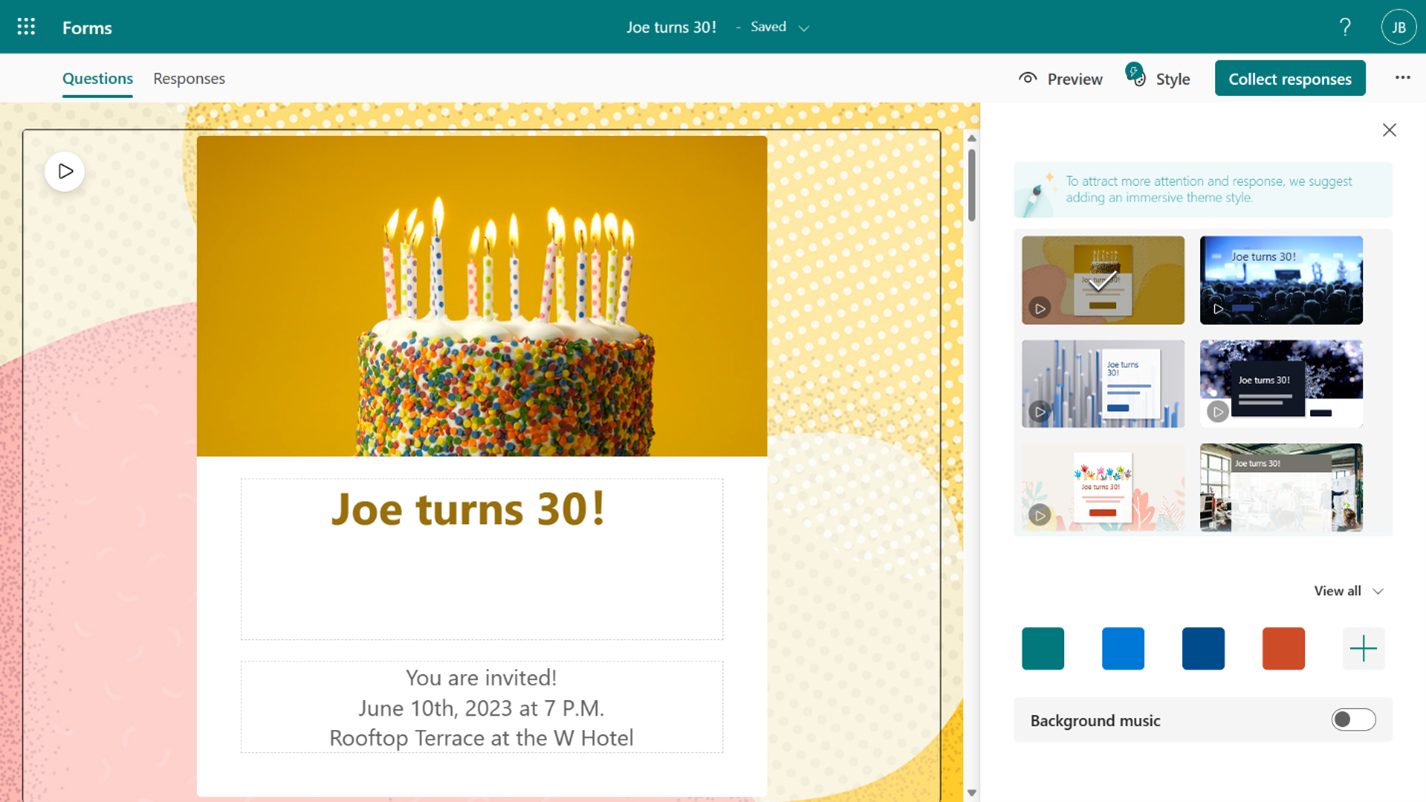
Invitation draft

Another notable feature is that you can also incorporate background music into the invitation that aligns with the event’s theme to build up the guests’ enthusiasm. What’s more, you can upload pictures from your device or even search results from Bing.com to enhance your cover page’s appeal.

The feature is currently available to all Business and Education subscribers.  It should also be noted that you can now send your form to both internal and external email addresses simultaneously.

Do you use Microsoft Forms? Let us know in the comments.

Share this article:
Previous Article Microsoft’s new firmware update for Intel-based Surface Laptop 4 fixes abnormal shutdown issue Next Article Microsoft is giving free USB drives to Windows Insiders, here’s why

Related Articles

Chrome and Gemini icons representing Gemini Live voice assistant integration in Chrome

Chrome tests Gemini Live voice assistant in a floating overlay panel

March 14, 2026

Chrome’s Organizer feature may sync Gemini and AI conversations across devices

March 14, 2026

After Chrome, Edge tests launching the browser automatically when you sign into Windows

March 13, 2026

Leave a Comment Cancel reply

Your email address will not be published. Required fields are marked *

Recent Posts

  • Chrome tests Gemini Live voice assistant in a floating overlay panel
  • Chrome’s Organizer feature may sync Gemini and AI conversations across devices
  • After Chrome, Edge tests launching the browser automatically when you sign into Windows
  • iPhone Fold Latest Rumors: Display, Cameras, RAM and Price Details Revealed
  • Samsung fears first mobile operating loss due to memory price surge

Recent Comments

No comments to show.
OnMSFT.com

OnMSFT.com covers Microsoft news, reviews, and how-to guides. Formerly known as WinBeta, we have been your source for Microsoft news since 1998.

Categories

  • Windows
  • Surface
  • Xbox
  • How-To
  • OnPodcast
  • Gaming
  • Edge
  • Teams

Recent Posts

  • Chrome tests Gemini Live voice assistant in a floating overlay panel
  • Chrome’s Organizer feature may sync Gemini and AI conversations across devices
  • After Chrome, Edge tests launching the browser automatically when you sign into Windows
  • iPhone Fold Latest Rumors: Display, Cameras, RAM and Price Details Revealed
  • Samsung fears first mobile operating loss due to memory price surge

Quick Links

  • About OnMSFT.com
  • Contact OnMSFT
  • Join Our Team
  • Privacy Policy
© 2010–2026 OnMSFT.com LLC. All rights reserved.
About OnMSFT.comContact OnMSFTPrivacy Policy

