Skip to content
OnMSFT.com
  • Home
  • About
  • Contact
  • Windows
  • Surface
  • Xbox
  • How-To
  • OnPodcast
  • Edge
  • Teams
  • Gaming
Menu
  • Home
  • About
  • Contact
  • Windows
  • Surface
  • Xbox
  • How-To
  • OnPodcast
  • Edge
  • Teams
  • Gaming
  1. Home
  2. News
  3. Office Remote for Windows Phone 8 released, lets you interact with Office on your PC

Office Remote for Windows Phone 8 released, lets you interact with Office on your PC

Ron Ron
August 19, 2019
1 min read

Office Remote for Windows Phone 8 released, lets you interact with Office on your PC

Microsoft has released a new app for Windows Phone 8 called Office Remote. This app is free and allows you to seamlessly interact with Office 2013 or Office 365 on your PC and allows your Windows Phone device to act as a smart remote.

“Office Remote turns your phone into a smart remote that interacts with Microsoft Office on your PC. The app lets you control Word, Excel, and PowerPoint from across the room so you can walk around freely during presentations,” Office group program manager Bert Van Hoof stated in an official blog post.

The Office Remote app allows you to use your Windows Phone 8 device to control Word, Excel, and PowerPoint documents from across the room so you can walk around freely during presentations. In other words, you can use your Windows Phone device as a remote. This app is a result of Microsoft’s ongoing research to create a more natural, seamless interaction across multiple screens and devices

In order for this to work, you will need a Windows Phone 8 device, Office 2013 (all versions except Office 2013 RT), a Bluetooth-enabled PC, and the installation of a desktop add-in for Office Remote on your PC. 

Office Remote for WP8

Further reading: Office, Windows Phone

Share this article:
Tags:
Office Windows Phone
Previous Article Join the Skype for Business Preview Program today Next Article Microsoft wins first ever ‘Patents for Humanity Award’ thanks to humanitarian research

Related Articles

Denis Dyack calls NVIDIA DLSS 5 a mistake, warns it changes game art direction and could harm AAA game development future.

DLSS 5 “Needs to Go Back to the Drawing Board,” Eternal Darkness Dev Says

March 21, 2026

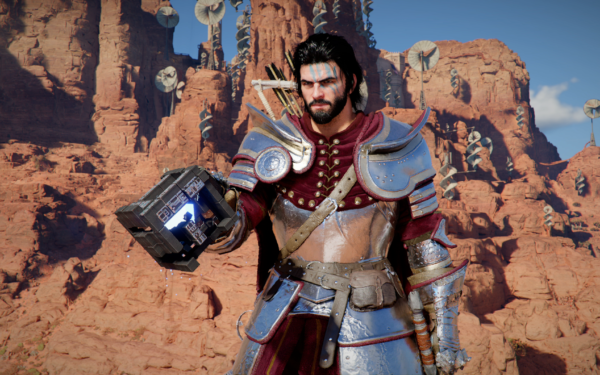
Crimson Desert players spot possible AI-generated art after launch

March 21, 2026

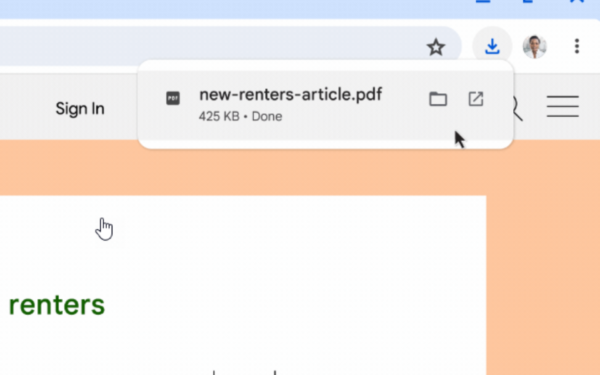
Chrome is adding a scanning animation and ‘Checking download for safety’ message for risky downloads

March 21, 2026

Leave a Comment Cancel reply

Your email address will not be published. Required fields are marked *

Recent Posts

  • DLSS 5 “Needs to Go Back to the Drawing Board,” Eternal Darkness Dev Says
  • Crimson Desert players spot possible AI-generated art after launch
  • Chrome is adding a scanning animation and ‘Checking download for safety’ message for risky downloads
  • Microsoft says Windows 11 will get faster, quieter, and more customizable
  • LGA-1954 Could Bring Multi-Generation Support to Intel CPUs

Recent Comments

No comments to show.
OnMSFT.com

The Tech News Site

Categories

  • Windows
  • Surface
  • Xbox
  • How-To
  • OnPodcast
  • Gaming
  • Edge
  • Teams

Recent Posts

  • DLSS 5 “Needs to Go Back to the Drawing Board,” Eternal Darkness Dev Says
  • Crimson Desert players spot possible AI-generated art after launch
  • Chrome is adding a scanning animation and 'Checking download for safety' message for risky downloads
  • Microsoft says Windows 11 will get faster, quieter, and more customizable
  • LGA-1954 Could Bring Multi-Generation Support to Intel CPUs

Quick Links

  • About OnMSFT.com
  • Contact OnMSFT
  • Join Our Team
  • Privacy Policy
© 2010–2026 OnMSFT.com LLC. All rights reserved.
About OnMSFT.comContact OnMSFTPrivacy Policy