Skip to content
OnMSFT.com
  • Home
  • About
  • Contact
  • Windows
  • Surface
  • Xbox
  • How-To
  • OnPodcast
  • Edge
  • Teams
  • Gaming
Menu
  • Home
  • About
  • Contact
  • Windows
  • Surface
  • Xbox
  • How-To
  • OnPodcast
  • Edge
  • Teams
  • Gaming
  1. Home
  2. News
  3. Visual Studio 2022 17.1 is now available – onmsft.com

Visual Studio 2022 17.1 is now available – onmsft.com

Kevin Okemwa Kevin Okemwa
February 16, 2022
2 min read

Visual Studio 2022 17.1 is now available for use by the general population taking a leap from its preview version. Most of the feedback from the users that were on the preview version was incorporated into the app by Microsoft to enhance its functionality.

That said, users should make the update as Microsoft had earlier indicated that it will no longer support older versions of the Visual Studio. Moreover, a major feature added to the app is Find in Files. Essentially, through this feature users are able to scheme through their files quicker.

While indexed Find in Files is enabled by default for all users, you can opt to disable it by navigating to Tools > Options > Environment > Preview Features and unchecking “Enable indexing for faster find experience”.

Another notable feature that comes to this new version of Visual Studio is one that allows its users to save every dirty document in the IDE. This takes effect the moment your IDE loses focus.  Other features that also made it to the GA version include the ability to compare branches, review pull requests, checkout a commit among others.

Solution filters are also at the disposal of the users, in that, they have the ability to select the project to load with the aim of avoiding loading massive solutions. Therefore, you can now either load an individual project or an entire dependency tree.

Visual Studio 2022 version 17.1 added an easier way to load the entire dependency tree for all the projects in the solution filter. This will pull in any new dependencies that were added to ensure you have all the projects you need. You can check for any new dependencies by clicking Update Project Dependencies in the context menu of the solution node in the Solution Explorer.

The new Visual Studio is available for use by both professional and enterprise clients with full access to the listed features above. Furthermore, Microsoft reiterates that users should expect continued enhancements in the Git experience as well as Bug fixes and improvements for .NET MAUI development.


Share This Post:

Share this article:
Tags:
Visual Studio
Previous Article Rumor: could Microsoft be buying Capcom next? – onmsft.com Next Article Xbox teams up with NY Liberty, Brooklyn Nets to launch Jnr.Ballers – onmsft.com

Related Articles

‘Raise a lobster’: OpenClaw craze spreads across China’s AI sector

March 15, 2026
OpenClaw can now connect with Gmail, Drive, and Docs using Google’s new CLI

AWS adds OpenClaw AI agent deployment to Amazon Lightsail

March 15, 2026

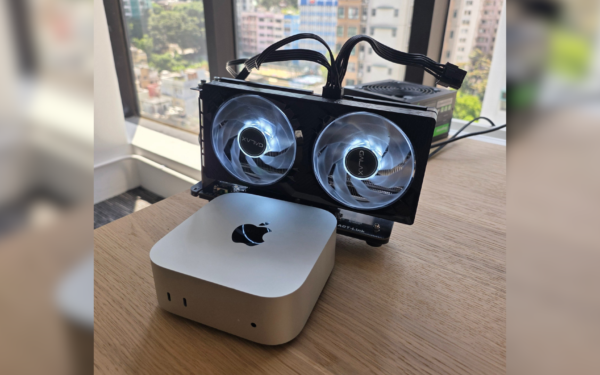
Startup Builds Mac Mini GPU Hack for Running Local AI Models

March 15, 2026

Leave a Comment Cancel reply

Your email address will not be published. Required fields are marked *

Recent Posts

  • ‘Raise a lobster’: OpenClaw craze spreads across China’s AI sector
  • AWS adds OpenClaw AI agent deployment to Amazon Lightsail
  • MacBook Neo Has a Hidden Display P3 Setting That Improves Screen Colors
  • Startup Builds Mac Mini GPU Hack for Running Local AI Models
  • Apple Unlikely to Add Touchscreens to MacBook Neo for Years

Recent Comments

No comments to show.
OnMSFT.com

The Tech News Site

Categories

  • Windows
  • Surface
  • Xbox
  • How-To
  • OnPodcast
  • Gaming
  • Edge
  • Teams

Recent Posts

  • ‘Raise a lobster’: OpenClaw craze spreads across China’s AI sector
  • AWS adds OpenClaw AI agent deployment to Amazon Lightsail
  • MacBook Neo Has a Hidden Display P3 Setting That Improves Screen Colors
  • Startup Builds Mac Mini GPU Hack for Running Local AI Models
  • Apple Unlikely to Add Touchscreens to MacBook Neo for Years

Quick Links

  • About OnMSFT.com
  • Contact OnMSFT
  • Join Our Team
  • Privacy Policy
© 2010–2026 OnMSFT.com LLC. All rights reserved.
About OnMSFT.comContact OnMSFTPrivacy Policy