Skip to content
OnMSFT.com
  • Home
  • About
  • Contact
  • Windows
  • Surface
  • Xbox
  • How-To
  • OnPodcast
  • Edge
  • Teams
  • Gaming
Menu
  • Home
  • About
  • Contact
  • Windows
  • Surface
  • Xbox
  • How-To
  • OnPodcast
  • Edge
  • Teams
  • Gaming
  1. Home
  2. News
  3. Microsoft Teams introduces new color and styling changes in public preview

Microsoft Teams introduces new color and styling changes in public preview

Rabia Noureen Rabia Noureen
January 15, 2021
2 min read

Back in October, Microsoft detailed a new Theme and Fluent icon update that would soon make its debut on the Teams collaboration platform. Microsoft Teams users have been waiting for these changes for quite some time now, and this new experience is now available for testers with the newly-released update for the public preview program.

Teams dark theme juste became WAY darker. #Windowsinsiders pic.twitter.com/OLGAPHfn2Q

— Florian B (@flobo09) January 15, 2021

If you are enrolled in the Microsoft Teams public preview program, you’ll notice that the company has updated the default and dark themes in Teams with new background colors and introduced subtle design changes. As seen in the screenshot above, Microsoft Teams has finally picked up an improved dark mode experience, with the UI elements appearing a bit more on the darker side.
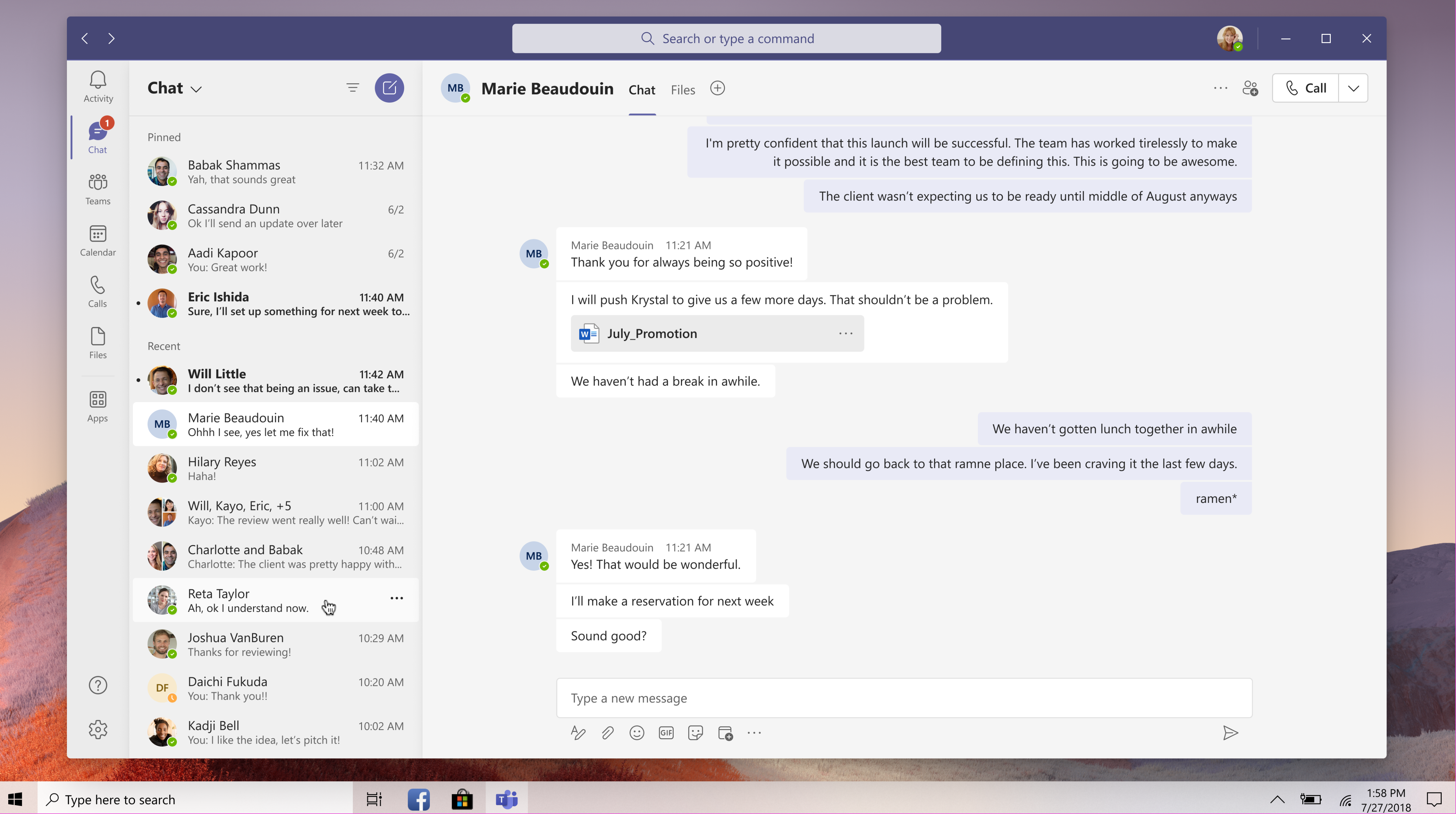
Updated design

The default theme is also getting similar treatment, and a shade of white has replaced the bright purple color in the app bar. The other noticeable changes in this update are the new drop shadow effect that has been applied between panels and the new rounded corners for various UI elements.

Overall, this is a nice coat of paint and a seamless transition to keep the UI of Teams consistent with the overall Microsoft 365 design vision, which was revealed in July 2020. Keep in mind that this release doesn’t include the Fluent icon update, and the company plans to ship it to testers in mid-February. Have you spotted these changes on your PCs? Let us know in the comments down below.


Share This Post:

Tags: Microsoft 365 | Microsoft Teams
Share this article:
Tags:
Microsoft 365 Microsoft Teams
Previous Article How to buy the Surface Pro 7+ directly from Microsoft Next Article Microsoft to fix critical NTFS vulnerability on Windows 10 PCs

Related Articles

Chrome and Gemini icons representing Gemini Live voice assistant integration in Chrome

Chrome tests Gemini Live voice assistant in a floating overlay panel

March 14, 2026

Chrome’s Organizer feature may sync Gemini and AI conversations across devices

March 14, 2026

After Chrome, Edge tests launching the browser automatically when you sign into Windows

March 13, 2026

Leave a Comment Cancel reply

Your email address will not be published. Required fields are marked *

Recent Posts

  • Chrome tests Gemini Live voice assistant in a floating overlay panel
  • Chrome’s Organizer feature may sync Gemini and AI conversations across devices
  • After Chrome, Edge tests launching the browser automatically when you sign into Windows
  • iPhone Fold Latest Rumors: Display, Cameras, RAM and Price Details Revealed
  • Samsung fears first mobile operating loss due to memory price surge

Recent Comments

No comments to show.
OnMSFT.com

OnMSFT.com covers Microsoft news, reviews, and how-to guides. Formerly known as WinBeta, we have been your source for Microsoft news since 1998.

Categories

  • Windows
  • Surface
  • Xbox
  • How-To
  • OnPodcast
  • Gaming
  • Edge
  • Teams

Recent Posts

  • Chrome tests Gemini Live voice assistant in a floating overlay panel
  • Chrome’s Organizer feature may sync Gemini and AI conversations across devices
  • After Chrome, Edge tests launching the browser automatically when you sign into Windows
  • iPhone Fold Latest Rumors: Display, Cameras, RAM and Price Details Revealed
  • Samsung fears first mobile operating loss due to memory price surge

Quick Links

  • About OnMSFT.com
  • Contact OnMSFT
  • Join Our Team
  • Privacy Policy
© 2010–2026 OnMSFT.com LLC. All rights reserved.
About OnMSFT.comContact OnMSFTPrivacy Policy
