Skip to content
OnMSFT.com
  • Home
  • About
  • Contact
  • Windows
  • Surface
  • Xbox
  • How-To
  • OnPodcast
  • Edge
  • Teams
  • Gaming
Menu
  • Home
  • About
  • Contact
  • Windows
  • Surface
  • Xbox
  • How-To
  • OnPodcast
  • Edge
  • Teams
  • Gaming
  1. Home
  2. News
  3. Fhotoroom updated with new filters, UI change and improvements

Fhotoroom updated with new filters, UI change and improvements

Hammad Saleem Hammad Saleem
August 21, 2019
1 min read

Fhotoroom

If you’re a regular user of the Fhotoroom application on your Windows Phone handset, it is time to open the Windows Store on your device and check for the updates that are waiting for you. Fhotoroom introduces several new filters, along with a major UI change to the editor and camera.

The popular photo-editing application that goes by the name of Fhotoroom also received an update, bumping it to version 10. The latest update brings several new features on board, including a whole bunch of new filters, like Vibe, Faint, Musk, Portrait, HueSplash, Double Exposure, Round White and Black Frames, that can be added to the images. Additionally, it brings a major UI change for the editor and the camera, as well as the ability to pin the Fhotoroom editor to the start screen. Here’s a complete change log for Fhotoroom v10:

  • Filter previews are now 50% faster.
  • Major UI/UX changes in editor and camera.
  • New Pin Editor to Start screen.
  • Fixed Point EV and Tap to Focus bug.
  • Updated Filters (LowDef, Ansel, Tones, Exposure, Correction, Sharpen, Levels)
  • New Filters (Vibe, Faint, Musk, Portrait, HueSplash, Double Exposure, Round White and Black Frames)
  • Ability to zoom in even during editing.
  • Dozens of other minor tweaks and bug fixes.

Simply head over to the Windows Phone Store to snag the updated Fhotoroom application.

Fhotoroom

Further reading: Microsoft, Windows Phone

Share this article:
Tags:
Microsoft Windows Phone
Previous Article Bring your iPad into a Microsoft Store, get Office 365 free for one year Next Article Samsung brings back the Start Menu in Windows 8 with S-Launcher

Related Articles

Chrome’s Organizer feature may sync Gemini and AI conversations across devices

March 14, 2026

After Chrome, Edge tests launching the browser automatically when you sign into Windows

March 13, 2026
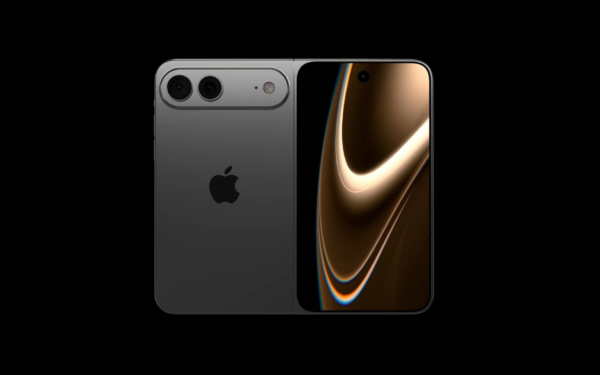
Latest iPhone Fold rumors reveal display crease details, hole-punch cameras, iOS multitasking layout, 12GB RAM, and storage options for Apple’s first foldable iPhone.

iPhone Fold Latest Rumors: Display, Cameras, RAM and Price Details Revealed

March 13, 2026

Leave a Comment Cancel reply

Your email address will not be published. Required fields are marked *

Recent Posts

  • Chrome’s Organizer feature may sync Gemini and AI conversations across devices
  • After Chrome, Edge tests launching the browser automatically when you sign into Windows
  • iPhone Fold Latest Rumors: Display, Cameras, RAM and Price Details Revealed
  • Samsung fears first mobile operating loss due to memory price surge
  • Elon Musk’s X to Change Verification in Europe Following EU Fine

Recent Comments

No comments to show.
OnMSFT.com

OnMSFT.com covers Microsoft news, reviews, and how-to guides. Formerly known as WinBeta, we have been your source for Microsoft news since 1998.

Categories

  • Windows
  • Surface
  • Xbox
  • How-To
  • OnPodcast
  • Gaming
  • Edge
  • Teams

Recent Posts

  • Chrome’s Organizer feature may sync Gemini and AI conversations across devices
  • After Chrome, Edge tests launching the browser automatically when you sign into Windows
  • iPhone Fold Latest Rumors: Display, Cameras, RAM and Price Details Revealed
  • Samsung fears first mobile operating loss due to memory price surge
  • Elon Musk’s X to Change Verification in Europe Following EU Fine

Quick Links

  • About OnMSFT.com
  • Contact OnMSFT
  • Join Our Team
  • Privacy Policy
© 2010–2026 OnMSFT.com LLC. All rights reserved.
About OnMSFT.comContact OnMSFTPrivacy Policy