How-to
How To Use “slide To Shut Down” On Any Windows 10 Device – OnMSFT.com
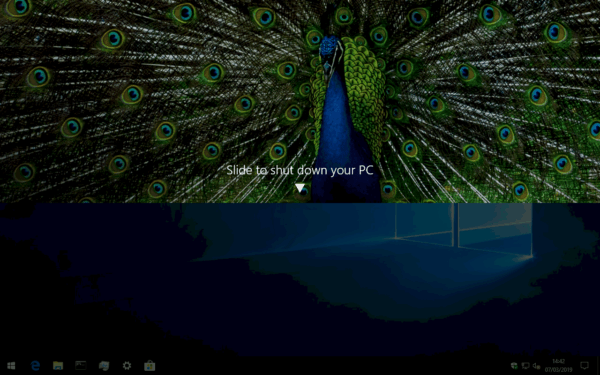
Windows 10 tablets and phones have a “slide to shut down” interface which appears automatically when you long-press the power…
116 articles
How-to
Windows 10 tablets and phones have a “slide to shut down” interface which appears automatically when you long-press the power…
How-to
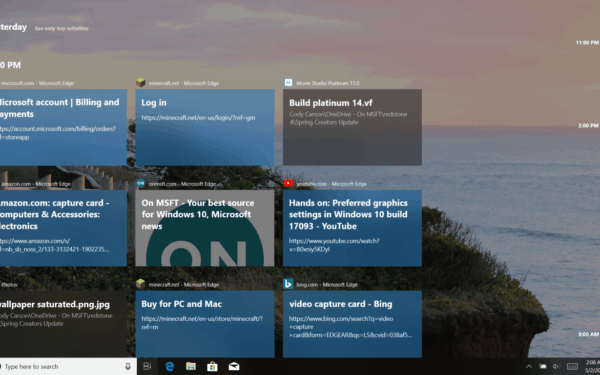
How to clear Windows 10 Timeline history To clear all activities from your Windows 10 Timeline history: Launch the Settings…
How-to
How to disable Windows 10 Timeline To disable Windows Timeline: Launch the Settings app (Win+I) and click the “Privacy” category.…
How-to
Connect to a network share in Windows 10 Connect to a network-connected drive in Windows 10: Launch File Explorer (you…
How to check if you're running 32-bt or 64-bit Windows 10 Open Windows 10 System Settings (Win+I keyboard), go to…
Windows 10’s dark theme has been undergoing further development in recent Insider builds, integrating it more deeply into the interface.…
Find Windows 10 version number Microsoft uses version numbers, build numbers, and update version names to identify specific Windows 10…
View Sticky Notes on the web Log in to your Microsoft account Create a Sticky Note in Windows 10 with…
How-to
You’ve just bought – or built – or received – a shiny a new Windows 10 device and you’re ready…
Modify your hosts file in Windows 10 Here’s how you can modify Hosts files in Windows 10, and map domain…
How-to
Since the official Xbox One YouTube app updated a few months ago, many users have been plagued with an infuriating…
How to get started using Timeline in Windows 10 Insider build 17063 Kip Kniskern 2 months ago in Latest news…