Skip to content
OnMSFT.com
  • Home
  • About
  • Contact
  • Windows
  • Surface
  • Xbox
  • How-To
  • OnPodcast
  • Edge
  • Teams
  • Gaming
Menu
  • Home
  • About
  • Contact
  • Windows
  • Surface
  • Xbox
  • How-To
  • OnPodcast
  • Edge
  • Teams
  • Gaming
  1. Home
  2. How-to
  3. How to get Office 365 for free

How to get Office 365 for free

Arif Bacchus Arif Bacchus
July 1, 2019
4 min read

Microsoft Office 365 icons\n

\n

How to get Office 365 for free

\n

Microsoft Office 365 comes at the price of a yearly or monthly subscription. However, not everyone will have the money to pay for it. Here’s how you can get it for free.

\n

    \n

  • Use Office 365 for free on the web
  • \n

  • Get Office 365 for free from school
  • \n

  • Try Office 365 free for 30 days
  • \n

  • Use a third-party alternative like LibreOffice, WPS Office.
  • \n

\n

\n

Applies to

\n

\n

Microsoft Office 365 is a great subscription service that gives you access to Word, PowerPoint, Excel, Outlook, and more, for an affordable price starting at $6.99 a month, or $69.99 a year. However,  not everyone may have that much money to spend on that subscription. No need to worry though, as there are more than a few ways that you can get Office 365 for free. Here’s how.

\n

Use Office 365 for free on the web

\n
\n

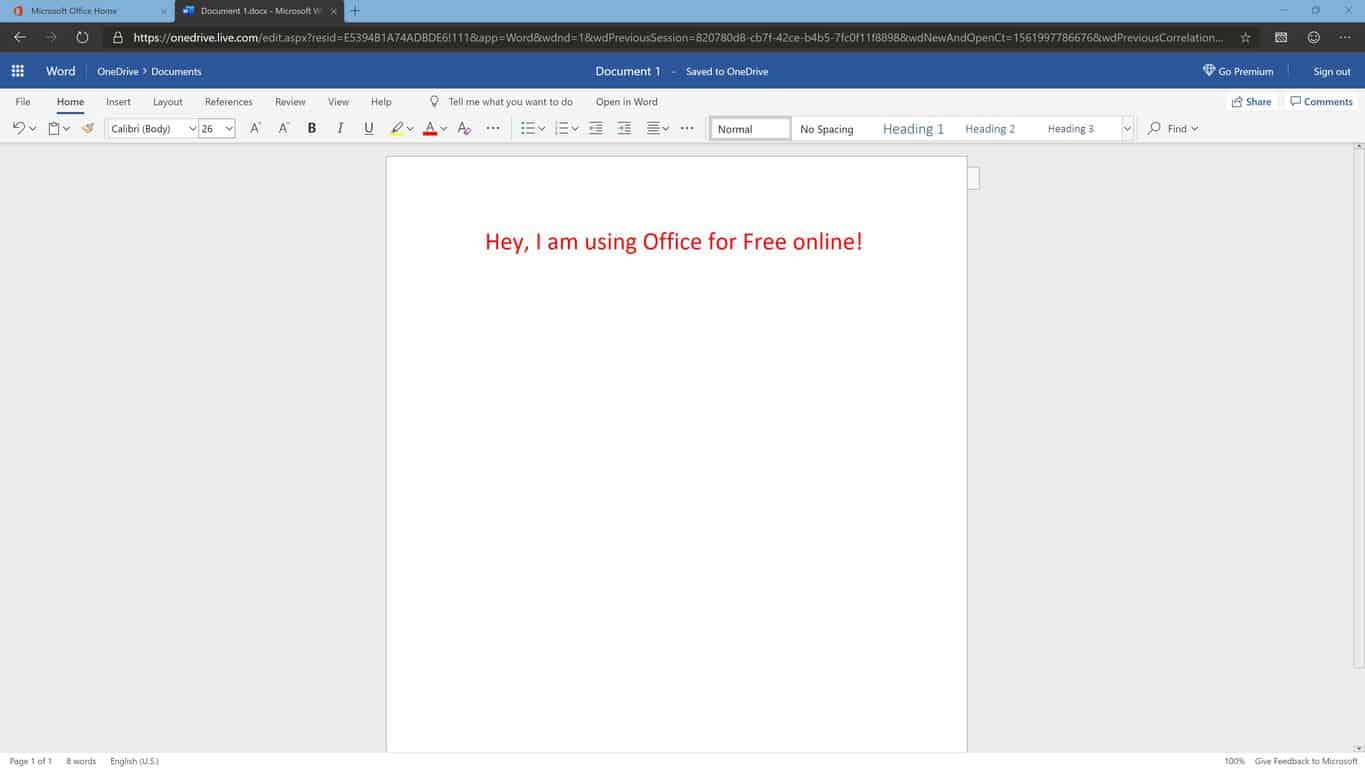
If you’re not willing to shell out your money for a subscription fee, you can still enjoy some basic editing functionalities of Office 365 right from your web browser. To get started, you’ll need to create a Microsoft Account by visiting this webpage. Once you’ve set up your account, you’ll have basic access to Office on the Web via Office Online.

\n

At the Office Online main page, you’ll notice a list of apps which are available for you for free. The list includes Word, Excel, PowerPoint, OneNote, Sway, Forms, Flow, and Skype. If you click on one of these Apps, it will launch in a new tab. Of course, the functionalities are limited, but simple tasks will work just fine. You’ll need to stay connected and online to keep working.

\n

You can also “upload” any Office documents you have stored on your computer or downloaded to edit in any of the online apps. This is powered by Microsoft OneDrive, so uploading documents and editing online shouldn’t be a fully reliable solution for processor-intensive tasks like crunching numbers in Excel spreadsheets.

\n

Get Office 365 for free from school

\n
\n

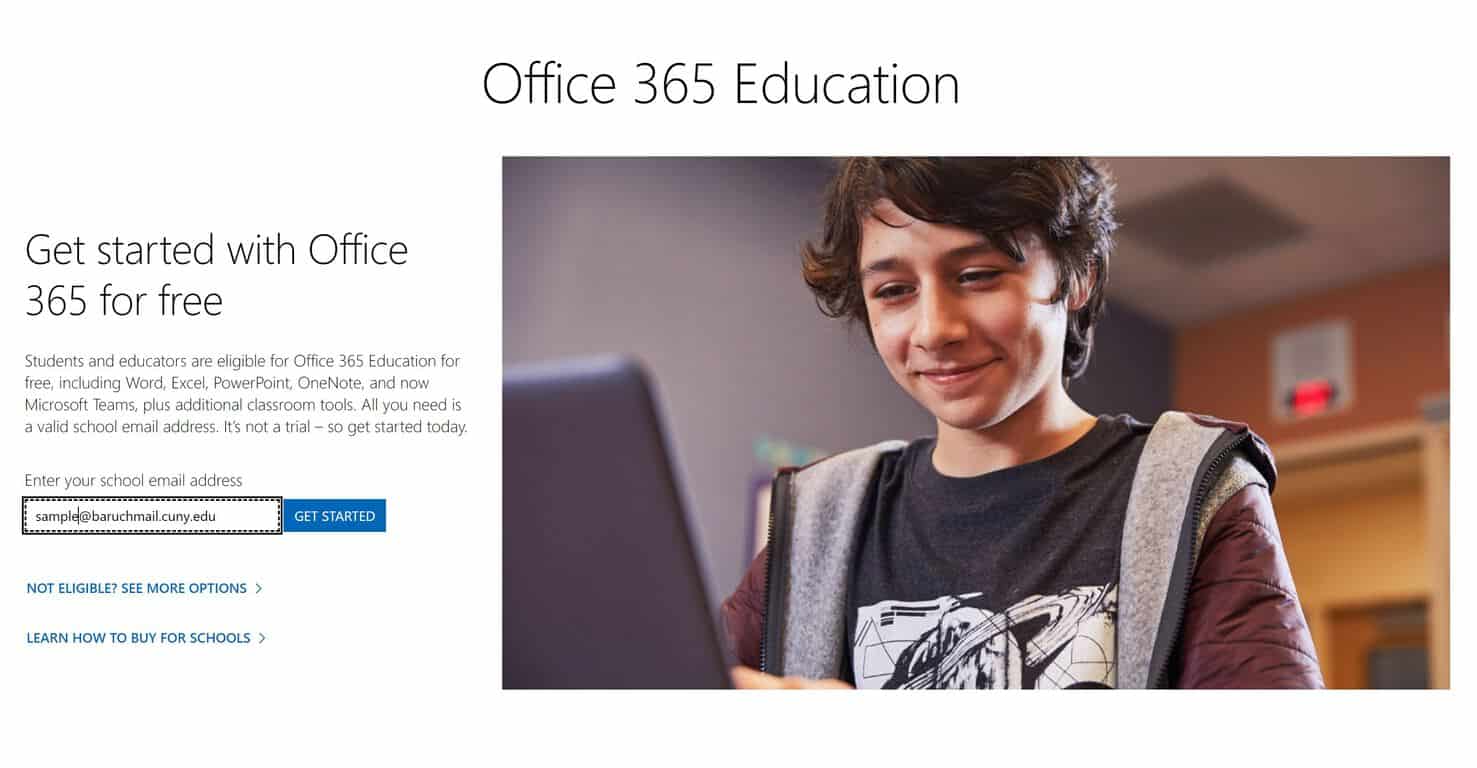
If you’re a student or teacher or work in a school, you might already be eligible to get Office 365 for free from your educational institution. This means you won’t need to purchase an additional Office 365 Home or Personal subscription.

\n

To check your eligibility, you can check out this Microsoft webpage and input your @.edu email address. Next, choose if you’re a student or teacher. If you see a page that reads “You have an account with us,” then that means you’re eligible for free Office 365. Click the sign in link, and sign in with the email address and password (Office 365 information) provided to you by your school. Once logged in with your .edu, you can then head to this page and click the “Install Office” button on the top right cover of the screen.

\n

If you don’t that page when inputting your email, then Office might not be available for free for you at your school.  Your school’s IT professional can enroll and request for a free Microsoft Office 365 Education plan.

\n

Try Office 365 free for 30 days

\n
\n

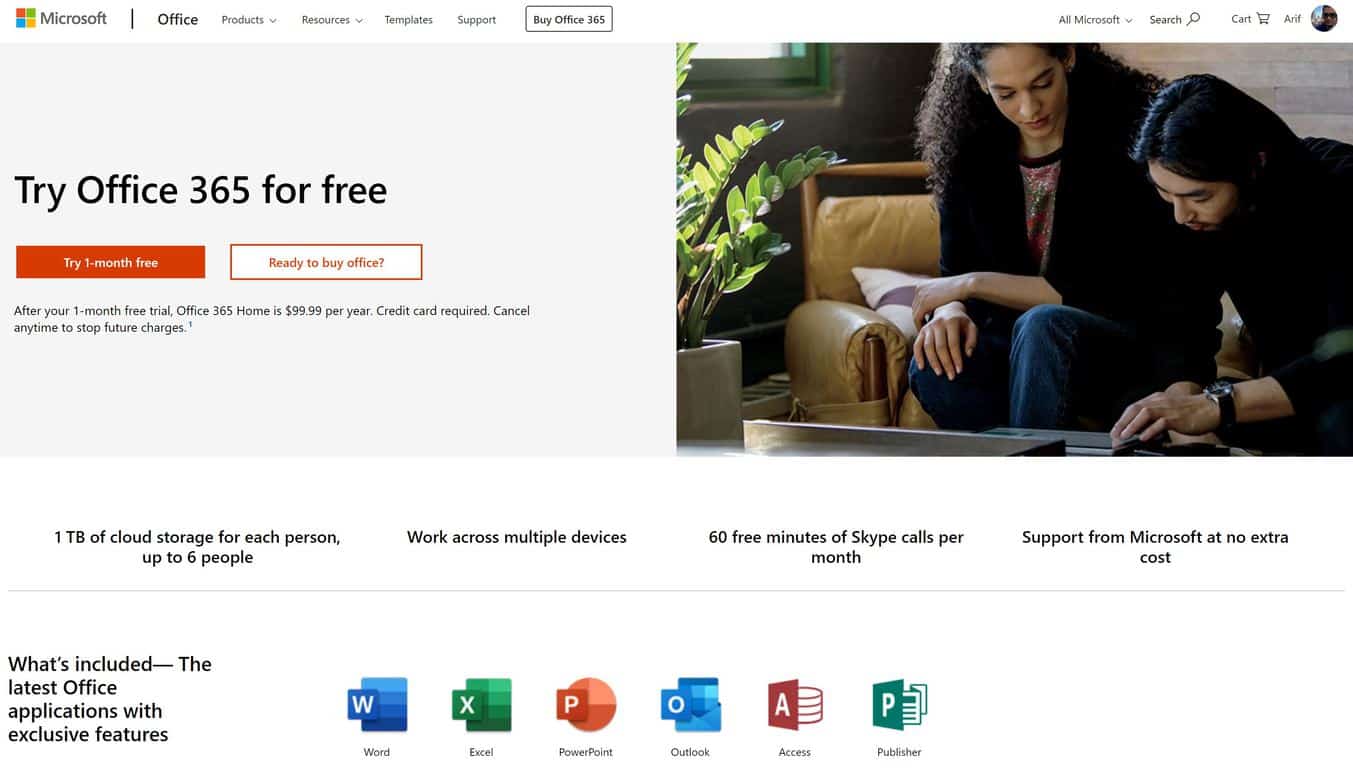
If Office online isn’t right for you, and if you can’t get Office from your educational institution for free, all hope is not lost. You can, indeed, enjoy Office 365 for free for one month by heading to this free trial page and signing up with your Microsoft Account.

\n

By going this route, you’ll get free one-month access to everything covered in Office 365 Home. Be aware that you’ll need to give up billing information before downloading, and you’ll need to take note of the date you downloaded. Once the 30 days are up, you’ll have to cancel to avoid being charged for another month of service.

\n

Under the one month trial of Office 365 Home, six different people can enjoy access to PowerPoint, Word, Excel, Outlook, Access, Publisher, and Skype across multiple devices. Each person will be able to install Office on all their devices, with their own personal accounts, but each person can only can stay signed in to five devices at the same time. Also included under the plan is access to 1TB of cloud storage on Microsoft OneDrive, and 60 minutes of calling on Skype.

\n

Other methods

\n

So, there you have it. Three easy ways in which you can get Office 365 for free. No need to mess with product keys, visit suspicious websites, or download strange programs to enjoy Word, Excel, Outlook, or PowerPoint. If all else fails, there are plenty of free alternatives available for download which can create, edit, and save Microsoft Office documents. The list includes LibreOffice, FreeOffice, and WPS Office.

\n\nFurther reading: Microsoft, Office, Office 365

Share this article:
Tags:
Microsoft Office
Previous Article Remedy regains control of Alan Wake from Microsoft, could be going multiplatform Next Article It’s official, Windows 10 version 19H2 to be a minor update that will install like a standard Windows update

Related Articles

How to Fix the Phone Link App Not Working on Windows 11 – OnMSFT.com

December 29, 2022

5 easy ways to make desktop shortcuts on Windows 11 – OnMSFT.com

December 29, 2022

How to customize precision touchpads on Windows – OnMSFT.com

December 22, 2022

Leave a Comment Cancel reply

Your email address will not be published. Required fields are marked *

Recent Posts

  • Microsoft is no longer manufacturing the Windows RT powered Surface 2
  • Microsoft treats Windows Phone owners with extra 20GB of free SkyDrive storage for one year
  • Bing now showcases professional and celebrity Klout scores during search results
  • Bing now lets you search and browse for your friends’ Facebook photos
  • Bing now lets you explore free online courses and helps you find books to read

Recent Comments

No comments to show.

Archives

  • February 2026
  • December 2022
  • November 2022
  • October 2022
  • September 2022
  • August 2022
  • July 2022
  • June 2022
  • May 2022
  • April 2022
  • March 2022
  • February 2022
  • January 2022
  • December 2021
  • November 2021
  • October 2021
  • September 2021
  • August 2021
  • July 2021
  • June 2021
  • May 2021
  • April 2021
  • March 2021
  • February 2021
  • January 2021
  • December 2020
  • November 2020
  • October 2020
  • September 2020
  • August 2020
  • July 2020
  • June 2020
  • May 2020
  • April 2020
  • March 2020
  • February 2020
  • January 2020
  • December 2019
  • November 2019
  • October 2019
  • September 2019
  • August 2019
  • July 2019
  • June 2019
  • May 2019
  • April 2019
  • March 2019
  • February 2019
  • January 2019
  • December 2018
  • November 2018
  • October 2018
  • September 2018
  • August 2018
  • July 2018
  • June 2018
  • May 2018
  • April 2018
  • March 2018
  • February 2018
  • January 2018
  • December 2017
  • November 2017
  • October 2017
  • September 2017
  • August 2017
  • July 2017
  • June 2017
  • May 2017
  • April 2017
  • March 2017
  • February 2017
  • January 2017
  • December 2016
  • November 2016
  • October 2016
  • September 2016
  • August 2016
  • July 2016
  • June 2016
  • May 2016
  • April 2016
  • March 2016
  • February 2016
  • January 2016
  • December 2015
  • November 2015
  • October 2015
  • September 2015
  • August 2015
  • July 2015
  • June 2015
  • May 2015
  • April 2015
  • March 2015
  • February 2015
  • January 2015
  • December 2014
  • November 2014
  • October 2014
  • September 2014
  • August 2014
  • July 2014
  • June 2014
  • May 2014
  • April 2014
  • March 2014
  • February 2014
  • January 2014
  • December 2013
  • November 2013
  • October 2013
  • September 2013
  • August 2013
  • July 2013
  • June 2013
  • May 2013
  • April 2013
  • March 2013
  • February 2013
  • January 2013
  • December 2012
  • November 2012
  • October 2012
  • September 2012
  • August 2012
  • July 2012
  • June 2012
  • May 2012
  • April 2012
  • March 2012
  • February 2012
  • January 2012
  • December 2011
  • November 2011
  • October 2011
  • September 2011
  • August 2011
  • July 2011
  • June 2011
  • May 2011
  • April 2011
  • March 2011
  • February 2011
  • January 2011
  • December 2010
  • November 2010
  • October 2010
  • September 2010

Categories

  • Announcements
  • Deals
  • Developer
  • Editorial
  • Feature
  • Feature stories
  • Hero-post
  • Hotdeals
  • How-to
  • Latest news
  • Microsoft / office 365
  • News
  • Office 365
  • Onpodcast
  • Opinion
  • Our featured post
  • Polls
  • Review
  • Reviews
  • Videos
OnMSFT.com

OnMSFT.com covers Microsoft news, reviews, and how-to guides. Formerly known as WinBeta, we have been your source for Microsoft news since 1998.

Categories

  • Windows
  • Surface
  • Xbox
  • How-To
  • OnPodcast
  • Gaming
  • Edge
  • Teams

Recent Posts

  • Microsoft is no longer manufacturing the Windows RT powered Surface 2
  • Microsoft treats Windows Phone owners with extra 20GB of free SkyDrive storage for one year
  • Bing now showcases professional and celebrity Klout scores during search results
  • Bing now lets you search and browse for your friends’ Facebook photos
  • Bing now lets you explore free online courses and helps you find books to read

Quick Links

  • About OnMSFT.com
  • Contact OnMSFT
  • Join Our Team
© 2010–2026 OnMSFT.com LLC. All rights reserved.
About OnMSFT.comContact OnMSFT

