Skip to content
OnMSFT.com
  • Home
  • About
  • Contact
  • Windows
  • Surface
  • Xbox
  • How-To
  • OnPodcast
  • Edge
  • Teams
  • Gaming
Menu
  • Home
  • About
  • Contact
  • Windows
  • Surface
  • Xbox
  • How-To
  • OnPodcast
  • Edge
  • Teams
  • Gaming
  1. Home
  2. How-to
  3. How to add the YouTube app in Microsoft Teams

How to add the YouTube app in Microsoft Teams

Arif Bacchus Arif Bacchus
July 22, 2019
3 min read

\n

\n

How to use the YouTube app in Microsoft Teams

\n

Here’s how you can add the YouTube app in Microsoft Teams to help you share videos across your company or organization.

\n

    \n

  • Add the YouTube tab to your channel in Microsoft Teams
  • \n

  • Check and agree to terms and services
  • \n

  • Click Install, and then start your search for YouTube videos
  • \n

\n

\n

Applies to All Windows 10 Versions

\n

\n

We’ve already touched on some of our favorite tips an tricks in Microsoft Teams, but did you know that a YouTube app can be added to the collaboration service as well? That’s right, you can search for YouTube videos directly from Teams — without ever having to open a new tab or web browser. As we continue our series on Microsoft Teams we’ll now take a look at how you can share the enjoyment of YouTube videos within your company or organization.

\n

Set up is as easy as 1-2-3

\n

Granted that your admin has enabled the feature, adding the YouTube app in Teams is a similar process to adding OneNote. You’ll first need to head to the team channel where you’d like to enjoy YouTube. Next, click on the top bar (under where the name of your channel shows up) and then click the “Add a Tab” (+) button. Finally, you can choose YouTube from the list.

\n

The pop-up dialogue will give you some information as to what privacy and permissions will be required to proceed. Keep in mind, YouTube will have access to the Team member’s email addresses and information, and data might be sent to a third party service. For more information, you also can click on “About” to see more about the YouTube app for Teams. Finally, clicking on “Add to a team” will show you more about what happens with YouTube and Teams under the hood. We’ll have more on that later, but you can proceed with setting up YouTube by clicking on the purple “Install” button.

\n
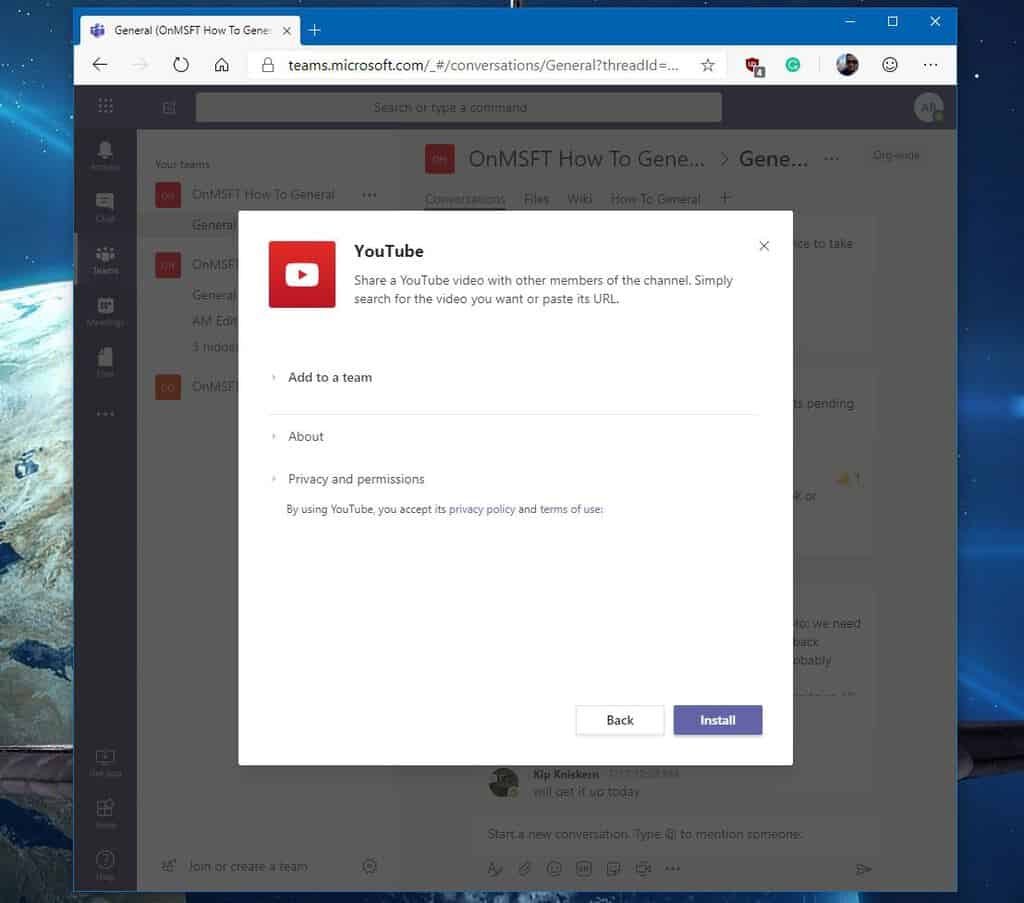
Adding YouTube to Teams

\n

What can you do with YouTube in Teams?

\n

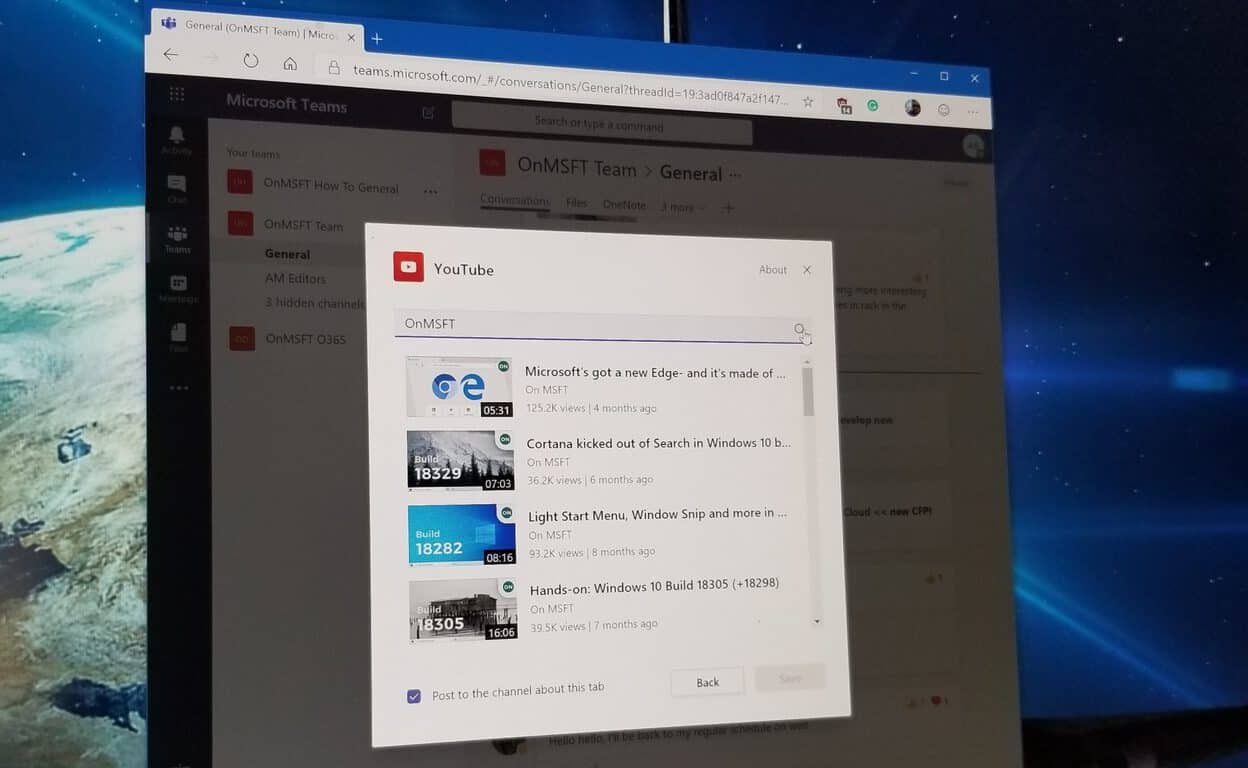
So, what can you do with YouTube in Teams once it is added to a channel? The answer to that question, plenty. For instance, you can share links to playlists and channels. You can also look for videos using the in-built search bar, paste a link, and then share the results to the channel, or pin a video to the tab of the channel itself by clicking on “Save.”

\n

This can be particularly useful in training scenarios, or for sharing important videos across your company or organization. It’s also a nice shortcut to having manually open YouTube and search for content. You could, however, always open YouTube videos in a new tab by searching for, and then right-clicking the video and choosing “Watch on youtube.com.”

\n
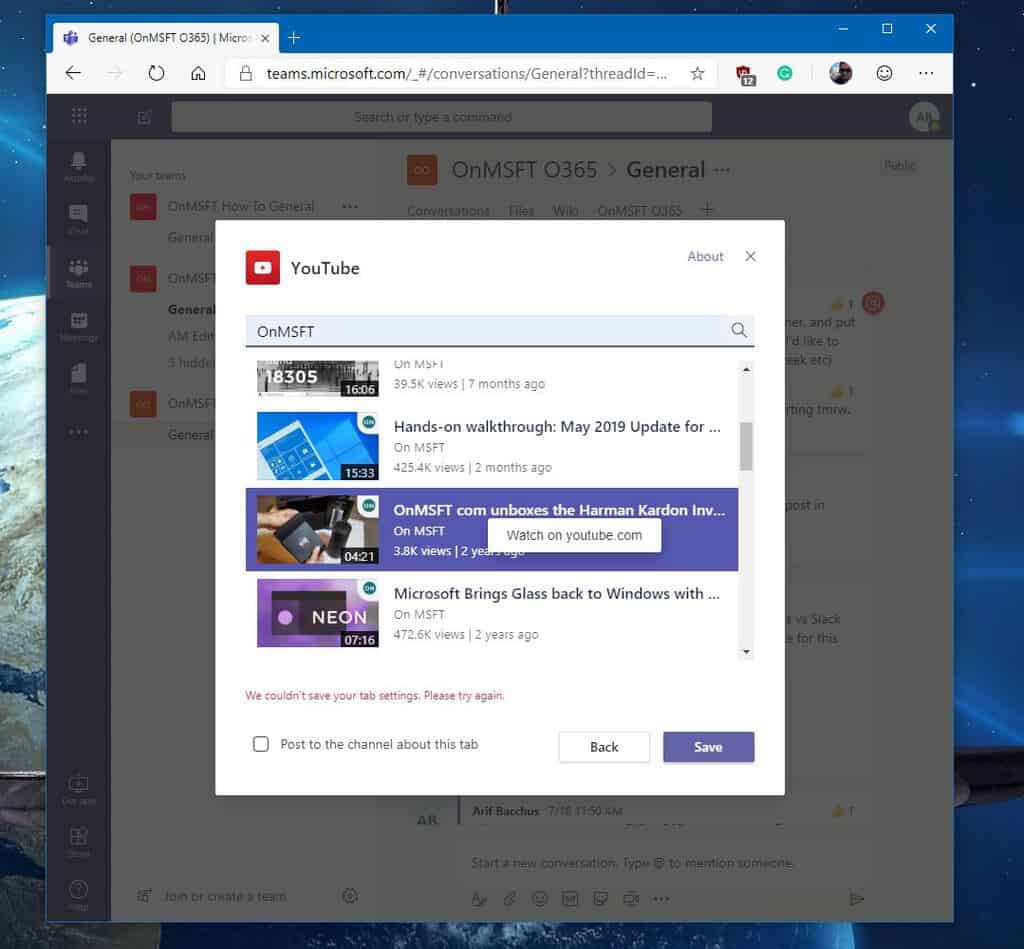
Searching for YouTube videos in Teams

\n

How will you use YouTube in Teams?

\n

YouTube in Microsoft Teams is just one small drop in the productivity bucket. There are other apps you can add to Teams as well, including Trello, Asana, Wikipedia, Quizlet, and more. How will you use the YouTube app in Teams, or Microsoft Teams to increase your productivity? Let us know in the comments below, and be sure to keep tuned for more as we continue to dive into the world of Office 365.

\n\nFurther reading: Microsoft Teams, Teams, YouTube

Share this article:
Tags:
Microsoft Teams Teams YouTube
Previous Article Here’s a closer look at the hardware behind Project xCloud Next Article Microsoft to invest $1 billion in OpenAI, will jointly develop new supercomputer technologies

Related Articles

How to Fix the Phone Link App Not Working on Windows 11 – OnMSFT.com

December 29, 2022

5 easy ways to make desktop shortcuts on Windows 11 – OnMSFT.com

December 29, 2022

How to customize precision touchpads on Windows – OnMSFT.com

December 22, 2022

Leave a Comment Cancel reply

Your email address will not be published. Required fields are marked *

Recent Posts

  • Microsoft is no longer manufacturing the Windows RT powered Surface 2
  • Microsoft treats Windows Phone owners with extra 20GB of free SkyDrive storage for one year
  • Bing now showcases professional and celebrity Klout scores during search results
  • Bing now lets you search and browse for your friends’ Facebook photos
  • Bing now lets you explore free online courses and helps you find books to read

Recent Comments

No comments to show.

Archives

  • February 2026
  • December 2022
  • November 2022
  • October 2022
  • September 2022
  • August 2022
  • July 2022
  • June 2022
  • May 2022
  • April 2022
  • March 2022
  • February 2022
  • January 2022
  • December 2021
  • November 2021
  • October 2021
  • September 2021
  • August 2021
  • July 2021
  • June 2021
  • May 2021
  • April 2021
  • March 2021
  • February 2021
  • January 2021
  • December 2020
  • November 2020
  • October 2020
  • September 2020
  • August 2020
  • July 2020
  • June 2020
  • May 2020
  • April 2020
  • March 2020
  • February 2020
  • January 2020
  • December 2019
  • November 2019
  • October 2019
  • September 2019
  • August 2019
  • July 2019
  • June 2019
  • May 2019
  • April 2019
  • March 2019
  • February 2019
  • January 2019
  • December 2018
  • November 2018
  • October 2018
  • September 2018
  • August 2018
  • July 2018
  • June 2018
  • May 2018
  • April 2018
  • March 2018
  • February 2018
  • January 2018
  • December 2017
  • November 2017
  • October 2017
  • September 2017
  • August 2017
  • July 2017
  • June 2017
  • May 2017
  • April 2017
  • March 2017
  • February 2017
  • January 2017
  • December 2016
  • November 2016
  • October 2016
  • September 2016
  • August 2016
  • July 2016
  • June 2016
  • May 2016
  • April 2016
  • March 2016
  • February 2016
  • January 2016
  • December 2015
  • November 2015
  • October 2015
  • September 2015
  • August 2015
  • July 2015
  • June 2015
  • May 2015
  • April 2015
  • March 2015
  • February 2015
  • January 2015
  • December 2014
  • November 2014
  • October 2014
  • September 2014
  • August 2014
  • July 2014
  • June 2014
  • May 2014
  • April 2014
  • March 2014
  • February 2014
  • January 2014
  • December 2013
  • November 2013
  • October 2013
  • September 2013
  • August 2013
  • July 2013
  • June 2013
  • May 2013
  • April 2013
  • March 2013
  • February 2013
  • January 2013
  • December 2012
  • November 2012
  • October 2012
  • September 2012
  • August 2012
  • July 2012
  • June 2012
  • May 2012
  • April 2012
  • March 2012
  • February 2012
  • January 2012
  • December 2011
  • November 2011
  • October 2011
  • September 2011
  • August 2011
  • July 2011
  • June 2011
  • May 2011
  • April 2011
  • March 2011
  • February 2011
  • January 2011
  • December 2010
  • November 2010
  • October 2010
  • September 2010

Categories

  • Announcements
  • Deals
  • Developer
  • Editorial
  • Feature
  • Feature stories
  • Hero-post
  • Hotdeals
  • How-to
  • Latest news
  • Microsoft / office 365
  • News
  • Office 365
  • Onpodcast
  • Opinion
  • Our featured post
  • Polls
  • Review
  • Reviews
  • Videos
OnMSFT.com

OnMSFT.com covers Microsoft news, reviews, and how-to guides. Formerly known as WinBeta, we have been your source for Microsoft news since 1998.

Categories

  • Windows
  • Surface
  • Xbox
  • How-To
  • OnPodcast
  • Gaming
  • Edge
  • Teams

Recent Posts

  • Microsoft is no longer manufacturing the Windows RT powered Surface 2
  • Microsoft treats Windows Phone owners with extra 20GB of free SkyDrive storage for one year
  • Bing now showcases professional and celebrity Klout scores during search results
  • Bing now lets you search and browse for your friends’ Facebook photos
  • Bing now lets you explore free online courses and helps you find books to read

Quick Links

  • About OnMSFT.com
  • Contact OnMSFT
  • Join Our Team
© 2010–2026 OnMSFT.com LLC. All rights reserved.
About OnMSFT.comContact OnMSFT

