Skip to content
OnMSFT.com
  • Home
  • About
  • Contact
  • Windows
  • Surface
  • Xbox
  • How-To
  • OnPodcast
  • Edge
  • Teams
  • Gaming
Menu
  • Home
  • About
  • Contact
  • Windows
  • Surface
  • Xbox
  • How-To
  • OnPodcast
  • Edge
  • Teams
  • Gaming
  1. Home
  2. Latest news
  3. Windows 10 Creators Update: Everything you need to know about gaming improvements | On MSFT

Windows 10 Creators Update: Everything you need to know about gaming improvements | On MSFT

admin admin
March 8, 2017
4 min read

Windows 10 Creators Update: Everything you need to know about gaming improvements
Michael Cottuli
13 hours ago in Latest news

The Creators Update was announced back in October of 2016, and it’s release is nearing. While we don’t know precisely when it’s going to be available, we can guess that it should be arriving within the next month or two. In the spirit of celebration, we figured that we would share some of the biggest aspects of the update.

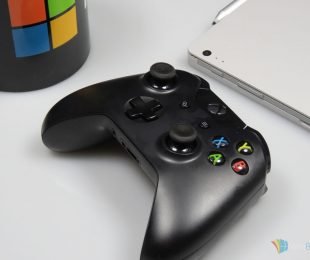
A personal favorite part of the Creators Update has got to be what’s in store for gamers. As a part of Microsoft’s push to bring PC gamers into the Xbox family, the Creators Update has brought some significant quality of life changes, including the new Game Mode, streaming via Game Bar, and more.

Game Mode

Game Mode is perhaps one of the biggest feature coming to gamers in the Creators Update, although it doesn’t actually add that much as far as features are concerned. Essentially, Game Mode is something that’s built into Windows 10 for the purpose of enhancing performance. By activating it while playing a game, your PC will devote extra resources to it without you needing to tweak much else.

The impact that Game Mode is going to have will be seen all across the gaming community, but you’ll mostly see people with low-to-mid range computers benefiting from it. Using Game Mode, assuming it works as advertised on launch, should definitely ease up on the considerable requirements that many modern games have.

When you’ve gotten the Creators Update, you’ll be able to activate Game Mode through the new Xbox section of the Settings menu. If you don’t feel like digging around in menus, you’ll also be able to access the option through the Xbox Game Bar, which is already a part of Windows 10.

Beam Streaming

If you use the Game Bar as frequently as I do, you’ll likely be familiar with Game DVR. The feature has been a part of Windows 10 for a while and has offered up PC gamers the ability to record their gameplay without the use of any third party software. The feature brought gameplay-sharing to a more casual PC audience, but it was only the first step in Microsoft’s ideas to help content creators.

The Creators Update is going to be bringing a “Broadcast” button to the Game Bar, which will let you start streaming to Beam. Now that your Beam account is linked to your Xbox Live account, you will be able to stream directly through the Game Bar, or through your Xbox One. Much like Game DVR let PC gamers bypass services like Fraps, the Broadcast feature is letting PC gamers bypass services like OBS (open broadcaster software) and letting Xbox gamers bypass expensive capture cards.

This is the part of the Creators update which is staying true to its name and helping to cultivate the next generation of content creators in the gaming world. With gaming content being some of the most popular online media in the world, Microsoft’s goal seems to be aligned with making Xbox the home for these creative gamers.

Getting into game #streaming is going to be even easier when the creators update comes to #Windows10. #Beamhttps://t.co/wZpPYHbptC pic.twitter.com/ZcuHJ3vqze

— Windows UK (@WindowsUK) February 16, 2017

When the Creators Update drops, gamers are going to be empowered quite a bit. The extra bit of punch being given to lower-end systems will absolutely be noticeable, and the addition of built-in broadcasting on both PC and Xbox could give a major population boost to Beam. While gaming certainly isn’t at the forefront of this update, it’s important to know that the Xbox and Windows 10 teams are still keeping an eye out for the gaming community – and they most certainly have some tricks up their sleeves for the future.

Tweet thisFacebook ShareLinkedinShare on Reddit


Further reading: Beam, Microsoft, Windows 10, Xbox One

What are you most excited for in the Creators Update?

Read these stories next

Latest Xbox One preview build fixes an issue with newly installed games

Play extreme sports game Steep for free this weekend with Xbox Live Gold

Xbox Play Anywhere title Shadow of War is up for pre-order with exclusive content

Windows 10 Creators Update: Everything you need to know about gaming improvements

No new Windows 10 PC builds today due to lack of data, says Dona Sarkar

Here are the known issues with Windows 10 Mobile Insider Build 15051

Here are the other changes, improvements, and fixes for Windows 10 Mobile build 15051

Microsoft releases Windows 10 Mobile Insider build 15051 to the Fast Ring


From the OnMSFT Store

Share this article:
Tags:
Beam Microsoft Windows 10 Xbox One
Previous Article Windows 10 Creators Update: Everything you need to know about gaming improvements | On MSFT Next Article Xbox Play Anywhere title Shadow of War is up for pre-order with exclusive content | On MSFT

Related Articles

Microsoft is no longer manufacturing the Windows RT powered Surface 2

February 23, 2026

Microsoft treats Windows Phone owners with extra 20GB of free SkyDrive storage for one year

February 23, 2026

Bing now lets you explore free online courses and helps you find books to read

February 23, 2026

Leave a Comment Cancel reply

Your email address will not be published. Required fields are marked *

Recent Posts

  • Microsoft is no longer manufacturing the Windows RT powered Surface 2
  • Microsoft treats Windows Phone owners with extra 20GB of free SkyDrive storage for one year
  • Bing now showcases professional and celebrity Klout scores during search results
  • Bing now lets you search and browse for your friends’ Facebook photos
  • Bing now lets you explore free online courses and helps you find books to read

Recent Comments

No comments to show.

Archives

  • February 2026
  • December 2022
  • November 2022
  • October 2022
  • September 2022
  • August 2022
  • July 2022
  • June 2022
  • May 2022
  • April 2022
  • March 2022
  • February 2022
  • January 2022
  • December 2021
  • November 2021
  • October 2021
  • September 2021
  • August 2021
  • July 2021
  • June 2021
  • May 2021
  • April 2021
  • March 2021
  • February 2021
  • January 2021
  • December 2020
  • November 2020
  • October 2020
  • September 2020
  • August 2020
  • July 2020
  • June 2020
  • May 2020
  • April 2020
  • March 2020
  • February 2020
  • January 2020
  • December 2019
  • November 2019
  • October 2019
  • September 2019
  • August 2019
  • July 2019
  • June 2019
  • May 2019
  • April 2019
  • March 2019
  • February 2019
  • January 2019
  • December 2018
  • November 2018
  • October 2018
  • September 2018
  • August 2018
  • July 2018
  • June 2018
  • May 2018
  • April 2018
  • March 2018
  • February 2018
  • January 2018
  • December 2017
  • November 2017
  • October 2017
  • September 2017
  • August 2017
  • July 2017
  • June 2017
  • May 2017
  • April 2017
  • March 2017
  • February 2017
  • January 2017
  • December 2016
  • November 2016
  • October 2016
  • September 2016
  • August 2016
  • July 2016
  • June 2016
  • May 2016
  • April 2016
  • March 2016
  • February 2016
  • January 2016
  • December 2015
  • November 2015
  • October 2015
  • September 2015
  • August 2015
  • July 2015
  • June 2015
  • May 2015
  • April 2015
  • March 2015
  • February 2015
  • January 2015
  • December 2014
  • November 2014
  • October 2014
  • September 2014
  • August 2014
  • July 2014
  • June 2014
  • May 2014
  • April 2014
  • March 2014
  • February 2014
  • January 2014
  • December 2013
  • November 2013
  • October 2013
  • September 2013
  • August 2013
  • July 2013
  • June 2013
  • May 2013
  • April 2013
  • March 2013
  • February 2013
  • January 2013
  • December 2012
  • November 2012
  • October 2012
  • September 2012
  • August 2012
  • July 2012
  • June 2012
  • May 2012
  • April 2012
  • March 2012
  • February 2012
  • January 2012
  • December 2011
  • November 2011
  • October 2011
  • September 2011
  • August 2011
  • July 2011
  • June 2011
  • May 2011
  • April 2011
  • March 2011
  • February 2011
  • January 2011
  • December 2010
  • November 2010
  • October 2010
  • September 2010

Categories

  • Announcements
  • Deals
  • Developer
  • Editorial
  • Feature
  • Feature stories
  • Hero-post
  • Hotdeals
  • How-to
  • Latest news
  • Microsoft / office 365
  • News
  • Office 365
  • Onpodcast
  • Opinion
  • Our featured post
  • Polls
  • Review
  • Reviews
  • Videos
OnMSFT.com

OnMSFT.com covers Microsoft news, reviews, and how-to guides. Formerly known as WinBeta, we have been your source for Microsoft news since 1998.

Categories

  • Windows
  • Surface
  • Xbox
  • How-To
  • OnPodcast
  • Gaming
  • Edge
  • Teams

Recent Posts

  • Microsoft is no longer manufacturing the Windows RT powered Surface 2
  • Microsoft treats Windows Phone owners with extra 20GB of free SkyDrive storage for one year
  • Bing now showcases professional and celebrity Klout scores during search results
  • Bing now lets you search and browse for your friends’ Facebook photos
  • Bing now lets you explore free online courses and helps you find books to read

Quick Links

  • About OnMSFT.com
  • Contact OnMSFT
  • Join Our Team
© 2010–2026 OnMSFT.com LLC. All rights reserved.
About OnMSFT.comContact OnMSFT