
 \n
\n
Microsoft has announced a brand new update for Windows 10 titled “Anniversary Update” that introduces a number of new features and enhancements that both developers and consumers will appreciate. This week has been heavily focused on new developer advances arriving with the update, so we thought it’d be a good idea to recap all the consumer-orientated features announced during the BUILD developer conference.
\n
Start Menu
\n
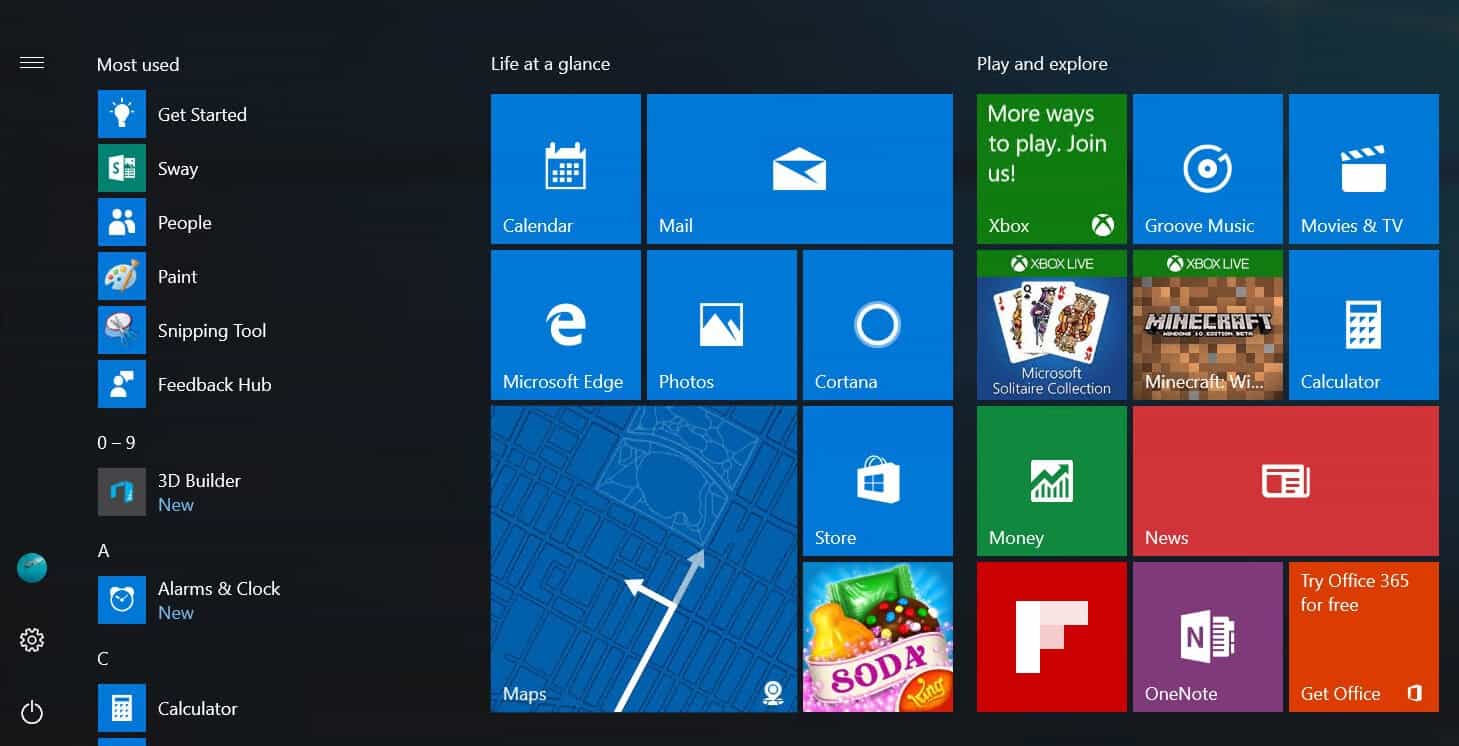
New Start Menu
\n
Microsoft says they are working on improvements to the Start Menu for desktop users that will put the All Apps list front and center when opening Start. Instead of having to click “All Apps” to get to a list of all apps, Microsoft is planning to make the All Apps list appear automatically right below the Most Used list of apps.
\n
This feature has been announced, but the company is leaving the decision as to whether this change gets implemented up to Windows Insiders, you can cast your vote here.
\n
Start Screen
\n

New All Apps List
\n
There are also plans to improve the All Apps list for tablet users who use the Start Screen too, by giving the All Apps list a front and center position instead of a list on the left-hand side of the screen.
\n
Again, this feature has been announced, but it’s up to Windows Insiders as to whether it gets implemented. Cast your vote here.
\n
Action Center
\n

Action Center Improvements
\n
Microsoft has announced lots of new features coming to the Action Center, with a new user-interface for richer notification tiles, widgets and cards, and lots more customization options for users to make the most of their Action Center.
\n
The new Action Center is powered by the cloud too, meaning you can dismiss a notification on your PC and have dismiss on your Windows phone and Android phone too. Yes, Microsoft is bringing cross-platform notifications between Android or Windows 10 Mobile and your Windows 10 PC.
\n
Users will also be able to set the priority of each app that sends notifications, for example; You can set SMS notifications to be Top Priority, appearing over all over notifications regardless of what time those notifications appear, meaning you will never miss your most important notifications.
\n

Action Center Button Improvements
\n
The Anniversary Update will also move the Action Center button over to the edge of the Task Bar, for much easier access and more space to alert you when a new notification has come in.
\n
Hand-Off / Continuum
\n
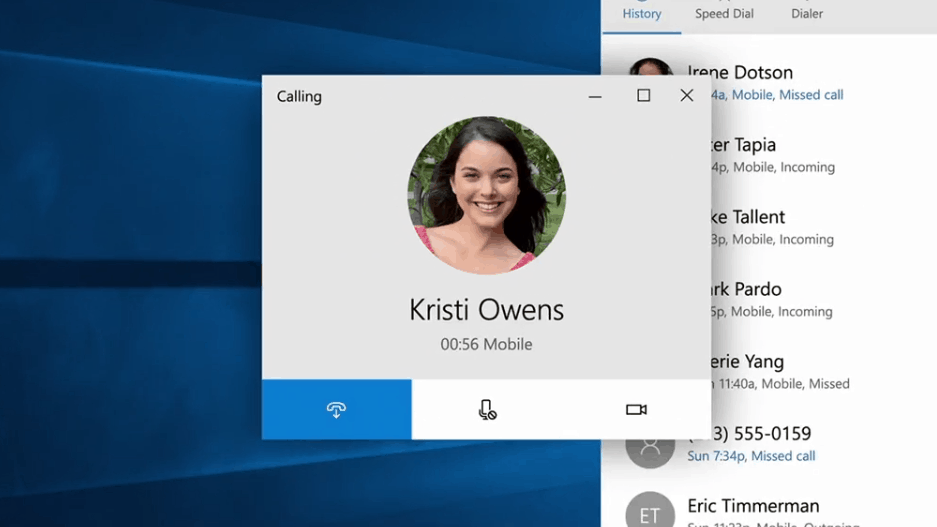
Cellular Calls from PC
\n
An official name for this feature has not yet been announced, so we’ll stick it under Continuum for now. Microsoft is bringing the ability to beam cellular phone calls from your Windows 10 Mobile smartphone straight to your Windows 10 PC, similar to how Apple’s Hand-off mode works between iOS and OS X. We expect this feature to work with SMS text messages too.
\n
Another new feature coming to Windows 10 is one that allows users to start work in app on their PC, and then open that same app on their phone and continue exactly where they left off. For example, annotating a map in the Maps app on your desktop will have that work synced via the cloud, so when you open the Maps app up on your phone, you can continue exactly where you left off.
\n
Ink Workspace
\n

Windows Ink
\n
The Ink Workspace is a new feature announced this week that essentially allows users with a pen peripheral to draw / annotate on top of any app. With the Anniversary Update, pen users now have a new sidebar accessible via the task bar (or tapping a button on the pen) that gives access to sticky notes, a virtual sketchpad and the ability to draw on top of the system.
\n
There are also new tools coming with the Ink Workspace too, such as a virtual ruler that makes it super easy to draw straight lines when needed. The new sticky pad feature as referenced above can feed directly into Cortana as well, so writing reminders down on a sticky note will be placed directly into your notebook for Cortana to remind you about later.
\n

Maps Inking
\n
The new Inking features mean it’s now possible to draw directly on top of photos in the photos app, or annotate a map via the Maps app. The ink is intelligent enough to calculate distances when drawing along routes in the Maps app, and can even position itself for 3D mode, sticking to the land and calculating heights when climbing a mountain, for example.
\n
For those who work in Office, the new Ink Workspace is intelligent enough to understand when you’re scribbling out a paragraph of text, and automatically delete it. The highlight function will also automatically snap to sentences, so you no longer need a steady hand when highlighting a long piece of text. Excellent for teachers who are frequently marking student documents.
\n
Cortana
\n

Cortana on lock screen
\n
Cortana is set to receive a number of new updates with the Anniversary Update as well. Cortana can now be access directly from the lock screen on PCs, allowing users to shout “Hey Cortana” from across the room and get their music playing.
\n
Cortana also gets more intelligent with the Anniversary Update, by offering more information in cards, similar to the Action Center, and intelligently suggesting appointments, hotels, flights and more when receiving information about such events in emails. This functionality can expand much further too, with 3rd party developers being able to tap into Cortana as well.
\n
Microsoft Edge
\n
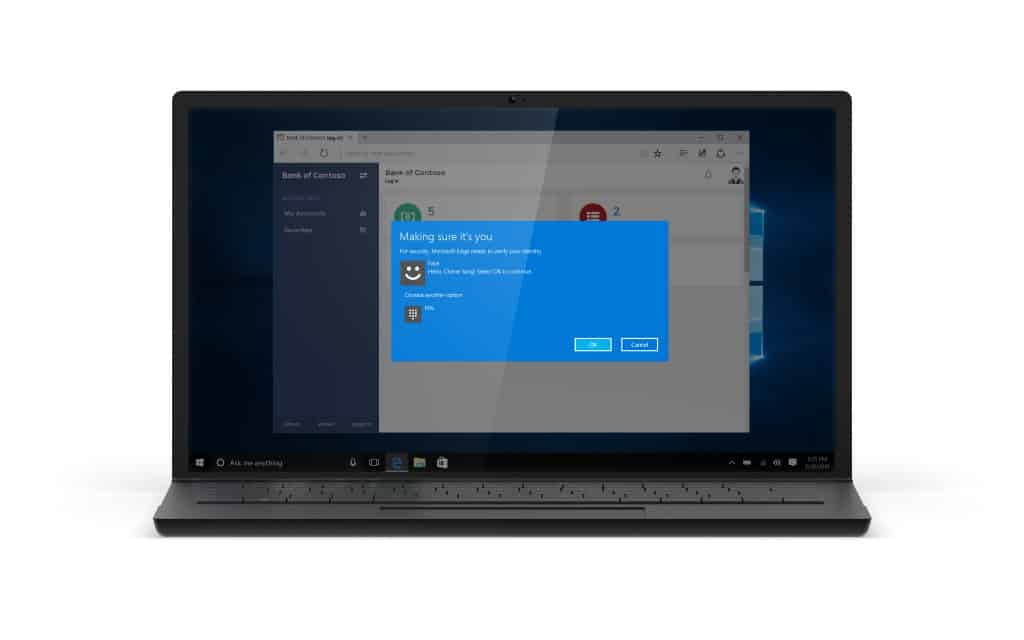
Edge Hello
\n
Edge, Microsoft’s default browser in Windows 10 is finally getting Extension support with the Anniversary Update. Edge will also be able to tap into Windows Hello biometrics allowing for logging into websites with your face, iris or fingerprint. Passwords are quickly becoming a thing of the past.
\n
There are also lots of under the hood tweaks and performance improvements that make Edge one of the fastest web browsers out there. New APIs and web notifications are also on the way, as well as pinned tabs for users that have tabs that need to stay open.
\n
The Windows 10 Anniversary Update is arriving this summer for existing Windows 10 users for free! The update will also be dropping for Windows 10 Mobile, Xbox One and HoloLens.
\n\nFurther reading: Build 2016, Microsoft, Redstone, Windows 10, Windows 10 Anniversary Update


