Skip to content
OnMSFT.com
  • Home
  • About
  • Contact
  • Windows
  • Surface
  • Xbox
  • How-To
  • OnPodcast
  • Edge
  • Teams
  • Gaming
Menu
  • Home
  • About
  • Contact
  • Windows
  • Surface
  • Xbox
  • How-To
  • OnPodcast
  • Edge
  • Teams
  • Gaming
  1. Home
  2. How-to
  3. How to submit usable feedback to the Windows Insider Program

How to submit usable feedback to the Windows Insider Program

Dave W. Shanahan Dave W. Shanahan
May 22, 2018
4 min read

Feedback Hub\n

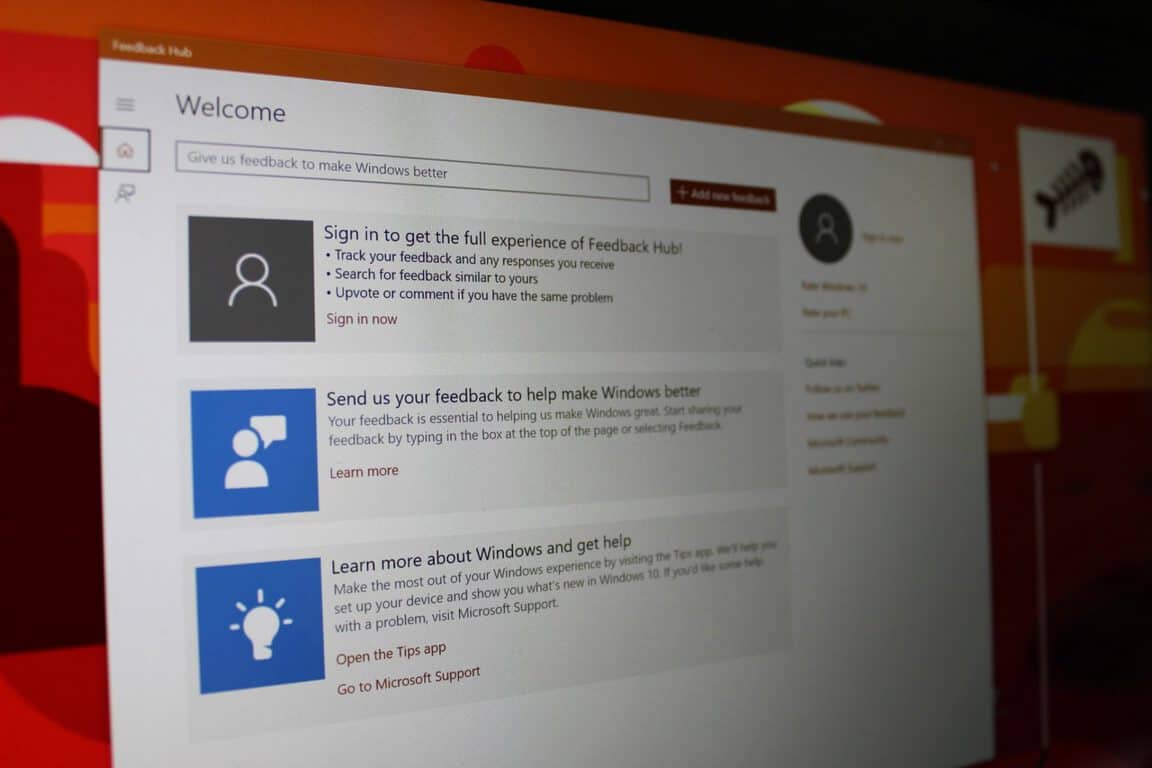
Microsoft gets a lot of value out of the Windows Insider program and the Feedback Hub, but it can be hard to submit usable feedback that will actually be used. Here is some information on Microsoft’s new Cohorts program, how the Feedback Hub works, and how to submit viable feedback that Microsoft’s developers can actually use to improve Windows 10.

\n

Feedback Hub

\n

Microsoft developed the Feedback Hub with good intentions. The basic idea is that if you run into any problems with Windows 10, you can use the Feedback Hub to report your issue. You can also search through the Feedback Hub to see if anyone else is experiencing the same issue that you are having.

\n

The problem with the Feedback Hub is that many Windows 10 users will report an identical issue, but it will show up multiple times because users don’t pinpoint their precise problem. The way feedback is reported has proven to be a major problem for the Feedback Hub; multiple entries reporting on the same issue. As you can tell from the low rating of the Feedback Hub app in the Microsoft Store, Windows 10 users are well aware of this issue too.

\n

Microsoft, Feedback

\n

Cohorts

\n

Building upon the Feedback Hub (probably because of its abysmal app rating in the Microsoft Store), Microsoft recently introduced the Windows Insider Cohorts program. Cohorts could be considered a better Feedback Hub, but Microsoft is certainly taking a step in the right direction.

\n

Microsoft created Cohorts as a way to sift through all the feedback by using groups of people that have a common specialty. These groups, or “cohorts,” can provide Microsoft with usable feedback for features in Windows 10. So instead of relying on random feedback by random Windows 10 users, Microsoft uses Cohorts as a specialized feedback community.

\n

App developers, illustrators, Office 365 enterprise users, and other Microsoft MVPs come together in cohort forums to discuss what issues require the most attention and go after the pertinent details for further Windows 10 development. If you believe you can make a meaningful impact, Microsoft invites you to sign up to be considered a member of a cohort forum. You need to sign up to be a Windows Insider to be able to be a part of the cohort program.

\n

Microsoft, Windows, Developer, Windows Insider

\n

It’s important to know how to not only create feedback, but to create usable feedback that developers can actually use.. Raymond Dillon created a blog post on what constitutes good feedback and how to create feedback that is actionable for developers. Raymond Dillon is a Microsoft MVP and Windows Insider advocate.

\n

In his blog post, Dillon outlines how you should you should phrase your feedback and be as detailed as possible, so that the developer can take your feedback and actually use it to improve their app or service within Windows 10.

\n

“If you are providing feedback on an app (or a new feature of Windows) – try and avoid phrases like “it doesn’t work”, or “it’s broke” – try and provide as much detail as possible – what device are you using? What were you doing at the time? Did an error message appear? Can you reproduce the issue by trying the same steps again?

\n

If you are able to answer these kind of questions, it gives developers (like me!) a better understanding of what has went wrong and how to fix it feeding back into the development of the product providing a better outcome for all parties involved.

\n

Likewise, if you are involved in providing ideas to help improve a product, try and be as descriptive as you can. Avoid phrases like “make it look better”, or “make it work better” – be as detailed as you can and try and describe why your suggestion would help improve the product – it helps developers gain a better understanding of the users of the product. The more detailed your feedback is – the more actionable it will be.”

\n

Microsoft is using CollaBoard as a pilot program for using cohorts as a future Windows 10 service for all apps. Collaboard is a Windows 10 app that acts as a real-time digital whiteboard to help transform how your team communicates and collaborates.

\n\n

\n

CollaBoard

\n

\nCollaBoard\n

\n

\n

\nDownload\nQR-Code\n

\n

\n

\n

CollaBoard

\n

\nDeveloper: \nIBV Informatik Beratungs und Vertriebs AG\n

\n

\nPrice: \nFree+\n

\n

\n

\n

\n

For those of you that already use the Feedback Hub app in Windows 10, how can Microsoft make the app better? Is there something specific Microsoft can do to filter out the unusable feedback they receive? Of course, Microsoft won’t be able to make everyone happy when it comes to submitting feedback. However, the most important thing about feedback is that developers can use it to improve Windows 10 and Microsoft’s apps and services for all users.

\n\nFurther reading: Cohorts, Feedback, Microsoft, Windows 10, Windows Insider Program

Share this article:
Tags:
Cohorts Feedback Microsoft Windows 10 Windows Insider Program
Previous Article Select Battlefield 1 and Battlefield 4 DLCs are free for a limited time – OnMSFT.com Next Article Microsoft Garage expands with new facility at NERD in Cambridge, Mass. – OnMSFT.com

Related Articles

How to Fix the Phone Link App Not Working on Windows 11 – OnMSFT.com

December 29, 2022

5 easy ways to make desktop shortcuts on Windows 11 – OnMSFT.com

December 29, 2022

How to customize precision touchpads on Windows – OnMSFT.com

December 22, 2022

Leave a Comment Cancel reply

Your email address will not be published. Required fields are marked *

Recent Posts

  • Microsoft is no longer manufacturing the Windows RT powered Surface 2
  • Microsoft treats Windows Phone owners with extra 20GB of free SkyDrive storage for one year
  • Bing now showcases professional and celebrity Klout scores during search results
  • Bing now lets you search and browse for your friends’ Facebook photos
  • Bing now lets you explore free online courses and helps you find books to read

Recent Comments

No comments to show.

Archives

  • February 2026
  • December 2022
  • November 2022
  • October 2022
  • September 2022
  • August 2022
  • July 2022
  • June 2022
  • May 2022
  • April 2022
  • March 2022
  • February 2022
  • January 2022
  • December 2021
  • November 2021
  • October 2021
  • September 2021
  • August 2021
  • July 2021
  • June 2021
  • May 2021
  • April 2021
  • March 2021
  • February 2021
  • January 2021
  • December 2020
  • November 2020
  • October 2020
  • September 2020
  • August 2020
  • July 2020
  • June 2020
  • May 2020
  • April 2020
  • March 2020
  • February 2020
  • January 2020
  • December 2019
  • November 2019
  • October 2019
  • September 2019
  • August 2019
  • July 2019
  • June 2019
  • May 2019
  • April 2019
  • March 2019
  • February 2019
  • January 2019
  • December 2018
  • November 2018
  • October 2018
  • September 2018
  • August 2018
  • July 2018
  • June 2018
  • May 2018
  • April 2018
  • March 2018
  • February 2018
  • January 2018
  • December 2017
  • November 2017
  • October 2017
  • September 2017
  • August 2017
  • July 2017
  • June 2017
  • May 2017
  • April 2017
  • March 2017
  • February 2017
  • January 2017
  • December 2016
  • November 2016
  • October 2016
  • September 2016
  • August 2016
  • July 2016
  • June 2016
  • May 2016
  • April 2016
  • March 2016
  • February 2016
  • January 2016
  • December 2015
  • November 2015
  • October 2015
  • September 2015
  • August 2015
  • July 2015
  • June 2015
  • May 2015
  • April 2015
  • March 2015
  • February 2015
  • January 2015
  • December 2014
  • November 2014
  • October 2014
  • September 2014
  • August 2014
  • July 2014
  • June 2014
  • May 2014
  • April 2014
  • March 2014
  • February 2014
  • January 2014
  • December 2013
  • November 2013
  • October 2013
  • September 2013
  • August 2013
  • July 2013
  • June 2013
  • May 2013
  • April 2013
  • March 2013
  • February 2013
  • January 2013
  • December 2012
  • November 2012
  • October 2012
  • September 2012
  • August 2012
  • July 2012
  • June 2012
  • May 2012
  • April 2012
  • March 2012
  • February 2012
  • January 2012
  • December 2011
  • November 2011
  • October 2011
  • September 2011
  • August 2011
  • July 2011
  • June 2011
  • May 2011
  • April 2011
  • March 2011
  • February 2011
  • January 2011
  • December 2010
  • November 2010
  • October 2010
  • September 2010

Categories

  • Announcements
  • Deals
  • Developer
  • Editorial
  • Feature
  • Feature stories
  • Hero-post
  • Hotdeals
  • How-to
  • Latest news
  • Microsoft / office 365
  • News
  • Office 365
  • Onpodcast
  • Opinion
  • Our featured post
  • Polls
  • Review
  • Reviews
  • Videos
OnMSFT.com

OnMSFT.com covers Microsoft news, reviews, and how-to guides. Formerly known as WinBeta, we have been your source for Microsoft news since 1998.

Categories

  • Windows
  • Surface
  • Xbox
  • How-To
  • OnPodcast
  • Gaming
  • Edge
  • Teams

Recent Posts

  • Microsoft is no longer manufacturing the Windows RT powered Surface 2
  • Microsoft treats Windows Phone owners with extra 20GB of free SkyDrive storage for one year
  • Bing now showcases professional and celebrity Klout scores during search results
  • Bing now lets you search and browse for your friends’ Facebook photos
  • Bing now lets you explore free online courses and helps you find books to read

Quick Links

  • About OnMSFT.com
  • Contact OnMSFT
  • Join Our Team
© 2010–2026 OnMSFT.com LLC. All rights reserved.
About OnMSFT.comContact OnMSFT

