Skip to content
OnMSFT.com
  • Home
  • About
  • Contact
  • Windows
  • Surface
  • Xbox
  • How-To
  • OnPodcast
  • Edge
  • Teams
  • Gaming
Menu
  • Home
  • About
  • Contact
  • Windows
  • Surface
  • Xbox
  • How-To
  • OnPodcast
  • Edge
  • Teams
  • Gaming
  1. Home
  2. Feature
  3. Slack vs Microsoft Teams: Apps and Integrations

Slack vs Microsoft Teams: Apps and Integrations

Arif Bacchus Arif Bacchus
July 30, 2019
3 min read

Slack Vs Teams\n

Over the past few weeks, I’ve been diving into some of the big differences between Microsoft Teams and Slack. I’ve used both services thoroughly at two separate jobs, and some of the topics I’ve already covered include retention policies, price, as well as our general argument for why I think Teams is better.

\n

In the fourth entry to our series, I’ll now take a look at another key area where the two collaboration services share some space — apps and integrations. Where is Slack better than Teams in this area? And where is Teams better than Slack? Let me dive deeper.

\n

Slack edges out Teams with 800+ integrations

\n

One of the biggest advantages of Slack over Microsoft Teams is the number of integrations (or “apps”) it supports. For businesses, the more integrations a service supports, the more convenient it is to use. That also means more streamlined workflows, especially when it comes to common tasks like pulling reports, filing tickets, or starting sales calls.

\n

Currently, there are well over 800 integrations (or “apps”)  listed on the Slack store. Slack even encourages developers to build apps for the collaboration service, so that means the possibilities are endless.

\n

These apps all range from productivity options like Google Drive, or Google Calendar to more marketing and finance apps like HubSpot, or CouplaMessenger. There’s also everyone’s favorite integration with Giphy, and a connector for Microsoft’s rival, Salesforce.

\n

There are even integrations with other collaboration services like Zoom and DropBox — which are all available on Teams as well. Naturally, though, some of these integrations with Google apps are not found on Teams, and integrating Google services wouldn’t as easy.

\n

That’s not to say that Slack doesn’t integrate with Microsoft services. You can still add the Office 365 apps to Slack. It’s possible to connect an Outlook calendar to see reminders, set up invites and more. You also can send Outlook emails to Slack and share OneDrive files, but the Microsoft integrations essentially end there.

\n
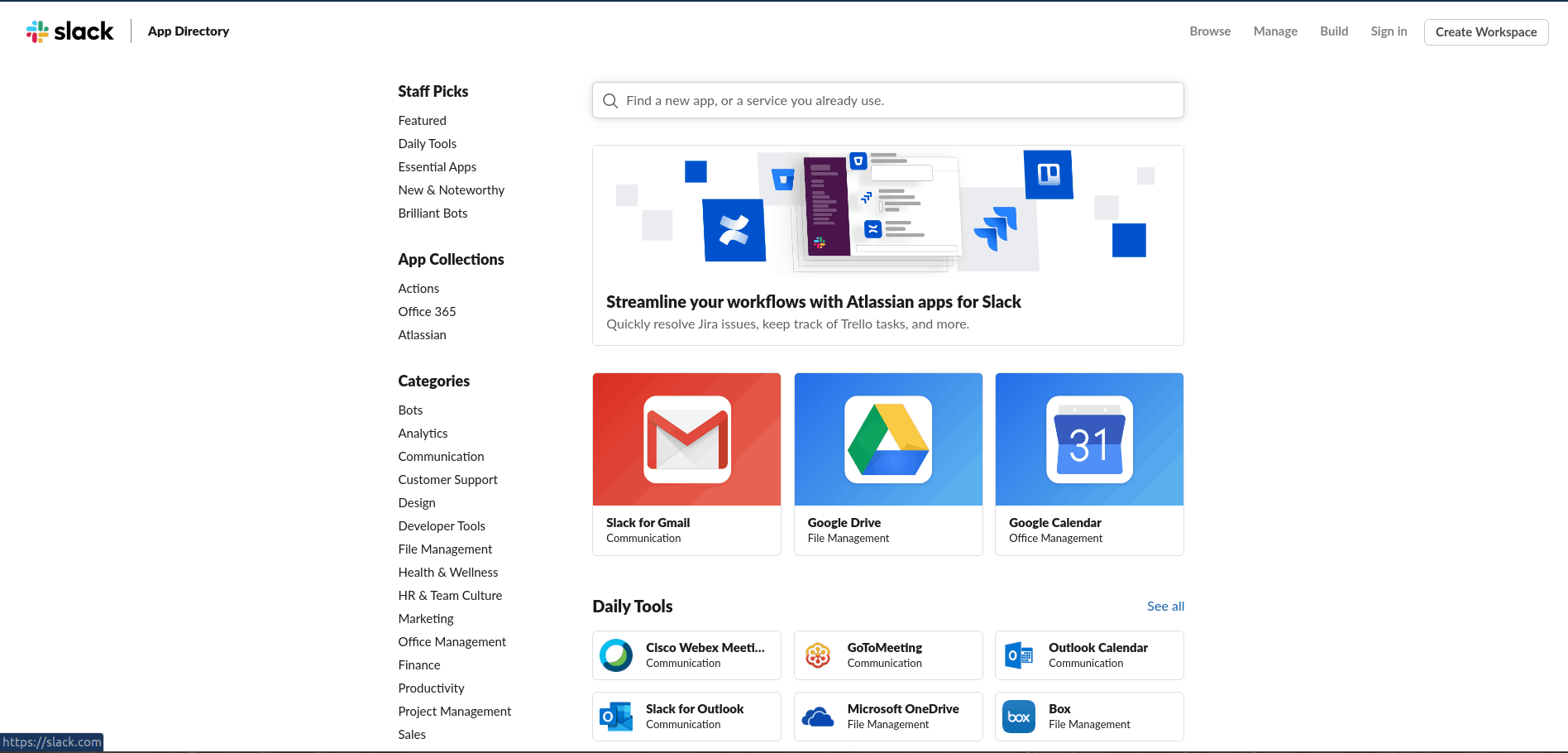
Some of the apps available with Slack

\n

Teams integrations are slowly growing and catching up to Slack

\n

At the time of publication, Microsoft Teams currently holds roughly 202 integrations and apps. Just like with Slack, the options range from analytics, collaboration, finance, and productivity. Some examples include Sociable, YouTube, Quizlet, Twitter, Google Analytics, and Facebook Pages.

\n

While that number is still small compared to what is offered with Slack, Microsoft is actively encouraging developers to build apps for Teams. That means that for the average company, the integrations with certain third-party services might not be in Teams. However, it isn’t an entire loss.

\n

The greatest integration with Teams is with Microsoft’s own services. Since it is included with Office 365, you can get access to Planner, Outlook, OneDrive, SharePoint, Word, Excel, PowerPoint and more. Also included is OneNote for all notetaking tasks. Not everyone might need access to a service like Asana, or Trello as Microsoft already offers an alternate included with Teams. Why pay more for a service that you can get for free?

\n
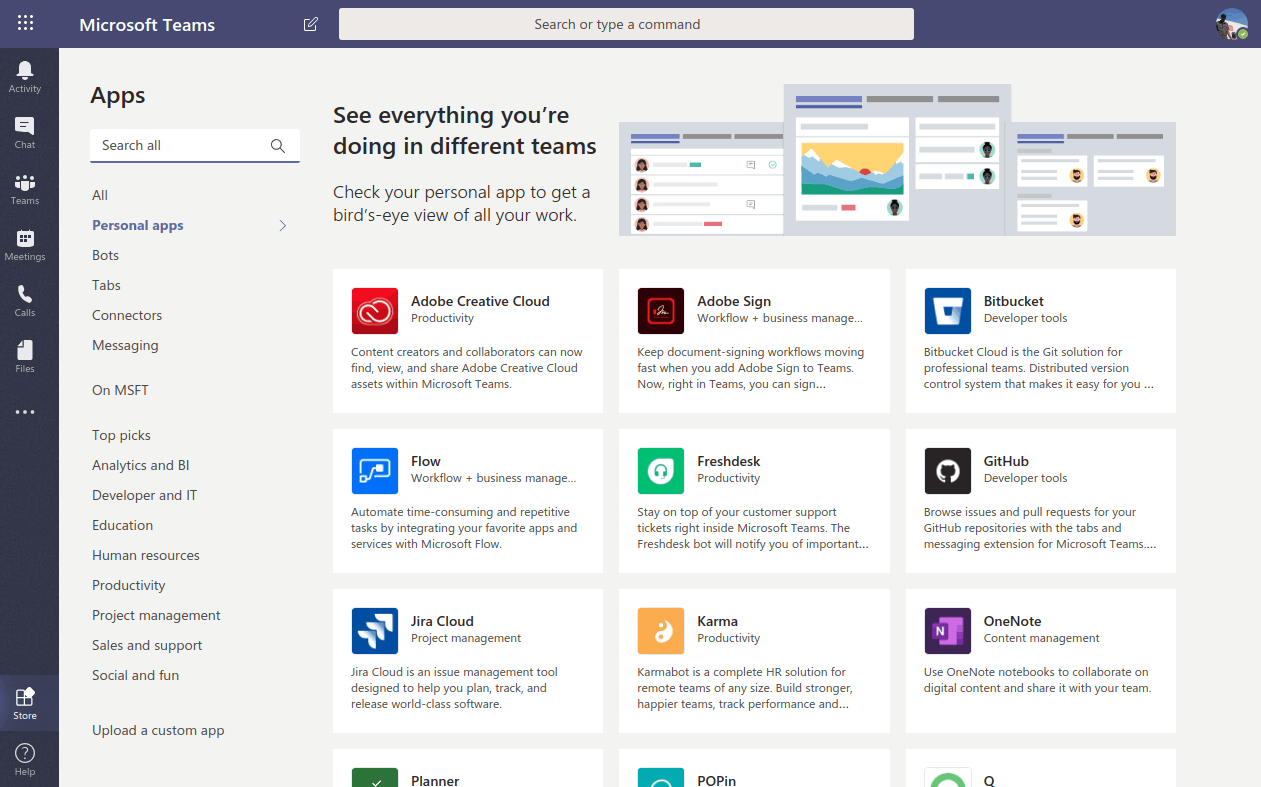
Microsoft Teams Apps

\n

…It’s a bigger problem for Teams

\n

As much as I love Microsoft Teams, there’s still a problem with it, and a need to look at the other side of the story. While Teams does offer some of the same integrations like Slack, it is bundled as part of the Microsoft Office 365 moniker.

\n

As I’ve argued before, that is great for powerhouse organizations, businesses, and Fortune 500 companies already on board with Office. That’s why we’ve seen Teams become so popular since it first launched.

\n

For the little company, though, it might not make much sense. Yes, there is a free tier, but Microsoft Teams is still associated with Office, which, in turn, associated with the enterprise. Why hop on board with Teams, if going with Free Slack and its 800+ integrations will do better? There are plenty of alternatives, and not everyone needs Office 365, and this is part of a larger problem for Microsoft Teams that needs to be addressed.

\n\nFurther reading: Microsoft Teams, Slack

Share this article:
Tags:
Microsoft Teams Slack
Previous Article Microsoft’s first gen HoloLens won’t receive any new features after May 2019 Update Next Article Doom, Doom II, and Doom 3 come to Xbox One in 25th Anniversary celebration

Related Articles

Here is our Xbox 2022 wrap up – OnMSFT.com

December 27, 2022

Xbox classics revisited vol.8: classic racing games – OnMSFT.com

December 20, 2022

Here are some Xbox Christmas gifts for that gamer on your list – OnMSFT.com

December 20, 2022

Leave a Comment Cancel reply

Your email address will not be published. Required fields are marked *

Recent Posts

  • Microsoft is no longer manufacturing the Windows RT powered Surface 2
  • Microsoft treats Windows Phone owners with extra 20GB of free SkyDrive storage for one year
  • Bing now showcases professional and celebrity Klout scores during search results
  • Bing now lets you search and browse for your friends’ Facebook photos
  • Bing now lets you explore free online courses and helps you find books to read

Recent Comments

No comments to show.

Archives

  • February 2026
  • December 2022
  • November 2022
  • October 2022
  • September 2022
  • August 2022
  • July 2022
  • June 2022
  • May 2022
  • April 2022
  • March 2022
  • February 2022
  • January 2022
  • December 2021
  • November 2021
  • October 2021
  • September 2021
  • August 2021
  • July 2021
  • June 2021
  • May 2021
  • April 2021
  • March 2021
  • February 2021
  • January 2021
  • December 2020
  • November 2020
  • October 2020
  • September 2020
  • August 2020
  • July 2020
  • June 2020
  • May 2020
  • April 2020
  • March 2020
  • February 2020
  • January 2020
  • December 2019
  • November 2019
  • October 2019
  • September 2019
  • August 2019
  • July 2019
  • June 2019
  • May 2019
  • April 2019
  • March 2019
  • February 2019
  • January 2019
  • December 2018
  • November 2018
  • October 2018
  • September 2018
  • August 2018
  • July 2018
  • June 2018
  • May 2018
  • April 2018
  • March 2018
  • February 2018
  • January 2018
  • December 2017
  • November 2017
  • October 2017
  • September 2017
  • August 2017
  • July 2017
  • June 2017
  • May 2017
  • April 2017
  • March 2017
  • February 2017
  • January 2017
  • December 2016
  • November 2016
  • October 2016
  • September 2016
  • August 2016
  • July 2016
  • June 2016
  • May 2016
  • April 2016
  • March 2016
  • February 2016
  • January 2016
  • December 2015
  • November 2015
  • October 2015
  • September 2015
  • August 2015
  • July 2015
  • June 2015
  • May 2015
  • April 2015
  • March 2015
  • February 2015
  • January 2015
  • December 2014
  • November 2014
  • October 2014
  • September 2014
  • August 2014
  • July 2014
  • June 2014
  • May 2014
  • April 2014
  • March 2014
  • February 2014
  • January 2014
  • December 2013
  • November 2013
  • October 2013
  • September 2013
  • August 2013
  • July 2013
  • June 2013
  • May 2013
  • April 2013
  • March 2013
  • February 2013
  • January 2013
  • December 2012
  • November 2012
  • October 2012
  • September 2012
  • August 2012
  • July 2012
  • June 2012
  • May 2012
  • April 2012
  • March 2012
  • February 2012
  • January 2012
  • December 2011
  • November 2011
  • October 2011
  • September 2011
  • August 2011
  • July 2011
  • June 2011
  • May 2011
  • April 2011
  • March 2011
  • February 2011
  • January 2011
  • December 2010
  • November 2010
  • October 2010
  • September 2010

Categories

  • Announcements
  • Deals
  • Developer
  • Editorial
  • Feature
  • Feature stories
  • Hero-post
  • Hotdeals
  • How-to
  • Latest news
  • Microsoft / office 365
  • News
  • Office 365
  • Onpodcast
  • Opinion
  • Our featured post
  • Polls
  • Review
  • Reviews
  • Videos
OnMSFT.com

OnMSFT.com covers Microsoft news, reviews, and how-to guides. Formerly known as WinBeta, we have been your source for Microsoft news since 1998.

Categories

  • Windows
  • Surface
  • Xbox
  • How-To
  • OnPodcast
  • Gaming
  • Edge
  • Teams

Recent Posts

  • Microsoft is no longer manufacturing the Windows RT powered Surface 2
  • Microsoft treats Windows Phone owners with extra 20GB of free SkyDrive storage for one year
  • Bing now showcases professional and celebrity Klout scores during search results
  • Bing now lets you search and browse for your friends’ Facebook photos
  • Bing now lets you explore free online courses and helps you find books to read

Quick Links

  • About OnMSFT.com
  • Contact OnMSFT
  • Join Our Team
© 2010–2026 OnMSFT.com LLC. All rights reserved.
About OnMSFT.comContact OnMSFT

