
 \n
\n
Microsoft might have announced Windows 10X, during the most recent Surface event in New York City, but the operating system hasn’t been talked about much since. Well, famed Microsoft leaker WalkingCat, recently discovered a Microsoft website hosting concept images and some documentation about the upcoming operating system.
\n
Although the Microsoft website has since been pulled, Twitter user Boris has managed to capture screenshots of the official documentation. Divided up into four key parts, it describes the Launcher, the Lock and Login screens, the Taskbar, and Quick Settings of Windows 10X.
\n
Importantly, it also describes that Windows 10X could come to non-foldable devices and traditional clamshells. This provides us what could be the closest look of Windows 10X yet. We’ve given it a look and gathered up everything known from the documentation for you below.
\n
Taskbar
\n
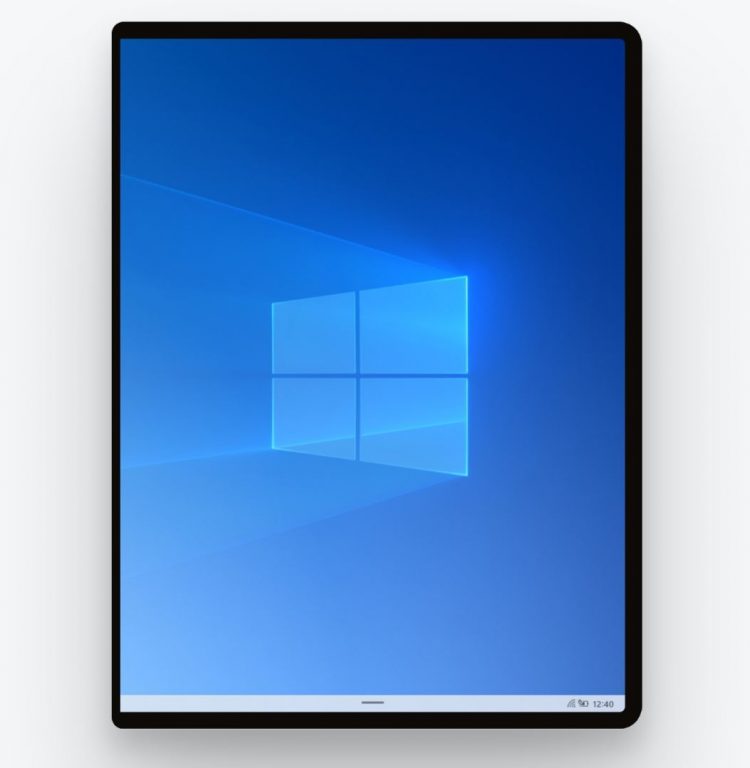
We begin first with the Taskbar. Based on the documentation, there is one new “levers” bit for the Taskbar which appears to be new for Windows 10X. This pays attention to elements like centered and left-aligned taskbar content, the number of pins, the order of recent apps, and the position of the task view icon.
\n
It hints that the operating system could also come to non-foldable devices, with a visual pull-up level bar to summon older parts of the taskbar. Microsoft explains:
\n
For both clamshells and foldables, the taskbar will be the same base model with a series of “levers” which can be pulled to create some alternatives in the model. We want to build these levers to address the deltas between the two experiences, while still building off the same initial model.
\n
However, there still will be abilities to switch between applications, launch applications, and pin and arrange apps from the taskbar. There also will be entry points to launch the Start Menu, Task Switcher, and Quick Actions, as in current Windows 10.
\n
\n
Launcher
\n
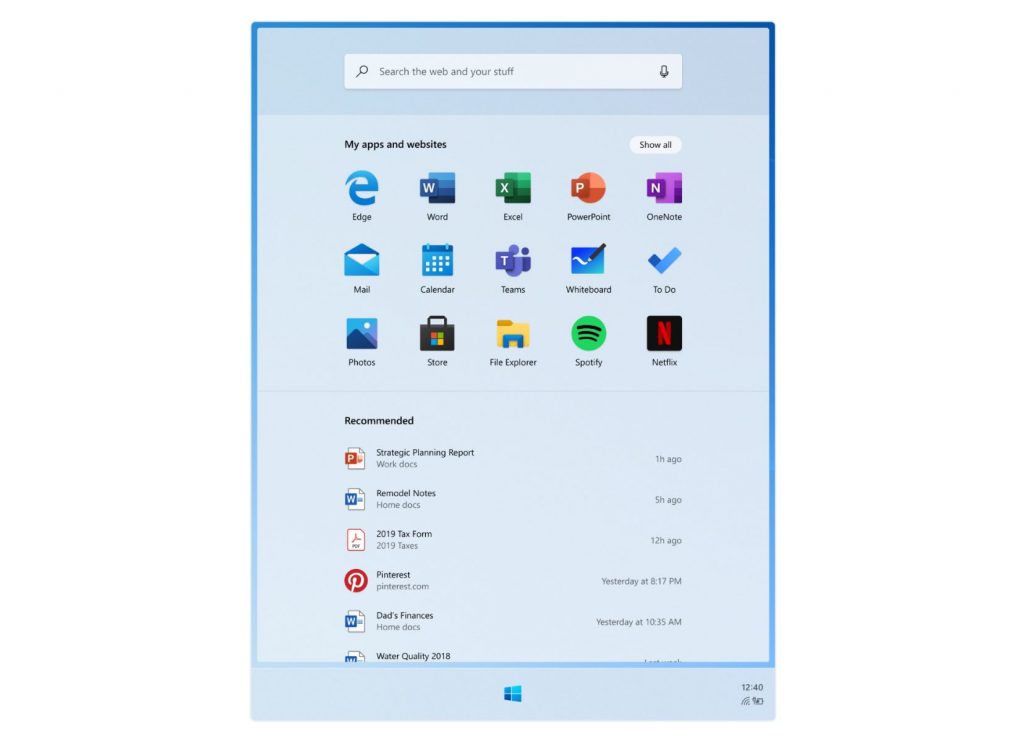
Now, for the Launcher section. As previously confirmed by Microsoft, the launcher is essentially the new Start Menu for Windows 10X. According to the documentation, it is designed to help users “start and resume tasks.” A search bar is seen on the top, along with a default app grid that is fully customizable.
\n
The documentation confirms that the apps are static, and “drives predictable views,” with recommended content appearing on the bottom portion, to help users jump into most recently used apps. Microsoft also mentions some of the following details of the launcher:
\n
- \n
- Recommended content is dynamically updated
- Search in the Launcher supports touch, keyboard, and voice input and is integrated with web results and apps and files
- Apps and websites can be pinned to the Launcher and can be dragged around
- The grid of apps can be extended to show all apps
- Apps can be installed from the web browser
- Up to 4 OEM apps can be pinned to the Launcher
- Folders and groups can be pinned by stacking apps together
- Apps removed from the grid can be removed from the device
- There are up to 10 recommended apps in the Launcher
- You can click “Show more” to see more items inline
\n
\n
\n
\n
\n
\n
\n
\n
\n
\n
\n
\n
Login and Lock Screens
\n
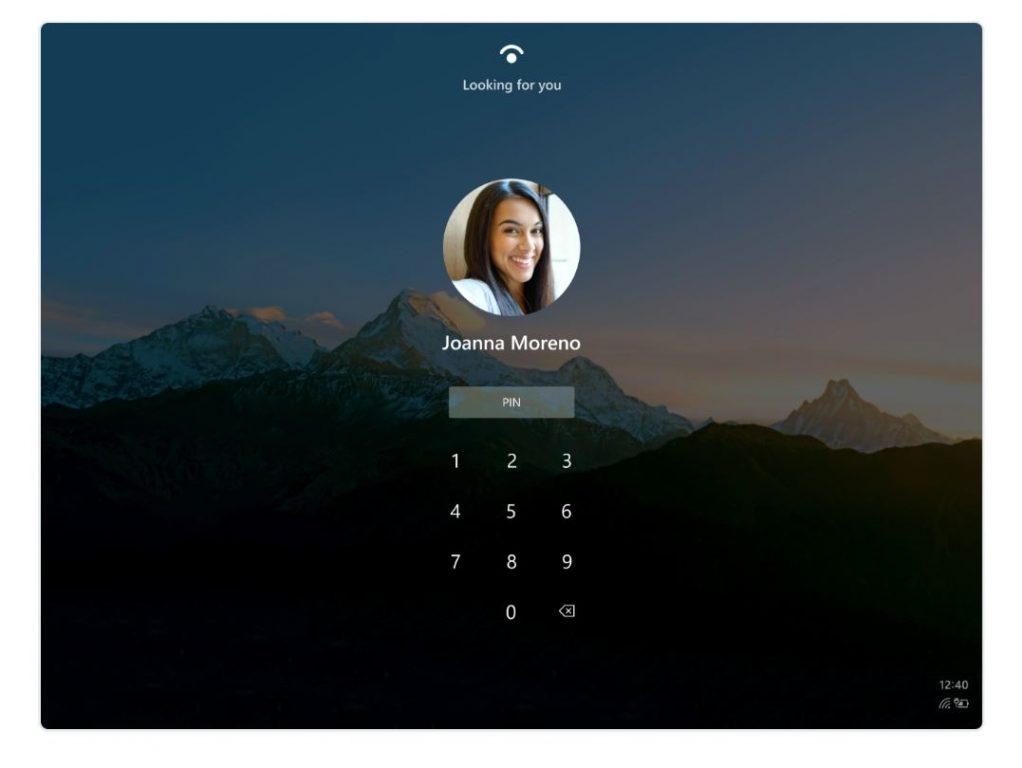
As for the Lock and Login Screens. both would appear to be quite simplistic. According to the documentation, they are designed to “get you to your stuff as quickly as possible.” Microsoft specially mentions a new “Restrained Lock” model, which appears to be a system where the screen turns on and brings you into a method of login, be it Windows Hello, or a PIN.
\n
This would be different from current Windows 10, where you need to dismiss a lock screen first to login. Also different is the presence of a new integrated pin pad for logins and not the pop-up pin pad like in current Windows 10, as seen below.
\n
\n
Quick Settings
\n
For the Quick Settings, Microsoft is essentially trying to cut down on the need to navigate menus to accomplish common settings tasks. There are a few ways the company hopes Windows 10X can change this: The list includes allowing users to modify critical device settings, only showing important device settings, seeing the state of a device at a glance, and giving users the power to tailor surfaces according to their needs.
\n
From the documentation, it would appear as though settings would be divided into waves, as Microsoft details below.
\n
\n
\n
- Wave 1: Quick settings and Notifications. Action Center. Controls for Network, Volume, Brightness, Battery, All Settings, Bluetooth and Power
\n
- Wave 2: Membership principles. Customization, Improved visals, Lock Screen Settings
\n
- Wave 3: Split and Stack settings, Programmagble quick settings, OEM configurations,
\n
\n
\n
Unfortunately, there is no screenshot for this section.
\n
\n
Other tidbits
\n
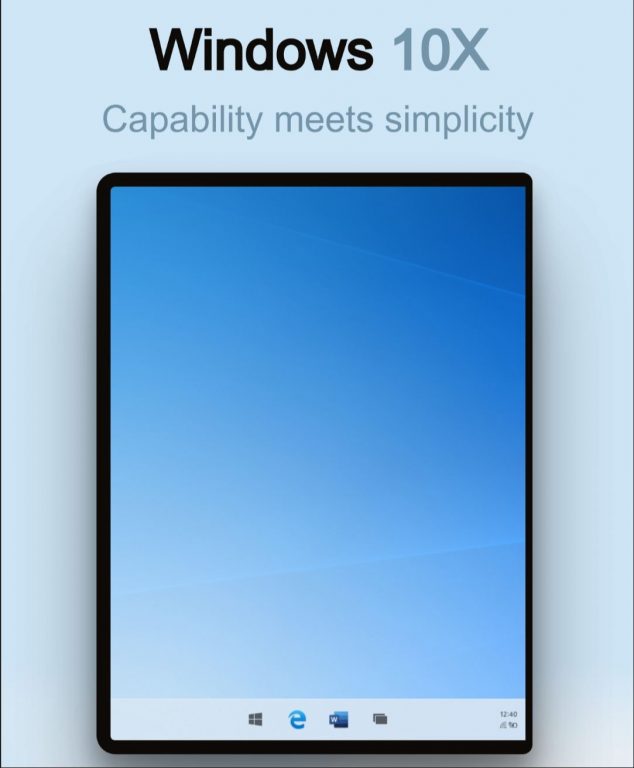
Based on other screenshots from the documentation, Microsoft could be marketing Windows 10X as Connected, Familiar, Adaptive, Calm, and Effortless. The company mentions that users want to access connected files as they were part of the OS, and that the OS has “all the stuff right where you need it.” Interestingly, Microsoft also calls Windows 10X as “the intuitive blend of Windows and the devices I use every day,” with “8 different postures” to help get my work done.”
\n
As the 2020 launch date for Surface Neo and Duo come near, we might as well learn more about Windows 10X then. But for now, this appears to be the closest look at Windows 10X yet.
\n\nFurther reading: Microsoft, Surface Neo, Windows 10, Windows 10X


