
 \n
\n
Everyone remembers their first Surface, and for me, that was the Surface RT. I carried it as a daily driver for two years of community college. I then traded up to a newer Surface 3. Eventually, I finally upgraded to the Surface Pro 4 when I headed to a four-year school to study Journalism, and landed my job here at OnMSFT.
\n
Well, it wasn’t a first only for me. The Surface RT was also part of Microsoft’s first venture into PC hardware. At a time when OEMs like Dell were known for making the best laptops, it was unexpected for Microsoft to launch its own device.
\n
Though Surface RT flopped and never sold well — and caused big internal shakeups at Microsoft — it marked a big moment for the company. With iPads being dominant, Microsoft was looking to ship an operating system and device that satisfies the needs of both desktop and tablet users.
\n
That’s part of the reason why RT flopped, but it’s also why there were many lessons learned — and why the Surface lineup is where it is at today.
\n
Now, over four years later, and the week before a Surface event, I dug up my Surface RT from my closet, and feel the need to talk about it in retrospect. This little device really started a revolution at Microsoft.
\n
The kickstand
\n
To begin, I’ll mention the thing that started it all — the kickstand. It’s something that Microsoft really played up when it first marketed the Surface. You might recall it, but a commercial for Surface RT featured dancers snapping the keyboard into the device, and pulling the kickstand up and down to the tunes of a very catchy rhythm.
\n
\n
So, yeah, we get it. Surface RT features a kickstand that makes using the tablet on a lap easy and without the need for a case. But, compared to modern Surface devices, I see a big difference and evolution here.
\n
The kickstand on the RT is really thin and fragile. As I pull it, I feel like it can bend. It also only opens up to one position and one angle, making it hard to get the tablet in the right position in your lap.
\n
Over seven years later, the Surface Pro kickstand is much different. It’s so much more sturdy and can take pressure from my hands when using the Surface Pen on the screen. The modern Surface Pro kickstand also opens up to a near-endless angle, almost allowing you to press it flat to the table and open it to any comfortable angle.
\n
While many say you can’t reinvent the wheel, the kickstand is an area that Microsoft really has paid attention to between Surface generations.
\n

\n
 Slide content
\n

\n

\n
\n
\n\n
The bezels
\n
Something else I noticed was bezels. This is often a topic that many people bring up when talking about the Surface, but Microsoft has made major progress over the years.
\n
Older Surface devices feature a capacitive Windows button under the keyboard and thick side bezels. Those bezels on Surface RT gives the device an ugly bottom border around the 10.6-inch screen, with a 16:10 aspect ratio. So, for productivity, a low resolution 1,366 x 768 screen on the RT, really takes away from the immersive experience. Everything is cramped and squished.
\n
Compared to a modern Surface, which ups the size to a 12.3-inch screen, the difference is night and day. While the capacitive button is gone, and bezels still there, the screen is just so much bigger and more immersive. Combined with the 3:2 aspect ratio on newer Surface devices, stacking windows side by side Surface Pro or Surface Go, is just so much easier than it was for me on my Surface RT. It’s nice to see advancement in this area.
\n

\n

\n

\n
\n
\n\n
Overall design
\n
Finally, there is the overall design. As the critics often say, “if it ain’t broke, don’t fix it.” We’ve never seen Microsoft make significant design changes to the Surface between generations. The screen has gotten bigger, bezels a little less thick, and ports have changed, but the build and design have stayed the same.
\n
Visually, the only difference between Surface RT and modern devices is its black color. But, when it comes to the overall design, the devices are almost the same. There are a few exceptions, such as the addition of Windows Hello on the Surface Pro, a magnet on the side for the Surface Pen, and the Surface Connect Port.
\n
But, we still have the kickstand and the POGO detachable keyboard. That same cool to the touch magnesium material also wraps both devices, making it feel light. At 1.7 pounds vs 1.5 pounds on the RT, It’s hard to argue that the Surface Pro is much heavier than the RT. Microsoft has always kept its devices slim and light.
\n
Wrapping things up, Microsoft has paid much attention to three core design areas of the Surface over the years. Bezels, screen, and kickstand. With rumors of a dual-screen Surface spreading like mad, I wonder where it can go next.
\n

\n

\n

\n
\n
\n\n
Performance, and Windows RT vs Windows 10
\n
When Surface RT launched, Windows RT was the operating system you were trapped with. Based on Windows 8, but locked down to only running apps from the Microsoft Store, I initially remember quite hating the operating system.
\n
It also should be noted that the Surface RT sported an Nvidia Tegra 3 processor and 2 GB of RAM, which means that drivers, programs, and everything on the device was proprietary. You couldn’t install apps like Google Chrome or Mozilla Firefox. You were stuck with what Microsoft loaded to the device, or what you can find in the store.
\n

\n
Coming from a Windows 7 desktop PC, the Live Tiles and Start Screen, Charms Bar of Windows RT were oh so confusing for me. But, switching the tablet to desktop mode didn’t prove too bad. Since Surface RT included Office 2013, I was able to type up my school assignments, get work done in Internet Explorer and more.
\n
Over time, I grew used to Windows RT’s weird touch gestures, and I appreciated the Start screen which gave me info at a quick glance. Microsoft even brought back the regular Windows 7 style Start Menu with the Windows 8.1 Update 3. But it was too late, Surface RT already flopped.
\n

\n

\n

\n
\n
\n\n
Anyway, with modern Surface devices, like the Surface Pro, I think Microsoft learned its lesson from Windows RT. Microsoft recently launched the Surface Go, which shipped with Windows 10 S, an operating system similar to Windows RT that’s locked to the Microsoft Store only apps. However, it allows consumers to switch to regular Windows 10 if needed.
\n
While some modern Surface devices shipped with Windows 8, users could have upgraded to Windows 10 for free. That operating system itself is also more optimized for those more familiar with Windows 7, but it also keeps the option for live tiles, and a tablet mode if needed.
\n
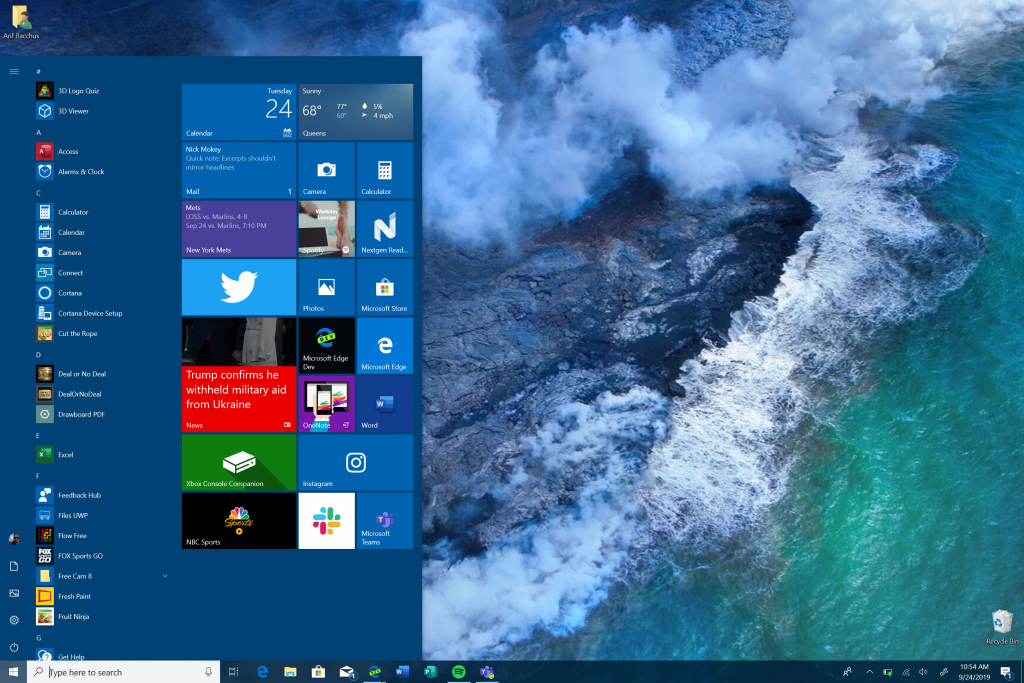
At the end of the day, compared to what I had with Windows RT, things have come a long way. Today, on my Surface Pro, I am using apps like Spotify, Instagram, Twitter, Slack, and more.
\n
Microsoft really learned its lesson and invested in its store. Despite the constant bugs, it also developed a more efficient operating system for its hardware that doesn’t make users feel violated as Windows 8 did.
\n
\n
A whole different Type Cover
\n
Now, I can’t compare Surface RT and Surface Pro without mentioning the keyboard. This is something that Microsoft has invested heavily in over the past few Surface generations. It’s also one of the first things that I noticed when picking back up my Surface RT.
\n
With its small 10 inch screen, the Surface RT feels more like an iPad — and so does its Type Cover. The keys don’t have any spacing between them, and barely any room for key travel. The trackpad is also tiny and features a weird felt material, that makes dragging my fingers hard.
\n
Pulling out my Surface Pro Type Cover, the differences are amazing. With a bigger screen, the TouchPad is larger, but it’s made of glass and is so much more accurate. The keys on the Type Cover are so much more spaced out, and I can actually type out sentences, without touching more than one key at a time. There’s also the benefit of having the convenience of the Type Cover on the Surface Pro “snapping” to the screen. That raises it up for a more comfortable typing experience. With the Surface RT, the cover stays flat to the lap or a table, making it harder to type.
\n

\n

\n
\n
\n\n
Where’s the pen?
\n
Finally, there is support for pens. While the original Surface sported a Wacom stylus, the Surface RT doesn’t. This wasn’t something that didn’t really bother me, as I used a capacitive stylus in place to ink on the screen and take notes. It isn’t as convenient as a physical Wacom stylus, but it worked.
\n
But, moving between Surface generations, I can see that Microsoft realized pen support is important. Not only does the modern Surface Pro still support pens, but so does the Surface Laptop, Book, and Studio. You might not get the pen with the Surface anymore, but there’s quite a bit to miss out when it comes to inking and annotating without it.
\n

\n
Come a far way, but more places to go
\n
At the end of the day, the Surface lineup has come a very far way. The screen, kickstand, keyboard, and operating systems on the devices have all evolved over the years — but there are still more places the Surface lineup can go.
\n
Sure, critics have has bad things to say about the reliability of the Surface Lineup (especially Consumer Reports.) But, they’re lessons that Microsoft can, and actually has, learned from.
\n
We best saw that with the Surface Pro 3, which addressed complaints saying the original Surface was too heavy and the battery life was horrible. The Pro 3 was not only lighter but also sported a bigger display, as well as an improved kickstand. However, even that model too faced reliability and WiFi issues.
\n
The follow-up, the Surface Pro 4, also suffered from an issue with the display, known as flickergate. And, Microsoft’s then-new take on the convertible laptop, the Surface Book, suffered problems where the battery would drain when the device is in sleep mode.
\n
Despite what Consumer Reports have said about Surface devices not being reliable, newer Surface devices build on the failures and feedback of Surface past. Microsoft is always working to improve its products.
\n
In fact, the introduction of the Surface lineup and Surface RT invented an entirely new form factor for PCs — the Windows 2 in 1. This eventually lead many Microsoft OEMs to imitate the Surface, best seen with devices like the Lenovo ThinkPad X1 Tablet.
\n
With the news that a dual-screen PC codenamed Centaurus could be on the way, there are only more places the Surface lineup can go. But, as my coworker told me while I was writing this piece: Let us hope that Microsoft learned from its lesson and that Centarus won’t be another Surface RT.
\n\nFurther reading: Surface, Surface RT, Windows RT 8.1


