
 \n
\n
After nearly four years, Microsoft is finally ending support for Windows 10 Mobile. While it might seem like all is now lost if you have stayed true to the platform, there’s still plenty of hope left if you’re a Microsoft fan.
\n
As we have previously explained, Microsoft is no longer just a single platform company. The company’s mission is to empower everyone to achieve more, and that now includes great mobile apps and experiences on iOS and Android.
\n
So, if you’re giving up on Windows Phone, there’s still plenty of great phones you can choose from to get the Microsoft experience you were once accustomed to. Here are our picks for the best phones you can buy.
\n
Samsung Galaxy S10 ($900) or Galaxy Note 10 ($849)
\n
The number one picks on our list is the Samsung Galaxy S10 or the Galaxy Note 10. As we’ve detailed, Samsung and Microsoft now share a deep partnership when it comes to mobile phones. Newer Samsung phones — which the Galaxy S10 and Note 10 just so happen to be — share a “Link to Windows feature.” This feature essentially lets you enjoy some of the older synergies you once experience on Windows 10 Mobile, but now on Android.
\n
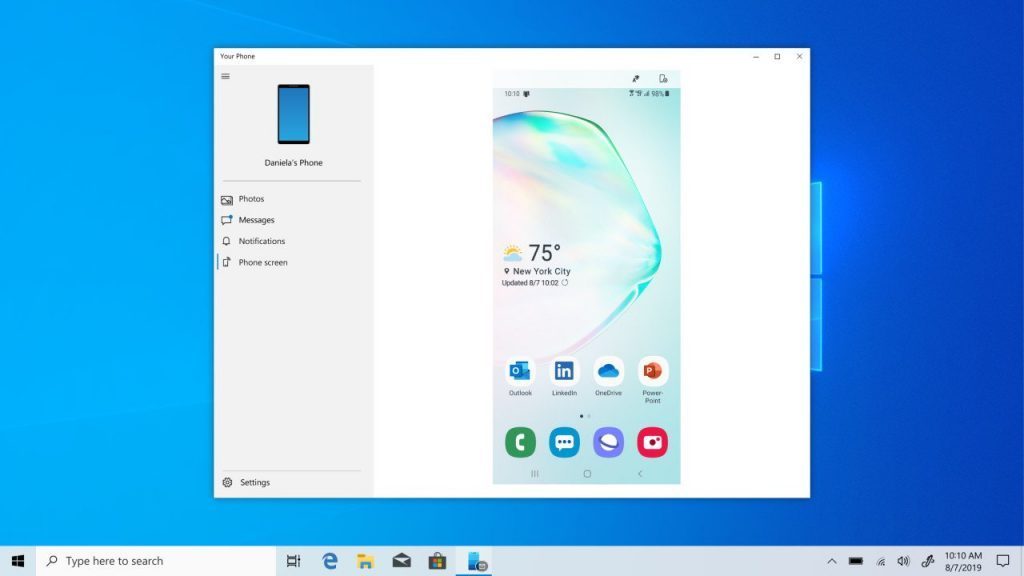
Mainly thanks to the power of the Your Phone app in Windows 10, you’re able to get access to your text messages, photos, as well as your phone notifications from a Galaxy S10 or Note 10 right on your Windows 10 PC. You don’t even need to download a companion app onto the phone as it is all built right in. If you’re a Windows Insider, you also can connect your phone to your PC and mirror its screen, allowing you to take control of your apps and more.
\n
\n
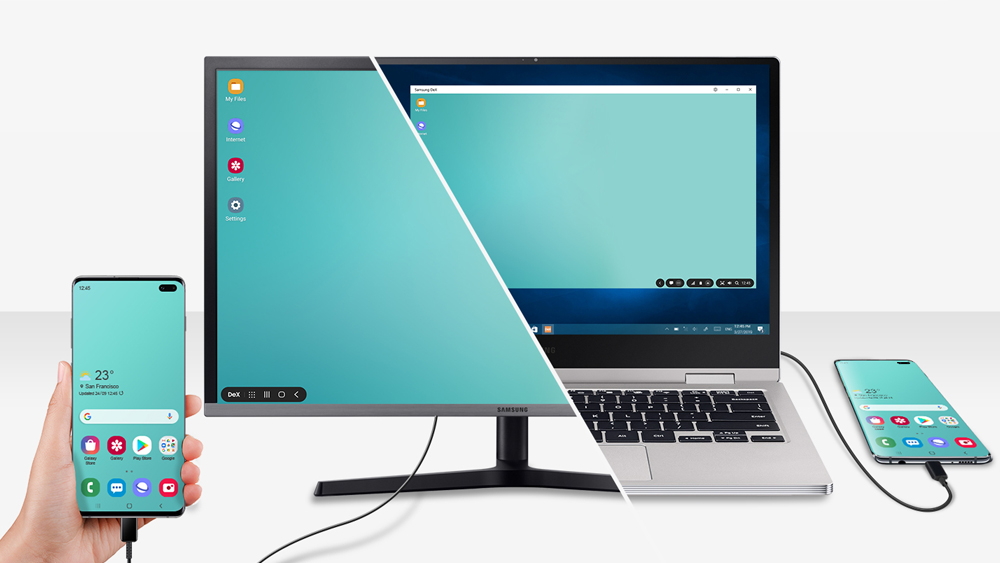
Much like Continuum in Windows 10 Mobile, the Galaxy S10 and Note 10 feature something that Samsung Calls DeX. This lets you plug your phone into a display, and get a desktop-like experience. Your apps and games go full-screen, and you’re even able to use DeX as an app on your Windows 10 PC if need be. That allows you to extend out the power of your phone, just like Continuum once did on the Lumia 950, Lumia 950 XL, and HP Elite X3.
\n
The Samsung Galaxy S10 is available through the Microsoft Store for $900. A larger S10+ is also available for $1,000. The S10 features a 6.1-inch display and the S10+ sports a larger 6.4-inch display. Compared to older Windows Phones, these displays are bigger, more immersive, and vibrant. The cameras are also excellent and have been called by many as the best you can find in the industry. You’re also getting beefy specs under the hood, with the Note 10 and S10 having 8GB of RAM, and the S10+ having 12GB of RAM. There’s definitely a lot you’re getting for the buck in terms of performance.
\n
You also can step things up and get the Galaxy Note 10 if you please, which has the added benefit of an even larger 6.3-inch screen and built-in stylus, similar to a Surface Pro device. It’s slightly cheaper at $849. There’s also the Galaxy Note 10+ which has a super-large 6.8-inch screen, approaching phablet territory.
\n
\n
Nokia 7.1 ($209)
\n
Next on our list is the Nokia 7.1. As someone switching from Windows 10 Mobile or Windows Phone, you might remember that Microsoft once owned Nokia’s phone business. Well, after Microsoft sold its feature phone division to FIH Mobile Ltd, Nokia announced that it signed a strategic brand and intellectual property licensing agreement with the newly founded company HMD Global. Since then, HMD has released several new Android phones under the Nokia name.
\n
So, if you don’t have $900 to spend on a smartphone, you might want to consider staying with something from Nokia. Just like when Microsoft pushed out Nokia phones like the Lumia 650, and the Lumia 640, the new Nokia 7.1 is an Android phone from HMD that’s well worth switching to. In fact, as an ex-Windows Phone user myself, it is a device that I recently purchased myself, and have really enjoyed using compared to my Note 8.
\n
\n
Picked up a Nokia 7.1 for Black Friday, and damn, after using a Samsung phone for all my life, I really love how stock Android looks and feels. Samsungs Android skin really is trash. Stock Android is so good I feel like I don’t want to use Microsoft Launcher! pic.twitter.com/eMnXD6GmFH
\n
— Arif Bacchus (@abacjourn) December 2, 2019
\n
\n
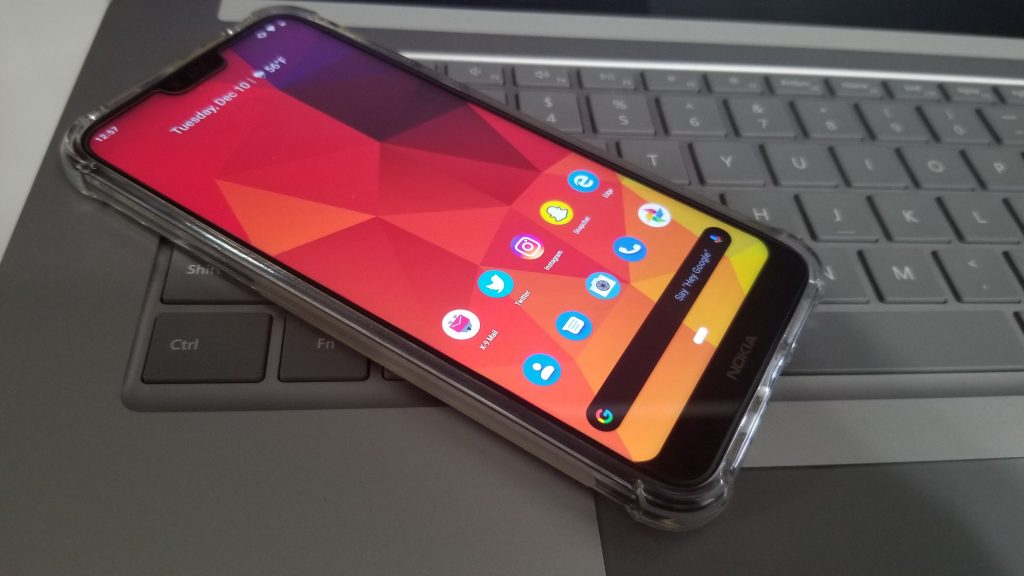
While the Nokia 7.1 might not have the beefy specs and built-in features of the Galaxy Note 8, it is still a great budget phone. Similar to the pure OS that you get with Windows 10 Mobile, the Nokia 7.1 runs stock Android, with no skins like other Android phones such as the Note 10. Much like I described a few years ago, you can also turn the Nokia 7.1 (and any Android phone) into an All-Microsoft phone if you want to.
\n
Thanks to the power of Your Phone, you can download a companion app on the Nokia 7.1 and have it sync your messages, photos, and notifications to your Windows 10 PC. You also can swap out your app defaults, and switch them to Microsoft-only apps, such as Microsoft Edge. Then, there’s the power of Microsoft Launcher. Once installed, you’ll be able to see the Windows Timeline activity from your PC right on your phone. You also can enjoy Cortana, Glance Screen, and so much more.
\n
\n
iPhone XR ($600)
\n
There aren’t many synergies between Apple’s iPhones and Microsoft Windows 10 but that doesn’t mean you should ignore the platform entirely if you’re switching from Windows 10 Mobile. While you can’t get your text messages or photos between iPhones and Windows 10, you still can get the best of Microsoft from the Apple device. Outlook, OneDrive, Cortana, Microsoft Edge, Office 365 apps are all available on iOS, and you can technically use these apps instead of Apple’s if you go team iPhone and not team Android.
\n
I originally owned an iPhone at one point after switching off Windows 10 Mobile, and the experience was alright. Although you can’t switch to default apps to Microsoft-only as you can on Android, the experience is still worth it. iOS is clean, concise, and is very secure, much like Windows 10 Mobile once was.
\n

\n
There are many options you can choose from
\n
Much like when Windows Phone was in its prime, there are a lot of other Android or iPhone models you can choose from if you’ve chosen to move on from Windows 10 Mobile and Windows Phone. Some other suggestions include the budget-friendly Motorola G7 ($180,) as well as the iPhone 8 ($449.) You also can step up the ladder and grab the iPhone 11 ($700) or the One Pus 7 Pro (around $700). Of course, you might also want to buy a cheaper device, for now, and hang on to buy the Surface Duo, which is Microsoft’s Android smartphone, set for release in Holiday 2020.
\n\nFurther reading: Android, iOS, Microsoft, Samsubg, Windows Phone


