
 \n
\n
Ever since its introduction back in 2016, Microsoft’s collaboration software, Teams, has come a long way. The company is always tweaking the experience and adding new features that make it better compete with Slack and be more useful for users. In fact, at one point, Teams reached 13 million daily active users, which is more than Slack.
\n
We here at OnMSFT have covered this all extensively. From a catalog of growing apps, file sharing experiences, chat filters, pinned channels, and so much more, Microsoft has put in all the efforts for Teams to catch up with Slack.
\n
Indeed, Teams has been on a long journey, but there’s so much more ahead. At Ignite 2019, some new features were announced for the experience. Here’s a look at where Teams will be going heading into the future.
\n
More ways to customize your Microsoft Teams experience
\n
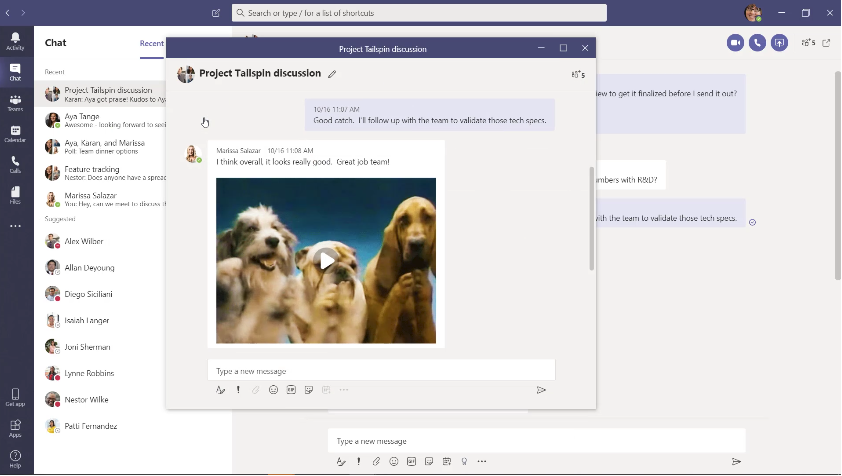
As we pointed out in our comparison piece, Microsoft Teams currently features a UI with a lot of menus and buttons to navigate. Heading into the future, though, Microsoft is hoping to change that. The company is planning on adding a new Multiwindow feature to the app early next year in 2020. With this feature, you’ll have the option to pop-out chats, meetings, calls, and documents into separate windows. This will help streamline your work, as you’ll be able to have what matters most on top of your current workflow.
\n
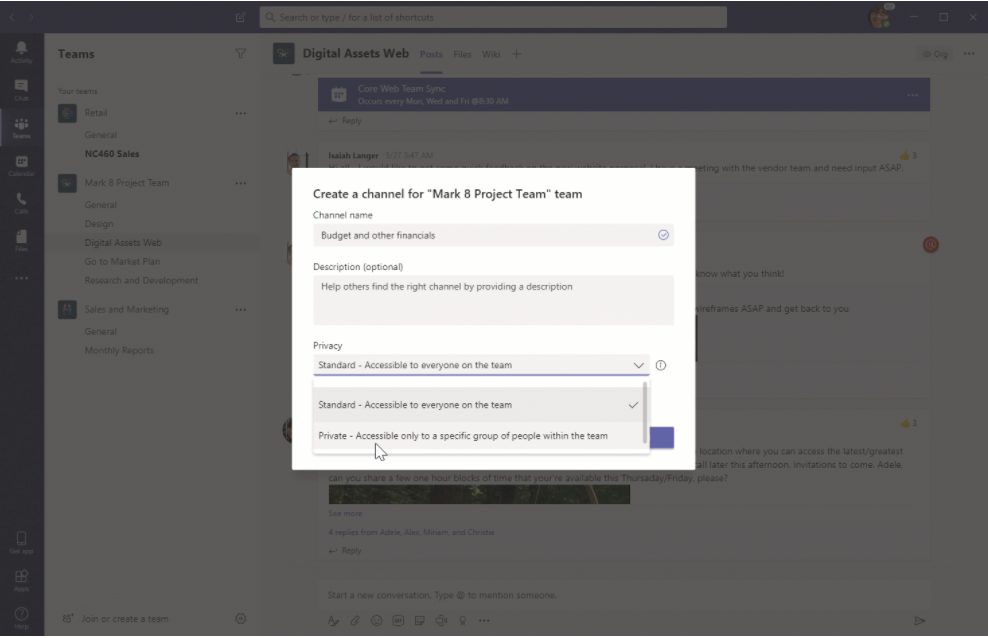
In addition, for privacy, currently, it is not possible to restrict access to a channel in Microsoft Teams. This is something that’s present in Slack, but will be coming to Teams soon. With the new Private Channel feature, users can create channels within existing teams that can be viewed and accessed by only select members of that team. It will be available from the privacy settings of the new channel.
\n
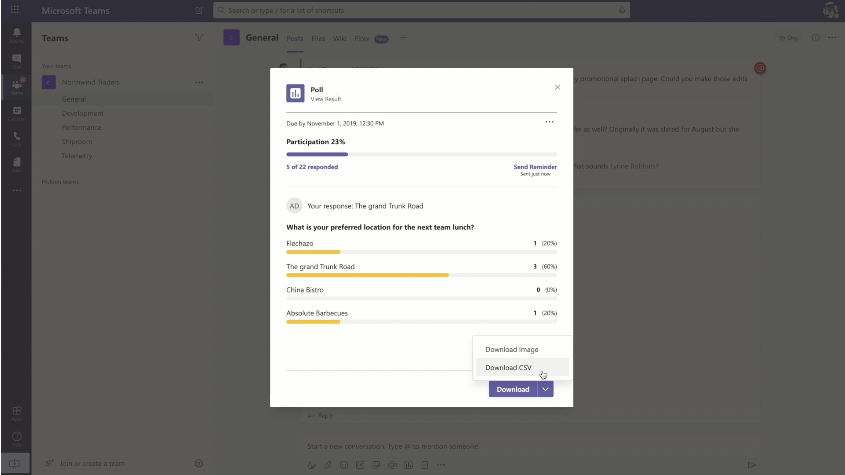
Finally, Microsoft is also bringing over some more messaging extensions already seen on Slack. This includes a new Polls and Surveys option. Starting next year, clicking on the “…” in the bottom of a message compose box in a chat will give you access to polling and survey options, to get better feedback on questions and other items.
\n
\n
\n
\n
\n
\n\n
New integrations with the other Office 365 Apps
\n
One of the greatest strengths of Microsoft Teams over Slack is its integrations with other Office 365 apps and services. Well, heading into early next year, Microsoft will be further plugging in the other Office 365 apps like Yammer, To-Do, and Outlook within Teams.
\n
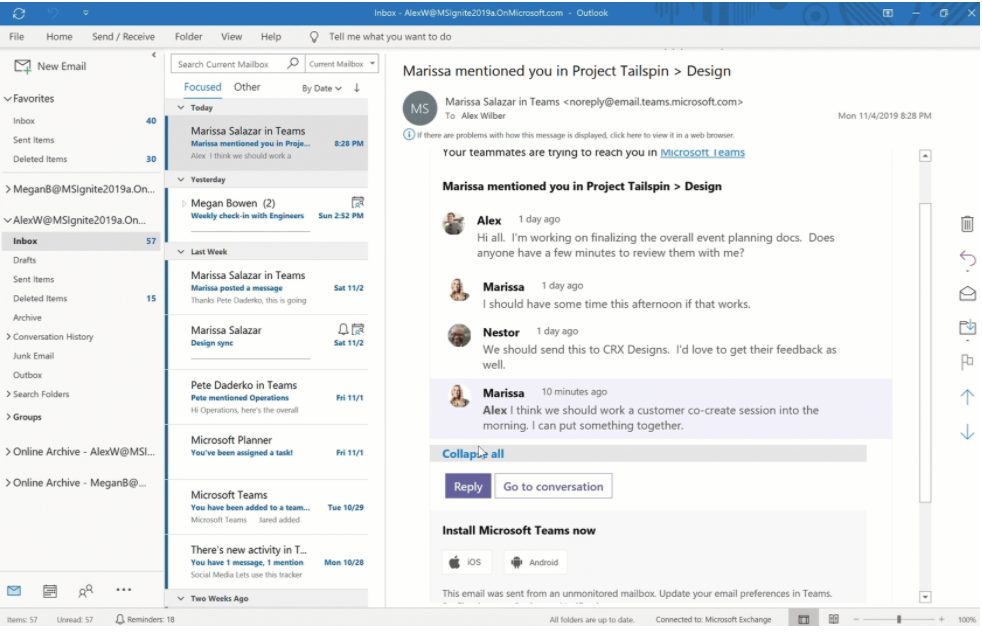
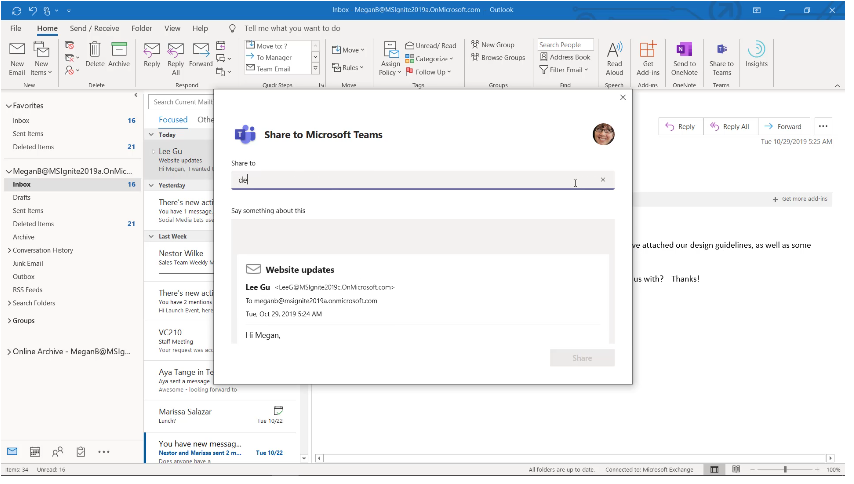
Starting first with Outlook. Next year, you’ll be able to collaborate in Teams directly from Outlook. You’ll be able to move an email conversation from Outlook, attachments, and into a Teams channel or conversation via a new “Share to Teams button.” Conversations from Teams can also be sent to Outlook by clicking on the … options in the conversation.
\n
Other integrations with Outlook include improved missed Microsoft Teams activity emails. These will now be much more actionable, showing missed conversations, replies, and an ability to respond directly from Outlook.
\n
\n
\n
\n
\n\n
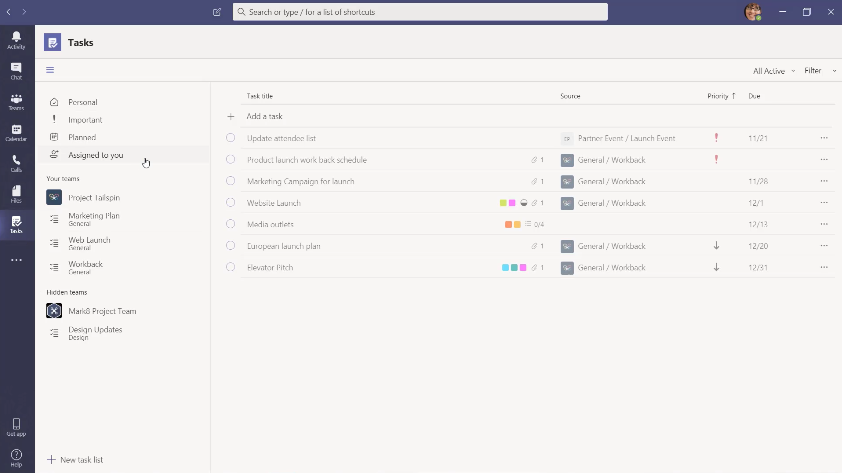
Now, for the To-Do integration. Starting early next year, you’ll be able to see a new “Tasks” bar in the Teams navigation area on the left side. This will show you tasks from across To Do, Teams Channels, Planner, and Outlook. There even will be a smart view, which will show the priority of tasks as well as the end or due dates.
\n
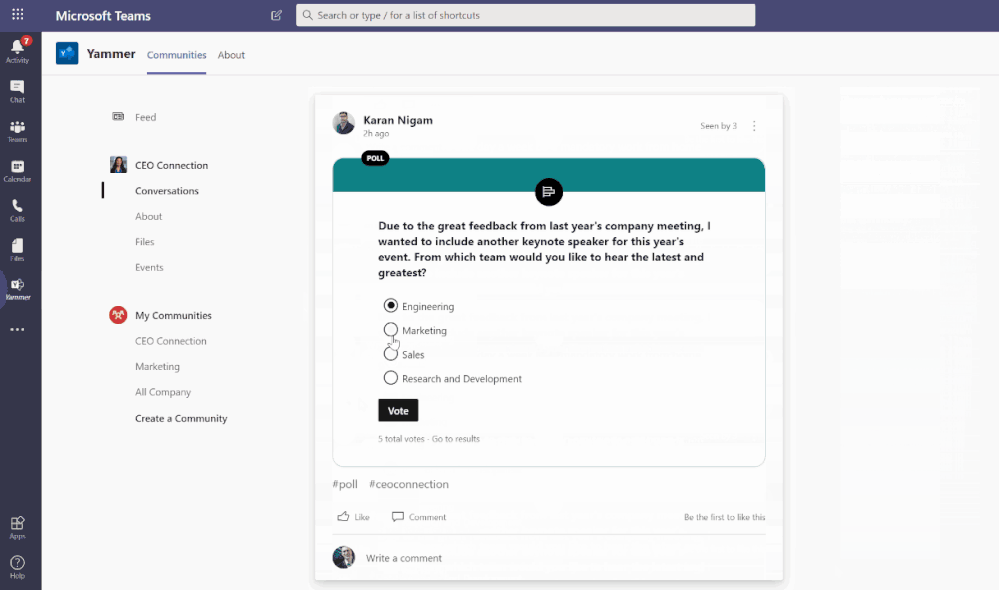
Finally, Microsoft will be introducing a new Yammer app for Microsoft Teams. This will make most communities, conversations, and live events from Yammer available directly from Teams. You’ll be able to pin the app on the left rail of Teams to have quick access to it.
\n
\n
\n
\n
\n\n
Other key changes
\n
In addition to the above, Microsoft is planning some smaller changes to Teams that will make things easier for Firstline workers who use it. A new SMS Sign-on feature will reduce the friction when signing into Teams with a phone number, and a one-time SMS passcode. Microsoft will also be adding a new Off-shift access feature for Teams on iOS and Android, which will provide users a notification when they’re using Teams on a personal device, and aren’t within payable working hours.
\n
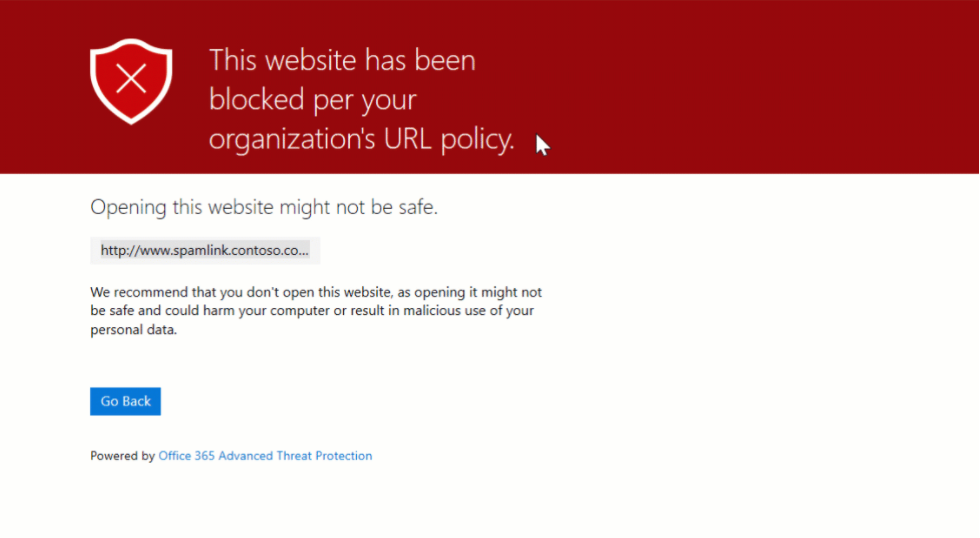
For IT Admins, there are some key new features that will help manage Teams as well as protect important company data. With a new Advisor for Teams features, it will be easier to deploy Teams across an organization. A new App Catalog will also help make it easier for IT Admins to get the information they need before enabling apps from Teams. Admins will even be able to enable new Safe Links options for Teams, which is powered by Office 365 Advanced Threat Protection, and will safeguard users from harmful links in real-time.
\n
\n
\n
\n
\n\n
\n
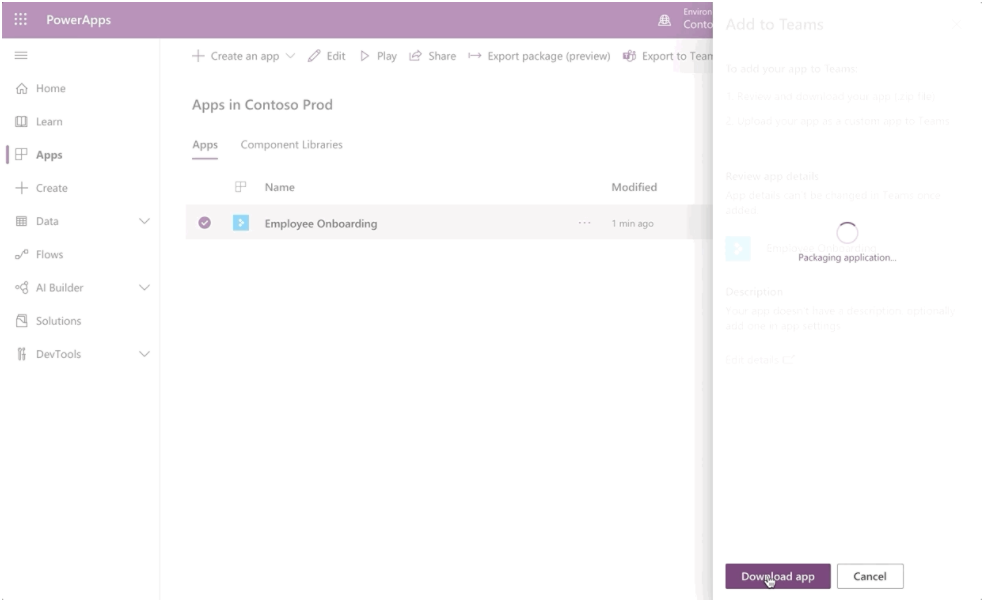
Finally, for developers, those who are creating Power Apps will be able to publish their apps in Teams. Users will also be able to pin a Power App to the left bar in Teams. New power automates features in Teams will also allow users to create automated workflows within the app. And, new Power Bi interactive cards in Teams will allow users to quickly find and take actions on data.
\n
Most of these new features are scheduled to go live in early 2020. Keep it tuned to OnMSFT, as we will be going hands-on with them.
\n\nFurther reading: Microsoft, Microsoft Teams, Office 365


