Skip to content
OnMSFT.com
  • Home
  • About
  • Contact
  • Windows
  • Surface
  • Xbox
  • How-To
  • OnPodcast
  • Edge
  • Teams
  • Gaming
Menu
  • Home
  • About
  • Contact
  • Windows
  • Surface
  • Xbox
  • How-To
  • OnPodcast
  • Edge
  • Teams
  • Gaming
  1. Home
  2. Feature
  3. Hands on at the Surface Event, we get a quick look at Surface Laptop 3

Hands on at the Surface Event, we get a quick look at Surface Laptop 3

Arif Bacchus Arif Bacchus
October 2, 2019
3 min read

Surface Laptop 3 15 Inch\n

At today’s Microsoft Event in New York City, Microsoft took the wraps off a trio of new products and hinted at even more to come. The list range from the Surface Earbuds, Surface Laptop 3, Surface Pro X, and even the dual-screen products dubbed the Surface Duo and Surface Neo.

\n

There’s a lot to process, but we received some quality hands-on time with the devices after today’s show. While Surface Duo and Neo were behind a barricade and out of our reach, here’s a look at the Surface Laptop 3. We’ll be following up a bit later with a video all about the Surface Pro X and Surface Earbuds.

\n

Surface Laptop 3

\n

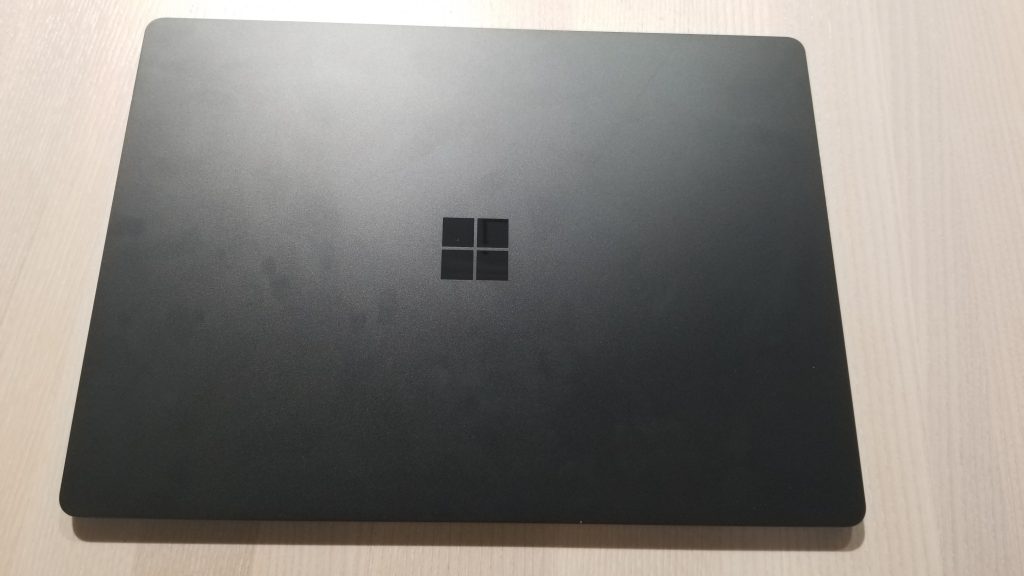
As rumored, Surface Laptop 3 comes in two different flavors at both 13.5 inches and 15-inches. We’re starting first with the 13.5-inch version. Some quick points to note are that the 13.5 inch Surface Laptop 3 comes with 10th Gen Intel Core processors. There’s also an option for a version with a full aluminum enclosure on black and gold-colored models, in addition to classic versions with the Alcantara fabric.  Here’s a quick video of the device below, explaining some of these details.

\n

\n

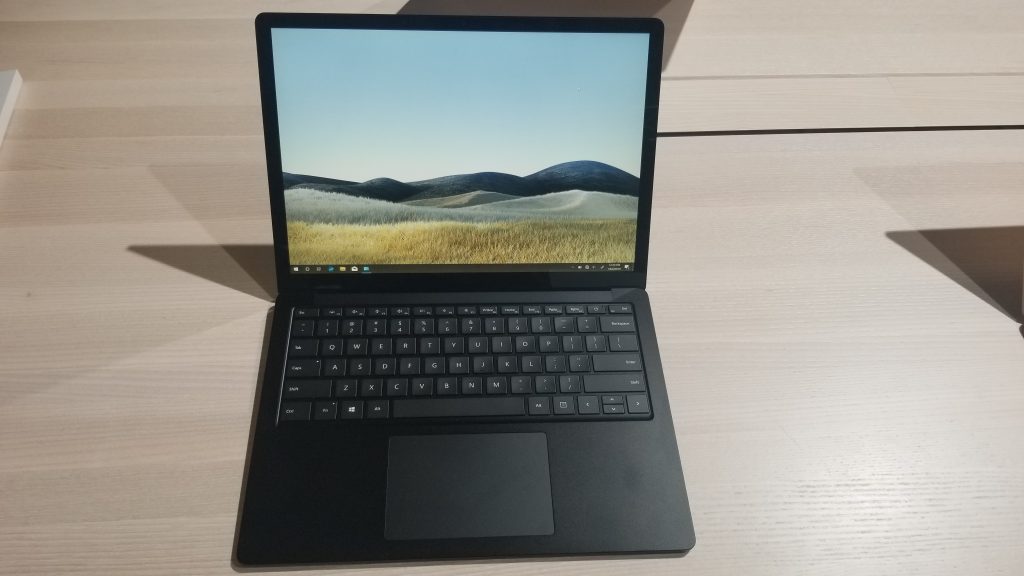
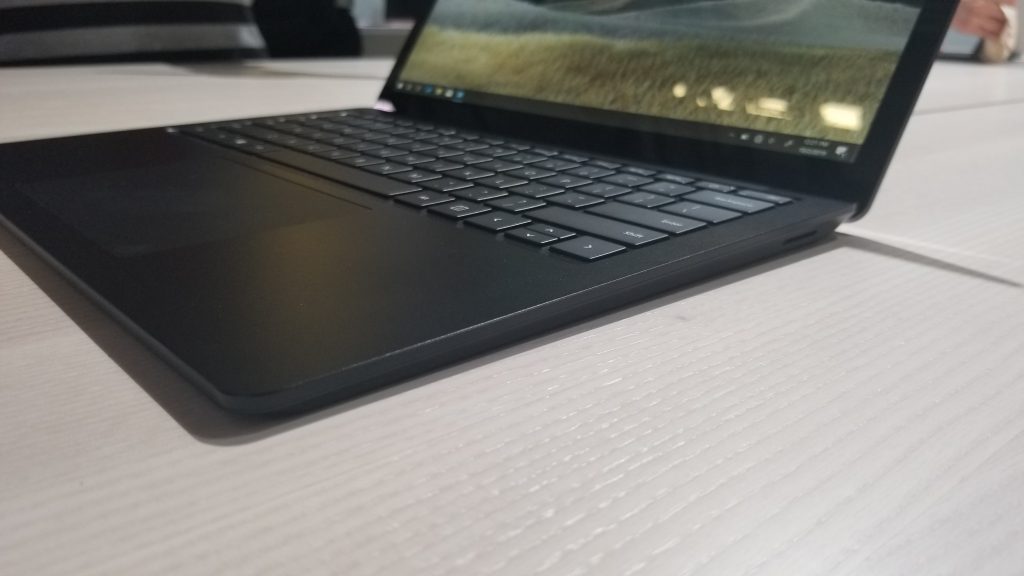
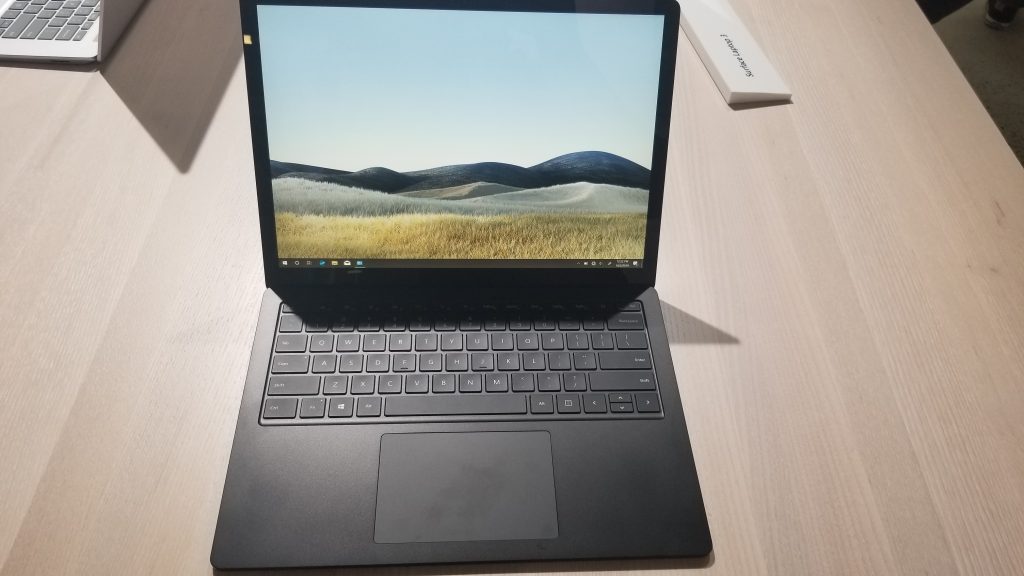
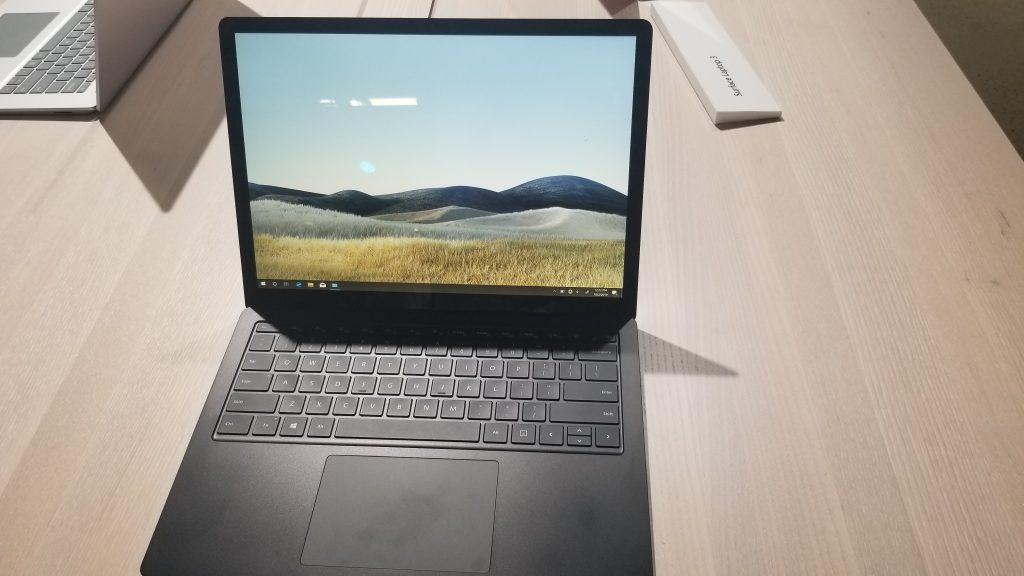
Personally, one of the first things I noticed when holding the 13.5 inch Surface Laptop 3 was the aluminum finish. It’s easy to hold in the hands and it is very cool to the touch. The device itself is also easy to open, as I could pull its lid up with just one hand. Asides from that, the keyboard keeps the same layout and 1.3 mm of travel. The trackpad is 20 percent larger, and I was easily able to navigate Windows 10 and the web without issues.

\n

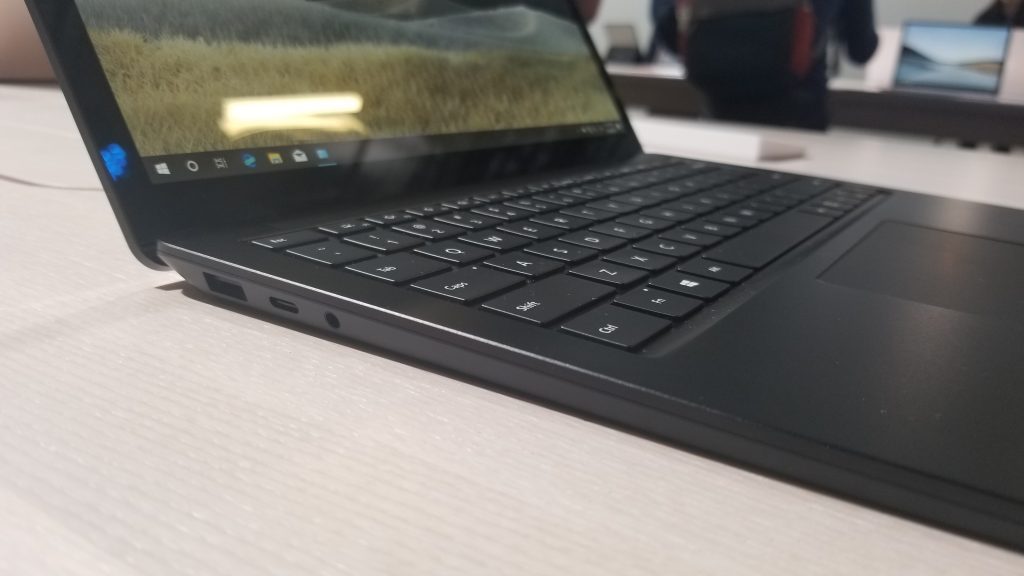
Another thing that stuck out to me was the beautiful screen. That default landscape wallpaper really popped right out, and the brightness wasn’t even turned past 50 percent. Of course, also of note are the ports on the device. There’s now USB-A, USB-C (but no support for Thunderbolt 3, sadly) as well as Surface Connect. That makes it well rounded and modern for most individuals, without having to worry about dongles. Users can even upgrade the device is they want, as Microsoft mentioned to me that the components are modular, including the hard drive.

\n
\n
\n
\n
\n
\n
\n

\n

\n

\n

\n\n

Under the hood, the 13.5 inch Surface Laptop 3 sports 10th Gen Intel Processors. The model I was hands-on with sported the Intel Core i7-1065G7. Naturally, that means opening up multiple apps and instances of Edge didn’t slow the device down. Microsoft is claiming this Surface Laptop 3 is 2 times faster than the previous generation. There also are some significant graphical improvements with Intel’s new Iris Plus integrated graphics, that could make it good for light gaming, but more testing is needed.

\n

\n

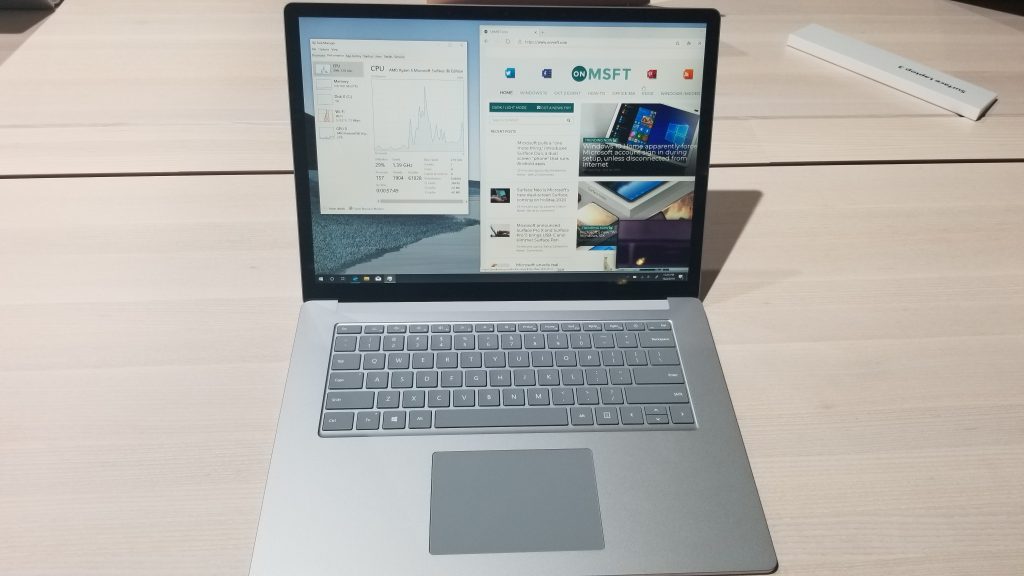
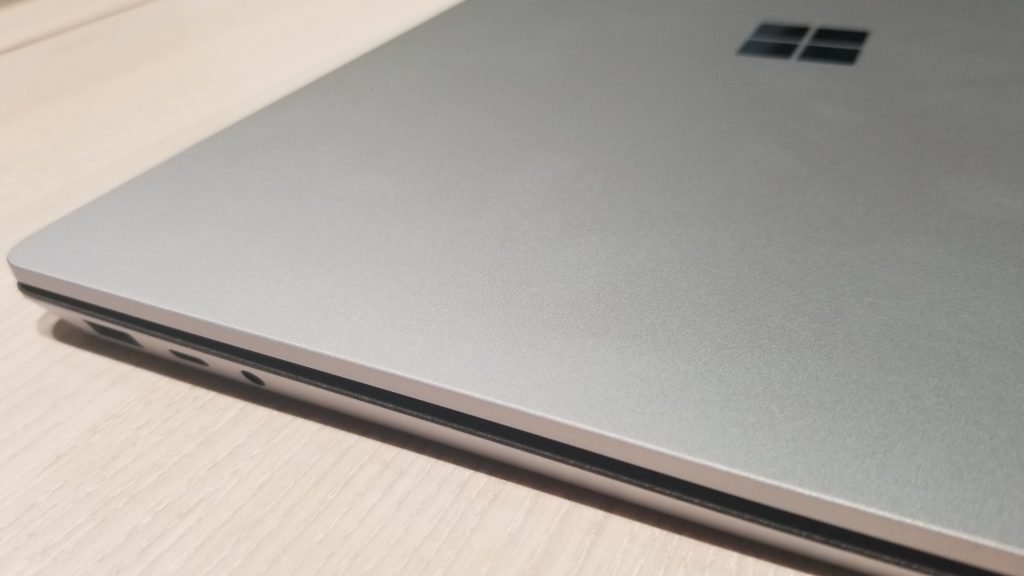
Next up is the 15 inch Surface Laptop 3. While it keeps the same design and build as the 13.5-inch version, this model is particularly different from anything Microsoft has ever released before. Instead of Intel inside, it sports a custom AMD Ryzen 5 processor under the hood, with an extra core on the GPU. Apparently, this is spiffy enough for web browsing, and even some CAD design, and light gaming, according to Microsoft. I wasn’t able to take the processor THAT far, but it was able to handle web browsing, and opening some of the other apps in Windows 10. It didn’t once freeze.

\n

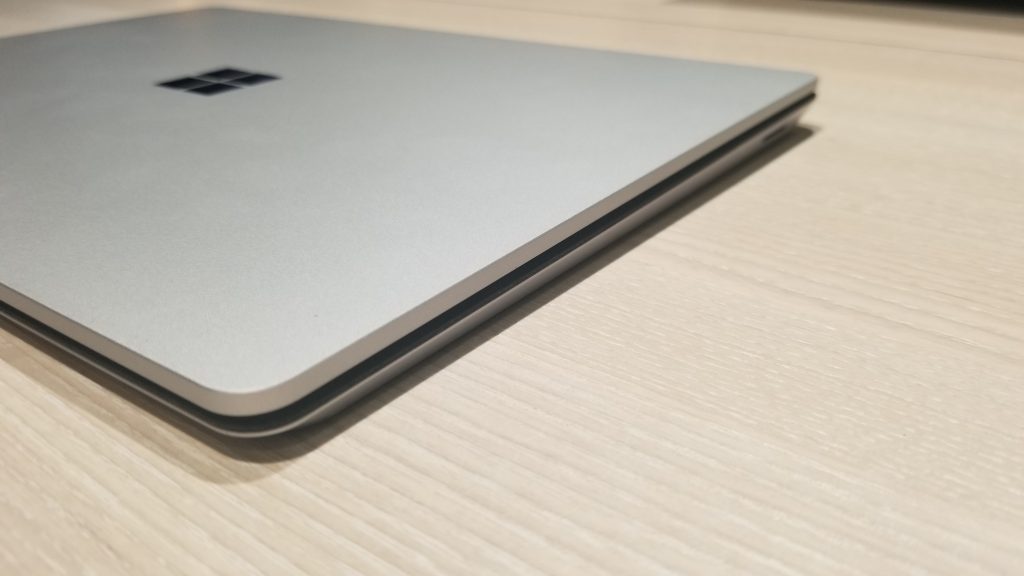
For all that power under the hood, the 15 inch Surface Laptop 3 is a bit heavy. Microsoft says it’s 3.4 pounds, and I noticed this when trying to carry the device around the showroom floor and when holding it and the 13.5-inch version in my hand.

\n
\n
\n
\n

\n

\n

\n

\n

\n\n

Other things to note on the Surface Laptop is its support for fast charging. You can now get up to an 80 percent charge in just one hour. Microsoft claims 11.5 hours of battery, but more testing will be needed again, especially when such power-hungry processors. Either way, the 13.5 inch and 15 inch Surface Laptop 3 are definitely powerful, and closer to being MacBook killers.

\n\nFurther reading: #MicrosoftEvent, AMD, Intel, Surface, Surface Laptop, Surface Laptop 3

Share this article:
Tags:
#MicrosoftEvent AMD Intel Surface Surface Laptop Surface Laptop 3
Previous Article Need a quick recap of today’s huge Surface event announcements? Here you go Next Article Pre order pages are up for Surface Laptop 3, Pro 7 or Pro X from the Microsoft Store

Related Articles

Here is our Xbox 2022 wrap up – OnMSFT.com

December 27, 2022

Xbox classics revisited vol.8: classic racing games – OnMSFT.com

December 20, 2022

Here are some Xbox Christmas gifts for that gamer on your list – OnMSFT.com

December 20, 2022

Leave a Comment Cancel reply

Your email address will not be published. Required fields are marked *

Recent Posts

  • Microsoft is no longer manufacturing the Windows RT powered Surface 2
  • Microsoft treats Windows Phone owners with extra 20GB of free SkyDrive storage for one year
  • Bing now showcases professional and celebrity Klout scores during search results
  • Bing now lets you search and browse for your friends’ Facebook photos
  • Bing now lets you explore free online courses and helps you find books to read

Recent Comments

No comments to show.

Archives

  • February 2026
  • December 2022
  • November 2022
  • October 2022
  • September 2022
  • August 2022
  • July 2022
  • June 2022
  • May 2022
  • April 2022
  • March 2022
  • February 2022
  • January 2022
  • December 2021
  • November 2021
  • October 2021
  • September 2021
  • August 2021
  • July 2021
  • June 2021
  • May 2021
  • April 2021
  • March 2021
  • February 2021
  • January 2021
  • December 2020
  • November 2020
  • October 2020
  • September 2020
  • August 2020
  • July 2020
  • June 2020
  • May 2020
  • April 2020
  • March 2020
  • February 2020
  • January 2020
  • December 2019
  • November 2019
  • October 2019
  • September 2019
  • August 2019
  • July 2019
  • June 2019
  • May 2019
  • April 2019
  • March 2019
  • February 2019
  • January 2019
  • December 2018
  • November 2018
  • October 2018
  • September 2018
  • August 2018
  • July 2018
  • June 2018
  • May 2018
  • April 2018
  • March 2018
  • February 2018
  • January 2018
  • December 2017
  • November 2017
  • October 2017
  • September 2017
  • August 2017
  • July 2017
  • June 2017
  • May 2017
  • April 2017
  • March 2017
  • February 2017
  • January 2017
  • December 2016
  • November 2016
  • October 2016
  • September 2016
  • August 2016
  • July 2016
  • June 2016
  • May 2016
  • April 2016
  • March 2016
  • February 2016
  • January 2016
  • December 2015
  • November 2015
  • October 2015
  • September 2015
  • August 2015
  • July 2015
  • June 2015
  • May 2015
  • April 2015
  • March 2015
  • February 2015
  • January 2015
  • December 2014
  • November 2014
  • October 2014
  • September 2014
  • August 2014
  • July 2014
  • June 2014
  • May 2014
  • April 2014
  • March 2014
  • February 2014
  • January 2014
  • December 2013
  • November 2013
  • October 2013
  • September 2013
  • August 2013
  • July 2013
  • June 2013
  • May 2013
  • April 2013
  • March 2013
  • February 2013
  • January 2013
  • December 2012
  • November 2012
  • October 2012
  • September 2012
  • August 2012
  • July 2012
  • June 2012
  • May 2012
  • April 2012
  • March 2012
  • February 2012
  • January 2012
  • December 2011
  • November 2011
  • October 2011
  • September 2011
  • August 2011
  • July 2011
  • June 2011
  • May 2011
  • April 2011
  • March 2011
  • February 2011
  • January 2011
  • December 2010
  • November 2010
  • October 2010
  • September 2010

Categories

  • Announcements
  • Deals
  • Developer
  • Editorial
  • Feature
  • Feature stories
  • Hero-post
  • Hotdeals
  • How-to
  • Latest news
  • Microsoft / office 365
  • News
  • Office 365
  • Onpodcast
  • Opinion
  • Our featured post
  • Polls
  • Review
  • Reviews
  • Videos
OnMSFT.com

OnMSFT.com covers Microsoft news, reviews, and how-to guides. Formerly known as WinBeta, we have been your source for Microsoft news since 1998.

Categories

  • Windows
  • Surface
  • Xbox
  • How-To
  • OnPodcast
  • Gaming
  • Edge
  • Teams

Recent Posts

  • Microsoft is no longer manufacturing the Windows RT powered Surface 2
  • Microsoft treats Windows Phone owners with extra 20GB of free SkyDrive storage for one year
  • Bing now showcases professional and celebrity Klout scores during search results
  • Bing now lets you search and browse for your friends’ Facebook photos
  • Bing now lets you explore free online courses and helps you find books to read

Quick Links

  • About OnMSFT.com
  • Contact OnMSFT
  • Join Our Team
© 2010–2026 OnMSFT.com LLC. All rights reserved.
About OnMSFT.comContact OnMSFT

