Skip to content
OnMSFT.com
  • Home
  • About
  • Contact
  • Windows
  • Surface
  • Xbox
  • How-To
  • OnPodcast
  • Edge
  • Teams
  • Gaming
Menu
  • Home
  • About
  • Contact
  • Windows
  • Surface
  • Xbox
  • How-To
  • OnPodcast
  • Edge
  • Teams
  • Gaming
  1. Home
  2. Feature
  3. 5 popular travel apps for Windows 10

5 popular travel apps for Windows 10

Arif Bacchus Arif Bacchus
September 21, 2016
3 min read

\n

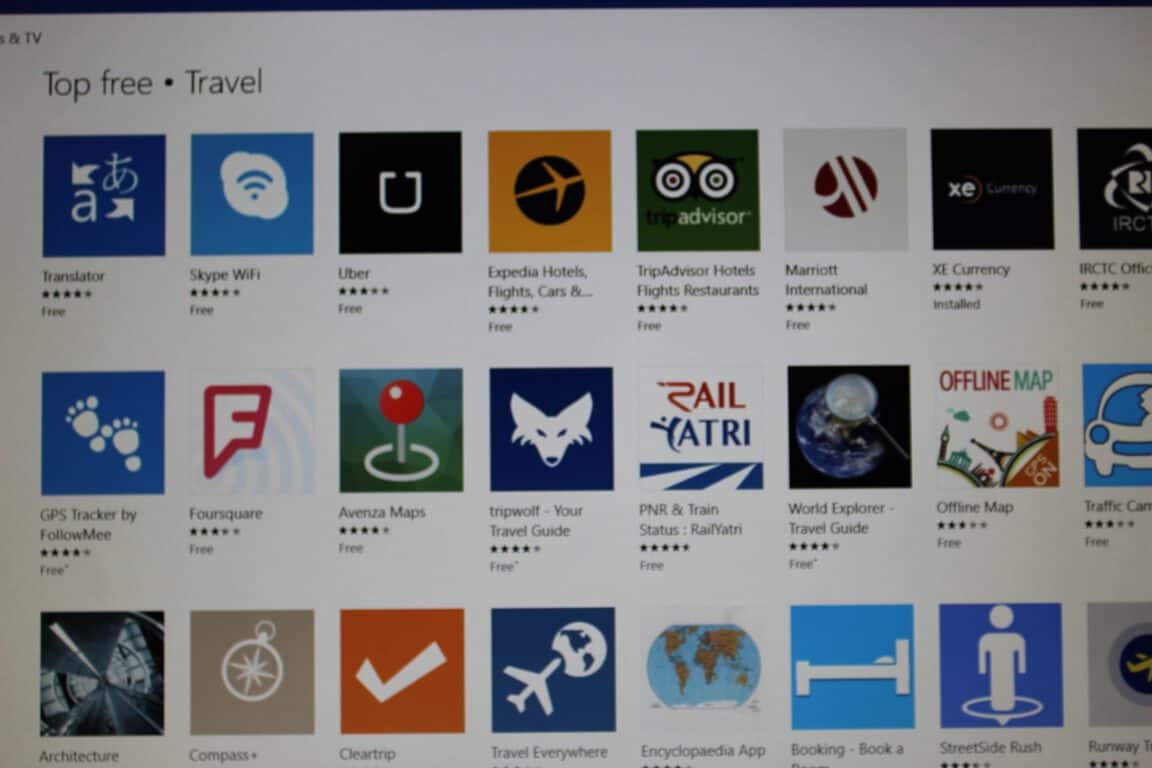
From games, security, and productivity, we have been closely covering a series of popular apps for Windows 10. To continue on in our top 5 series, today we turn our attention to travel. Here’s our list of 5 popular travel apps for Windows 10.

\n

GasBuddy:

\n

Let’s face it, when you’re traveling by car, a few cents saved on gas can take you a long way in your journey. With the GasBuddy app for Windows 10, you can save those few cents by searching for the cheapest gas in your area and beyond. The app lets you save gas stations to your favorites for quick access and even lets you use it in conjunction with the GasBuddy mobile apps for the best experience.

\n

gasbuddy

GasBuddy

\n

Download GasBuddy

\n

TripAdvisor Hotels Flights Restaurants:

\n

When you’re planning your next vacation, you more than likely will also be on the hunt for hotels, airfare, or restaurant reviews. Thankfully, with the TripAdvisor app, you can accomplish just that. The app features a database of over 250 million reviews and opinions, from travelers all around the world. It ultimately makes it easy to find the lowest airfare, the best hotels, great restaurants and fun things to do, wherever you go. And, If you’re the adventurous type, you even can add your own reviews and photos to the app to help others in their hunt for the dream vacation.

\n

tripadvisor

TripAdvisor

\n

Download TripAdvisor

\n

XE Currency:

\n

If you’re a world traveler, then handling currency conversions can sometimes prove to be a pain. However, thanks to the  XE Currency app, you can easily convert every world currency known to man. The app features a currency converter with live rates and can even store your latest update, so it works even when you’re not connected to the internet.  XE Currency has proven to be quite popular and has been downloaded over 20 million times, and has even been featured on media outlets such as BBC, CNN, the LA Times, and The Travel Channel! For added convenience, the app even features the ability to pin your base currency to a live tile, and 30,000+ currency charts for historic rates.

\n

xecurrency

XE Currency

\n

Download XE Currency

\n

Uber:

\n

Not everyone is located near public transportation or private taxi services. With the Uber App, however, you can get a reliable ride in minutes, without the need for reservations or waiting in line for a taxi. The app lets you hail a ride, check the status or fare for your ride, or add a credit card or link your PayPal to pay for rides. As an added bonus, new Windows users in the US get their first ride free (up to $15) with the code MSFTWIN10.

\n

Uber

Uber

\n

Download Uber

\n

Transit NYC:

\n

If you ever happen to be traveling in New York City, then this app is the perfect companion to finding your way through the Big Apple’s 469 subway stations and 21 interconnected subway routes. The app (a personal favorite of mine) features high-resolution subway, bus and rail maps for New York City and its surrounding areas. Since map images from within the app are embedded, you will never have to worry about needing an internet connection when searching for directions. Additionally, the subways in NY are unpredictable, so this app includes the added bonus of subway service status and helps you keep up to date on how the Subway system is running. Just like official  MTA Maps, all five Boroughs of New York City, and Metro North and LIRR maps are included on the app.

\n

Transit NYC Zoomed into my favorite part of Queens

Transit NYC Zoomed into my favorite part of Queens

\n

Download Transit NYC

\n

What are your thoughts on these five apps? Do you currently use any of them for your travel needs? Have you checked out the other great travel apps in the Windows Store? As always, let us know your thoughts by dropping us a comment in the section below.

\n\nFurther reading: Apps, Popular Apps, Top 5, Top 5 Apps, Uber, Windows, Windows 10, Windows Store


Share this article:
Tags:
Apps Popular Apps Top 5 Top 5 Apps Uber Windows Windows 10 Windows Store
Previous Article Xbox Games with Gold for October include Super Mega Baseball, I Am Alive and more – OnMSFT.com Next Article Windows 10 Insider build 14931 incoming, get ready!

Related Articles

Here is our Xbox 2022 wrap up – OnMSFT.com

December 27, 2022

Xbox classics revisited vol.8: classic racing games – OnMSFT.com

December 20, 2022

Here are some Xbox Christmas gifts for that gamer on your list – OnMSFT.com

December 20, 2022

Leave a Comment Cancel reply

Your email address will not be published. Required fields are marked *

Recent Posts

  • Microsoft is no longer manufacturing the Windows RT powered Surface 2
  • Microsoft treats Windows Phone owners with extra 20GB of free SkyDrive storage for one year
  • Bing now showcases professional and celebrity Klout scores during search results
  • Bing now lets you search and browse for your friends’ Facebook photos
  • Bing now lets you explore free online courses and helps you find books to read

Recent Comments

No comments to show.

Archives

  • February 2026
  • December 2022
  • November 2022
  • October 2022
  • September 2022
  • August 2022
  • July 2022
  • June 2022
  • May 2022
  • April 2022
  • March 2022
  • February 2022
  • January 2022
  • December 2021
  • November 2021
  • October 2021
  • September 2021
  • August 2021
  • July 2021
  • June 2021
  • May 2021
  • April 2021
  • March 2021
  • February 2021
  • January 2021
  • December 2020
  • November 2020
  • October 2020
  • September 2020
  • August 2020
  • July 2020
  • June 2020
  • May 2020
  • April 2020
  • March 2020
  • February 2020
  • January 2020
  • December 2019
  • November 2019
  • October 2019
  • September 2019
  • August 2019
  • July 2019
  • June 2019
  • May 2019
  • April 2019
  • March 2019
  • February 2019
  • January 2019
  • December 2018
  • November 2018
  • October 2018
  • September 2018
  • August 2018
  • July 2018
  • June 2018
  • May 2018
  • April 2018
  • March 2018
  • February 2018
  • January 2018
  • December 2017
  • November 2017
  • October 2017
  • September 2017
  • August 2017
  • July 2017
  • June 2017
  • May 2017
  • April 2017
  • March 2017
  • February 2017
  • January 2017
  • December 2016
  • November 2016
  • October 2016
  • September 2016
  • August 2016
  • July 2016
  • June 2016
  • May 2016
  • April 2016
  • March 2016
  • February 2016
  • January 2016
  • December 2015
  • November 2015
  • October 2015
  • September 2015
  • August 2015
  • July 2015
  • June 2015
  • May 2015
  • April 2015
  • March 2015
  • February 2015
  • January 2015
  • December 2014
  • November 2014
  • October 2014
  • September 2014
  • August 2014
  • July 2014
  • June 2014
  • May 2014
  • April 2014
  • March 2014
  • February 2014
  • January 2014
  • December 2013
  • November 2013
  • October 2013
  • September 2013
  • August 2013
  • July 2013
  • June 2013
  • May 2013
  • April 2013
  • March 2013
  • February 2013
  • January 2013
  • December 2012
  • November 2012
  • October 2012
  • September 2012
  • August 2012
  • July 2012
  • June 2012
  • May 2012
  • April 2012
  • March 2012
  • February 2012
  • January 2012
  • December 2011
  • November 2011
  • October 2011
  • September 2011
  • August 2011
  • July 2011
  • June 2011
  • May 2011
  • April 2011
  • March 2011
  • February 2011
  • January 2011
  • December 2010
  • November 2010
  • October 2010
  • September 2010

Categories

  • Announcements
  • Deals
  • Developer
  • Editorial
  • Feature
  • Feature stories
  • Hero-post
  • Hotdeals
  • How-to
  • Latest news
  • Microsoft / office 365
  • News
  • Office 365
  • Onpodcast
  • Opinion
  • Our featured post
  • Polls
  • Review
  • Reviews
  • Videos
OnMSFT.com

OnMSFT.com covers Microsoft news, reviews, and how-to guides. Formerly known as WinBeta, we have been your source for Microsoft news since 1998.

Categories

  • Windows
  • Surface
  • Xbox
  • How-To
  • OnPodcast
  • Gaming
  • Edge
  • Teams

Recent Posts

  • Microsoft is no longer manufacturing the Windows RT powered Surface 2
  • Microsoft treats Windows Phone owners with extra 20GB of free SkyDrive storage for one year
  • Bing now showcases professional and celebrity Klout scores during search results
  • Bing now lets you search and browse for your friends’ Facebook photos
  • Bing now lets you explore free online courses and helps you find books to read

Quick Links

  • About OnMSFT.com
  • Contact OnMSFT
  • Join Our Team
© 2010–2026 OnMSFT.com LLC. All rights reserved.
About OnMSFT.comContact OnMSFT
