Skip to content
OnMSFT.com
  • Home
  • About
  • Contact
  • Windows
  • Surface
  • Xbox
  • How-To
  • OnPodcast
  • Edge
  • Teams
  • Gaming
Menu
  • Home
  • About
  • Contact
  • Windows
  • Surface
  • Xbox
  • How-To
  • OnPodcast
  • Edge
  • Teams
  • Gaming
  1. Home
  2. Feature
  3. 5 popular security apps for Windows 10

5 popular security apps for Windows 10

Arif Bacchus Arif Bacchus
September 8, 2016
3 min read

\n

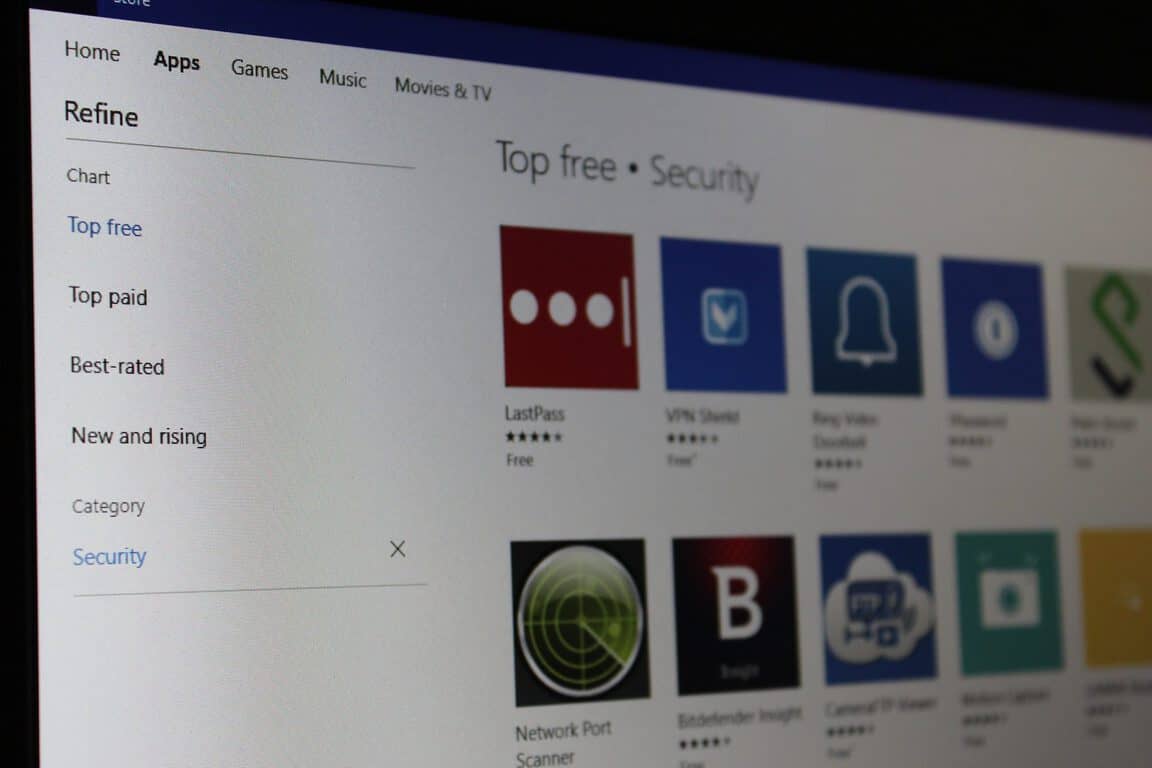
Back on September 7th, we covered 5 popular Windows 10 apps to boost your productivity on Windows 10. To continue the series, we now turn our attention to keeping your Windows 10 device safe, and will be giving a look at 5 popular security apps on the Windows Store. 

\n

Shredder8:

\n

Thanks to the power of the Shredder8 app, you can permanently destroy file contents and wipe previously used storage space, so that your data can’t be restored by data recovery tools. The app even allows you to destroy the file contents prior to deleting files and directories and clean the existing free space of a storage device, where old file content may still exist. A variety of international cleaning algorithms re supported, helping to  ensure that your files are permanently deleted.

\n

Shredder8

Shredder8

\n\n

\n

Shredder8

\n

\nShredder8\n

\n

\n

\nDownload\nQR-Code\n

\n

\n

\n

Shredder8

\n

Developer: Apparillos

\n

Price: Free

\n

\n

\n

LastPass:

\n

Used by over 7 million people from across the world, LastPass is a password manager which simplifies your life by safely and securely remembering your passwords and logging into your sites with one click. The best part of LastPass is the fact that it fills all your logins for you, and instantly syncs from your desktop to your laptop, your computer to your smartphone, your tablet to the Web. Security is no worry too, because your logins are protected by one master password, and because your account can be protected with multifactor authentication, or audited with the LastPass Security Challenge. LastPass also uses military-grade AES 256bit encryption implemented with salted hashing, along with PBKDF2 encryption keys for extra layers of protection.

\n

LastPass

LastPass

\n\n

\n

LastPass for Windows Desktop

\n

\nLastPass for Windows Desktop\n

\n

\n

\nDownload\nQR-Code\n

\n

\n

\n

LastPass for Windows Desktop

\n

Developer: LastPass

\n

Price: Free

\n

\n

\n

Password Generator Professional:

\n

From Twitter, Facebook, LinkedIn, YouTube, there are many websites which require you to create (and remember!) a strong password. While remembering your password might be easy because of LastPass, creating one might be a challenge, but that is where Password Generator Professional will help. The app  helps you generate strong passwords and remembers password settings and roams them across devices or copies them to the Windows Clipboard.

\n

Password Generator Professional

Password Generator Professional

\n\n

\n

Password Generator Professional

\n

\nPassword Generator Professional\n

\n

\n

\nDownload\nQR-Code\n

\n

\n

\n

Password Generator Professional

\n

Developer: Jujuba Software

\n

Price: Free

\n

\n

\n

VPN Shield:

\n

In the modern world, there are wireless hotspots on almost every corner of the street. The problem, however, is that not every one of these hotspots is secure. Thankfully, the VPN Shield app protects you and your privacy by warning you when you are using the Internet in potentially unsafe locations. A free trial of this app’s paid services is available, and when subscribed to the VPN Shield App service, the app will provide you a more  and trustworthy connection, or to your own VPN provider. When combined with the paid services, you can use the app to create a VPN and hide your IP Address, unblock certain websites or apps, or connect to other regions which otherwise are blocked because of censorship.

\n

VPN Shield

VPN Shield

\n\n

\n

VPN Shield

\n

\nVPN Shield\n

\n

\n

\nDownload\nQR-Code\n

\n

\n

\n

VPN Shield

\n

Developer: Defendemus sp. z o.o.

\n

Price: Free+

\n

\n

\n

Intel Security Trusted Advisor:

\n

No matter what precautions you have in place,  browsing the web or downloading programs, might still subject you to being the victim of viruses and other security threats. The Intel Security Trusted Advisor App, however, ensures that you’re more aware of all the threats that are currently lurking on the world wide web. This app provides access to Intel Security consumer blogs with information on the latest internet security threats, ways to protect your digital life online and tips to keep your families and identities.

\n

Intel Security Trusted Advisor

Intel Security Trusted Advisor

\n\n

\n

McAfee Trusted Advisor

\n

\nMcAfee Trusted Advisor\n

\n

\n

\nDownload\nQR-Code\n

\n

\n

\n

McAfee Trusted Advisor

\n

Developer: ‪McAfee Inc.‬

\n

Price: unknown

\n

\n

\n

What do you think of these apps? Would you add any other apps to this list? Have you checked out the other security apps available in the Windows Store? As always, please let us know your thoughts by dropping us a few of your words in the comments section below.

\n\nFurther reading: Apps, LastPass, Popular Apps, Security, Top 5, Top 5 Apps, Windows 10, Windows Store


Share this article:
Tags:
Apps LastPass Popular Apps Security Top 5 Top 5 Apps Windows 10 Windows Store
Previous Article No new builds this week as Microsoft upgrades Windows Insiders services Next Article Microsoft’s CFO Amy Hood added to Fortune Magazine’s list of 2016’s most powerful women

Related Articles

Here is our Xbox 2022 wrap up – OnMSFT.com

December 27, 2022

Xbox classics revisited vol.8: classic racing games – OnMSFT.com

December 20, 2022

Here are some Xbox Christmas gifts for that gamer on your list – OnMSFT.com

December 20, 2022

Leave a Comment Cancel reply

Your email address will not be published. Required fields are marked *

Recent Posts

  • Microsoft is no longer manufacturing the Windows RT powered Surface 2
  • Microsoft treats Windows Phone owners with extra 20GB of free SkyDrive storage for one year
  • Bing now showcases professional and celebrity Klout scores during search results
  • Bing now lets you search and browse for your friends’ Facebook photos
  • Bing now lets you explore free online courses and helps you find books to read

Recent Comments

No comments to show.

Archives

  • February 2026
  • December 2022
  • November 2022
  • October 2022
  • September 2022
  • August 2022
  • July 2022
  • June 2022
  • May 2022
  • April 2022
  • March 2022
  • February 2022
  • January 2022
  • December 2021
  • November 2021
  • October 2021
  • September 2021
  • August 2021
  • July 2021
  • June 2021
  • May 2021
  • April 2021
  • March 2021
  • February 2021
  • January 2021
  • December 2020
  • November 2020
  • October 2020
  • September 2020
  • August 2020
  • July 2020
  • June 2020
  • May 2020
  • April 2020
  • March 2020
  • February 2020
  • January 2020
  • December 2019
  • November 2019
  • October 2019
  • September 2019
  • August 2019
  • July 2019
  • June 2019
  • May 2019
  • April 2019
  • March 2019
  • February 2019
  • January 2019
  • December 2018
  • November 2018
  • October 2018
  • September 2018
  • August 2018
  • July 2018
  • June 2018
  • May 2018
  • April 2018
  • March 2018
  • February 2018
  • January 2018
  • December 2017
  • November 2017
  • October 2017
  • September 2017
  • August 2017
  • July 2017
  • June 2017
  • May 2017
  • April 2017
  • March 2017
  • February 2017
  • January 2017
  • December 2016
  • November 2016
  • October 2016
  • September 2016
  • August 2016
  • July 2016
  • June 2016
  • May 2016
  • April 2016
  • March 2016
  • February 2016
  • January 2016
  • December 2015
  • November 2015
  • October 2015
  • September 2015
  • August 2015
  • July 2015
  • June 2015
  • May 2015
  • April 2015
  • March 2015
  • February 2015
  • January 2015
  • December 2014
  • November 2014
  • October 2014
  • September 2014
  • August 2014
  • July 2014
  • June 2014
  • May 2014
  • April 2014
  • March 2014
  • February 2014
  • January 2014
  • December 2013
  • November 2013
  • October 2013
  • September 2013
  • August 2013
  • July 2013
  • June 2013
  • May 2013
  • April 2013
  • March 2013
  • February 2013
  • January 2013
  • December 2012
  • November 2012
  • October 2012
  • September 2012
  • August 2012
  • July 2012
  • June 2012
  • May 2012
  • April 2012
  • March 2012
  • February 2012
  • January 2012
  • December 2011
  • November 2011
  • October 2011
  • September 2011
  • August 2011
  • July 2011
  • June 2011
  • May 2011
  • April 2011
  • March 2011
  • February 2011
  • January 2011
  • December 2010
  • November 2010
  • October 2010
  • September 2010

Categories

  • Announcements
  • Deals
  • Developer
  • Editorial
  • Feature
  • Feature stories
  • Hero-post
  • Hotdeals
  • How-to
  • Latest news
  • Microsoft / office 365
  • News
  • Office 365
  • Onpodcast
  • Opinion
  • Our featured post
  • Polls
  • Review
  • Reviews
  • Videos
OnMSFT.com

OnMSFT.com covers Microsoft news, reviews, and how-to guides. Formerly known as WinBeta, we have been your source for Microsoft news since 1998.

Categories

  • Windows
  • Surface
  • Xbox
  • How-To
  • OnPodcast
  • Gaming
  • Edge
  • Teams

Recent Posts

  • Microsoft is no longer manufacturing the Windows RT powered Surface 2
  • Microsoft treats Windows Phone owners with extra 20GB of free SkyDrive storage for one year
  • Bing now showcases professional and celebrity Klout scores during search results
  • Bing now lets you search and browse for your friends’ Facebook photos
  • Bing now lets you explore free online courses and helps you find books to read

Quick Links

  • About OnMSFT.com
  • Contact OnMSFT
  • Join Our Team
© 2010–2026 OnMSFT.com LLC. All rights reserved.
About OnMSFT.comContact OnMSFT