
 \n
\n
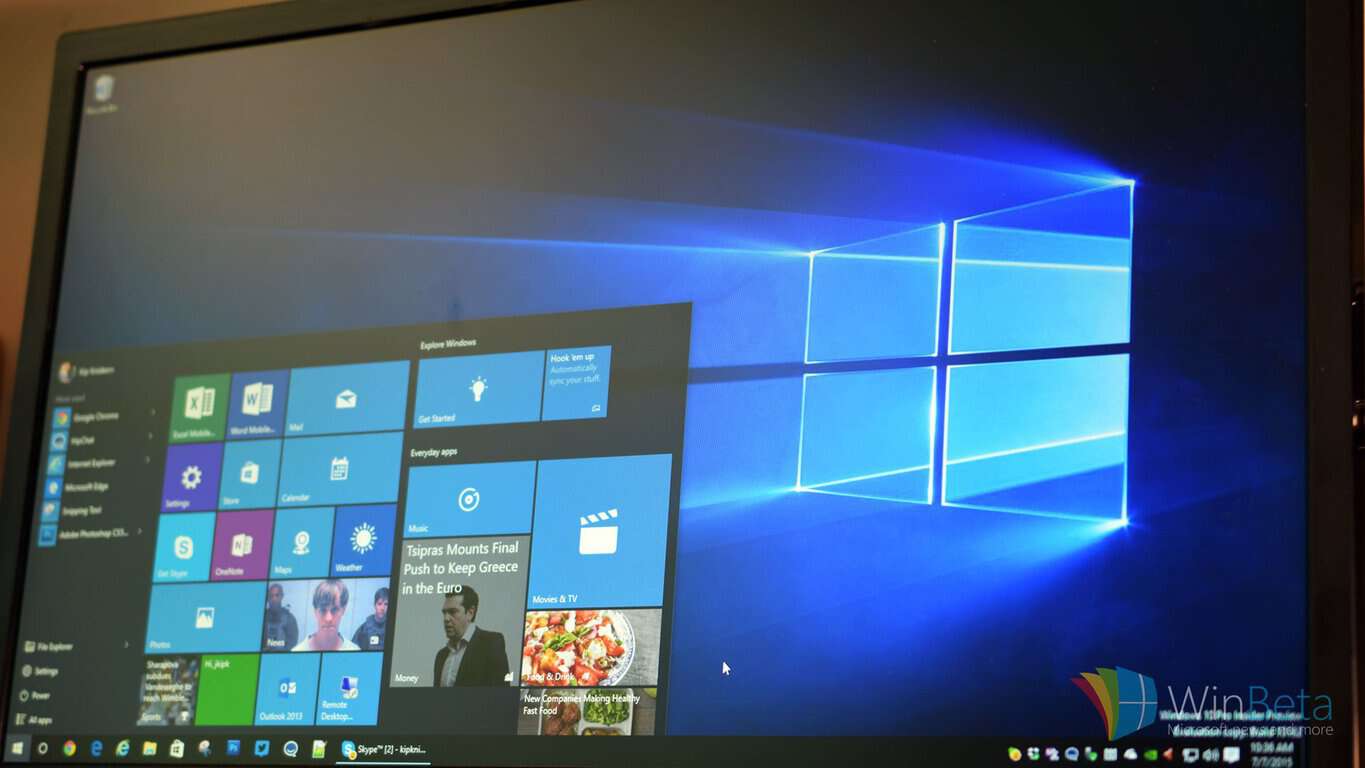
It’s now July. For most of the world, that means several things i.e. summer holidays and various national days of celebration. For those who follow Microsoft however, July 2015 means one thing alone: the launch of Windows 10.
\n
With Windows 10, Microsoft promises to right all of the ‘wrongs’ of Windows 8, and revolutionize its software platform, so that it might be able to face the future with open arms. And given the stakes, it has certainly pulled out all of the stops in order to see its baby succeed. With the likes of the Windows Insider program, Microsoft has proven that it is willing to listen to user feedback, and, as a result, excitement around Windows 10 has reached something approaching fever pitch.
\n
That excitement hasn’t affected everyone however, myself included, until recently that is. My history with Windows is a long one, starting with 3.1, running through 95, XP, Vista and ending with 7, which I have run for the past five years. For although I regard Microsoft and its products very highly, the truth is simple, Windows 8 terrified me. That is to say, having used Windows for years, and being uncomfortable with Mac OS, I was unwilling to learn how to use my computer again. Millions agreed, indeed 8 still inspires bitterness among many. For these users, their trust is Microsoft’s to earn, however with Windows 10 it might just manage, due to a number of rather nice features.
\n

\n
1) Start again
\n
The first of these is a simple, but revolutionary addition to the new OS, the ‘Start’ bar. For many who chose not to go with Windows 8, it was the lack of a recognizable start bar, previously the linchpin of the whole Windows experience, that was evidence enough of the alien nature of Windows 8 to simply ignore it. Well, now the bar is back and more functional than ever, mixing the utility of before with the tiles of Windows 8 to make for a refreshing yet familiar experience that will no doubt delight many.
\n

\n
2) The Action Center
\n
If there is one area in which Windows has consistently lagged behind its competitors, it is in the delivery of notifications. In the years since the debut of 7 and 8, though Microsoft has launched a mobile operating system of its own, both still lack a centralized notifications suite. With Windows 10 and its ‘Action Center’ this is no longer an issue. Working with Windows 10 powered smartphones (when they become available), it will be possible to receive and reply to messages, all from the comfort of the desktop, all without chasing down separate apps and messaging suites.
\n

\n
3) Cortana
\n
There is of course another way in which Windows 10 will take more inspiration from mobile, and that is through the delivery of Cortana, Microsoft’s popular digital assistant. Cortana will be baked-in throughout the OS, helping to make sense of things and improving the power of the search function considerably. Indeed, the feature is considered to be so important that some OEMs (like Toshiba) are even placing a dedicated ‘Cortana key‘ on their new Windows 10 machines. And, as time goes by and Windows 10 is installed on hundreds of millions of machines, Cortana is only set to improve, likely becoming an even more valuable feature in the future.
\n

\n
4) Continuum
\n
It is safe to say, as the owner of a Windows Phone, Continuum intrigues me. Asides from the obvious benefits for enterprise consumers, there’s a reasonable chance it might help to fire up the public too. Challenging the very notion of a dedicated desktop PC, Continuum allows compatible Windows Phones to run in a ‘desktop’ mode when connected to a monitor, pairing with a wireless keyboard and mouse to become a full-fledged PC capable of performing a surprisingly large number of tasks. This of course works with the interoperability of Windows 10 between different devices, and tied with Microsoft’s new focus on cloud computing, it could make for a world in which a mobile could be one’s only computing device; this feature is one of the most boldly futuristic from Microsoft yet.
\n

\n
5) Switching between different tasks
\n
Not every feature in Windows 10 is designed to be a show-stopper, others are simple evolutions from what came before, in this case the lowly ‘alt + tab’ shortcut. Previously, this was intended as a quick means by which to switch between different programs, now it is something more. Displaying a number of Windows, switching between different tasks makes it easier to multi-task than every before on a Windows machine, with larger thumbnails and an improved layout.
\n

\n
6) Snap!
\n
Windows RT, though a much maligned foray by Microsoft into ARM territory, limited in both its functionality and execution, did one thing right: ‘Snap’. That is to say, it allowed two separate open windows to run together intelligently, finding different sides and ‘clipping together’ as it were. On a large screen, and when performing typical productivity tasks such as completing an invoice, such a feature is nearly invaluable, and is another example of how Windows 10 represents a series of intelligent improvements as much as a cobbled together assortment of ‘moonshots’.
\n

\n
7) On the Edge
\n
In the 90s, Microsoft saw fit to muscle out the smaller (better) Netscape, and since then a modicum of that attitude has remained. Though Internet Explorer exploded in popularity and has shuffled through a number of (mostly improved) versions, since that point, it still lags behind its competitors in functionality. Microsoft’s new browser, first code-named “Project Spartan” and now given the slightly more confusing nomenclature of “Edge” is a browser worthy of the modern internet. Boasting compatibility with a number of different plugins and some sexy new features (like the ability to ‘draw’ using a stylus) Edge is Redmond’s statement that it no longer intends to rest on its laurels in the browser wars.
\n

\n
8) Universal (Windows) Apps
\n
It is no secret that Windows 10 will end the long-standing fragmentation of Windows. Xbox, Windows Phone and Windows 8 machines will all run a single version of the same OS. This in of itself is interesting, however Microsoft has chosen to take things a step further with a feature that is intended to appeal to developers, ‘Universal’ apps. These will work the same regardless of the hardware on which they are running, with the only real changes being in UI, which will change intelligently. In addition to hopefully dealing with the Windows Store app gap, this creates a more modern vision for the future of the OS.
\n

\n
9) Windows Hello
\n
In the last few years, especially since the introduction of the iPhone 5S, biometric identification has become something of a hot feature in the mobile world. Windows Hello is Microsoft’s attempt to enter the game, and looks particularly promising. The idea is this: unlock your computer with either your face or iris, negating the need for anything so outdated as a password. How reliable the feature will prove to be is something that only time will tell (anyone who has used a fingerprint reader will know the horror of having a ‘bad fingerprint’), but the it looks to be promising nonetheless.
\n

\n
10) DirectX 12
\n
As computers have gotten more powerful over the past decade or so, so too has the number of cores found in both CPUs and GPUs increased almost exponentially. Until this point however, the ability of these different cores to ‘talk’ to one another has been somewhat limited, allowing only one core to ‘talk’ to another at the same time. With DirectX 12 things are destined to change, with multiple cores being able to communicate with one another simultaneously, thus increasing the efficiency of power use. With this, developers will be able to improve the likes of lighting effects among other things, though the results are potentially even further reaching.
\n
As can be seen, there is a great deal to look forward to when Windows 10 launches on July 29. Though everything is not quite perfect, there is certainly enough for a ‘7’ dinosaur like myself to consider making the leap forward. Bring on the future!
\n
What features are you most looking forward to in Windows 10? Let us know in the comments below.
\n\nFurther reading: DirectX 12, Microsoft, Windows 10, Windows 8.1, Windows Phone, Xbox


