
 \n
\n
I’ve been using Surface Headphones throughout my day-to-day life since I first picked them up on the day they launched in November. However, I most recently put them to the ultimate test during my three-day long vacation to Los Angeles. I left my usual Sephia Noise Isolating in-Ear Earphones at home in New York, as I figured it’d be the perfect chance for me to write a full-on review.
\n
Keep in mind, I’m not a audiophile. I will mention some specs, but this is primarily a non-technical and “on the road” review of how Surface Headphones fit in with my life during my vacation.
\n
Also, I won’t lie, I’m a big Microsoft fan. From Xbox, to Windows Phone, to Surface, I want to have it all. That’s why, when Microsoft announced Surface Headphones, I was quite excited and passionate.
\n
For the first time, Microsoft expanded the Surface lineup past the typical laptop, tablet, 2-in-1, or mouse and keyboard, or pen accessory. This was a new territory for the now-famous Surface brand. It was something Microsoft has never been done before, and so I went out and happily purchased it.
\n
The design will get you noticed
\n

\n

\n

\n

\n

\n

\n
\n
\n\n
One of the first things that stuck out to me with the Surface Headphones is its design. Inspired by the other devices in Microsoft’s lineup, the light grey headphones fit right in with my Surface Pro 4. Compared to the typically colorful or black headphones offered from Beats, it contrasts against my shirt when hanging around my neck. When worn on my head, meanwhile, it looks a bit bulky. That’s mainly due to the way that the control dials stick out from the sides. Dimensions are 8.03 x 7.68 x 1.89, if you’re curious.
\n
In fact, with my Mets jersey and Surface Pro 4, I had quite a few people at LAX airport come up to me and ask me about the headphones around my neck. When sitting at the gate, one woman asked me if I was a DJ. I’m assuming these folks never seen Surface Headphones in the wild before, just like how Surface Pros were once a rarity in coffee shops and libraries across America.
\n

\n
Aesthetics wise, Surface Headphones feature aluminum extenders (that hold the cups) and a steel headband. A reflective Microsoft logo on the tips of the yokes also adds a touch of fanciness. The cups, meanwhile, are primarily made of a plastic, but at 0.64 pounds, it feels very light in the hands. I was quite surprised at how light it when I initially took it out of its box, but overtime, it was something I got used to. For my time moving around L.A. that lightness made it easy to quickly pull on and off and down to my neck as I walked between my destinations.
\n
Elsewhere, Surface headphones feature a plush memory foam material on the ear cuffs, and a rubbery material on the headband. With most other over-the-ear headphones, my ears would normally get “locked” in, and I would experience some discomfort over long periods of wear. That wasn’t the case with Surface Headphones, as I was able to wear it comfortably for a six-hour long cross-country flight. I found the materials to be very cozy, as it didn’t put too much pressure on ears or the top of my head.
\n
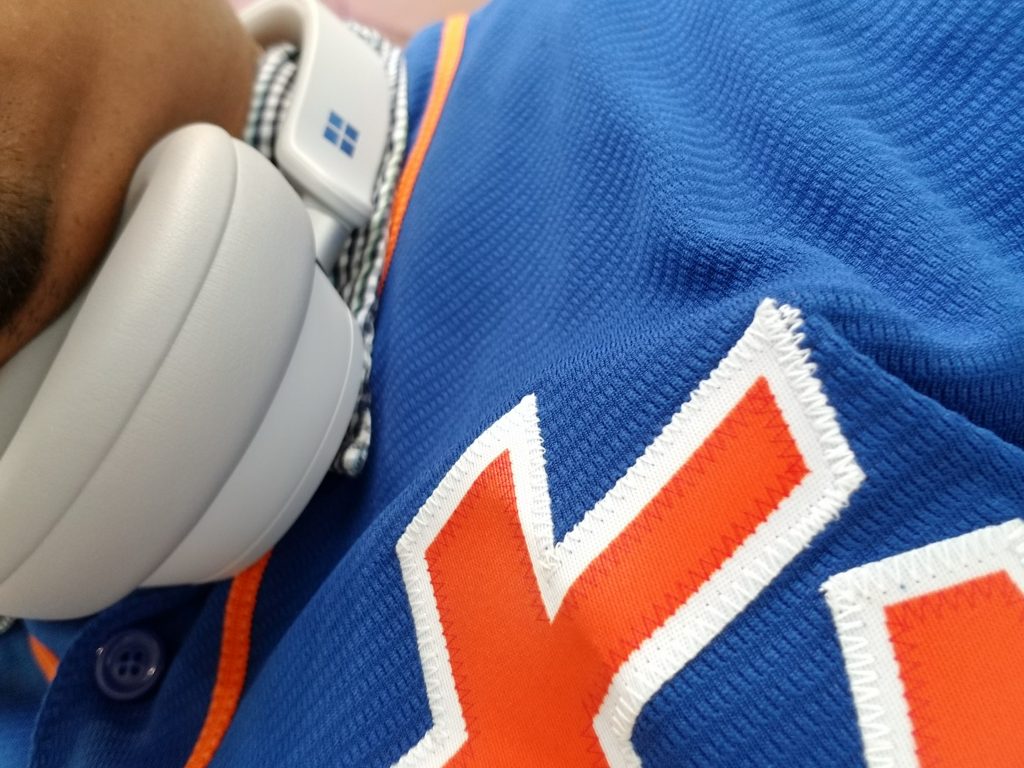
Wearing the Surface Headphones
\n
Dial out the noise
\n

\n

\n

\n

\n

\n

\n
\n
\n\n
Airports and airplanes can be quite noisy, and for me, Surface Headphones saved me from the chaos. My return flight from New York from Los Angeles was delayed by over five hours, so I had to make a new home at the airport. Sitting at a little marketplace inside LAX, I put on Surface Headphones to separate myself from the rest of the world to try and get some peace of mind. It worked.
\n
Surface Headphones feature 13 points of active noise cancellation. What makes the noise cancellation unique and simple, though, is the way it is controlled. The rounded dial on the left ear cup controls the noise cancellation levels in two pre-set options. There’s no need to fiddle with buttons or switches. Touching the dial will also pause, play, or skip music, or even activate Cortana.
\n
When I gave my parents a call on WhatsApp, noise cancellation was very effective. It felt like I was back home and they were talking right into my ears. Their voices were clear and concise, and I didn’t need to turn the volume on my phone past 50% to hear them. From the other end, my parents also told me my voice was clear, despite the noisy background. According to Microsoft, Surface Headphones support up to 30 dB for active noise cancellation. It’s accomplished with a total of eight microphones on board.
\n
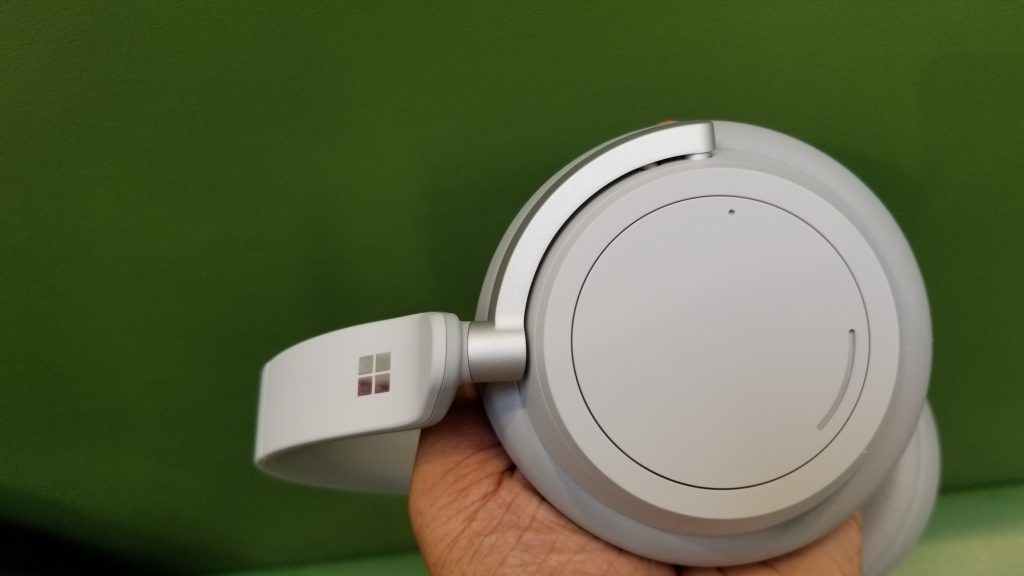
Left side of Surface Headphones
\n
During my flight, I found that the maximum noise cancellation level was perfect. My seat was conveniently right next to the airplane engine, a personal favorite spot of mine. That said, Surface Headphones were able to filter out the constant “whirring” noise experienced when flying. It also muted out the passengers around me, including the chatter from flight attendants serving coffee and other snacks.
\n
Interestingly, there’s also a passive noise cancellation setting. This goes up to 40 dB, and is activated by turning the dial on the left cup all the way to the bottom. I found this useful for listening to PA announcements from the captain, or when I wanted to eavesdrop on conversations happening next to me. When I turned the dial down, and the ambient voices around me were suddenly more prevalent. When my music was playing too loud, though, it was a bit hard to make out the noises around me on on this setting. I had to pause my music to get the most out of this feature.
\n

Wearing Surface Headphones
\n
Control and rock out to your music with a touch
\n

\n

\n

\n

\n

\n
\n
\n\n
On the right side of Surface Headphones is another dial dedicated to controlling the volume, and summoning Cortana. You’ll also find the USB C port for connectivity, as well as the AUX jack, mute button for the microphone on this side as well. The AUX jack is a nice option for when the battery drains, but hooking up to it will also disable Cortana (which only works via Bluetooth) and the touch features of the dial, unless you’re connected via USB and AUX to a PC. While connected via AUX when riding public transit around L.A., I noticed that the audio quality is slightly more washed out than when connected via Bluetooth.
\n
Anyway, during my stay in the airport, and during my flight I found the dials quite useful. A tap on the dial quickly paused music, allowing me to talk to flight attendants, or someone asking me questions at the gate. A triple tap will skip through music, double tap to go back to a previous song, which I found useful mid-flight. It is quite cool, as I was able to keep my phone in the pocket in the seat in front of me and control my music.
\n
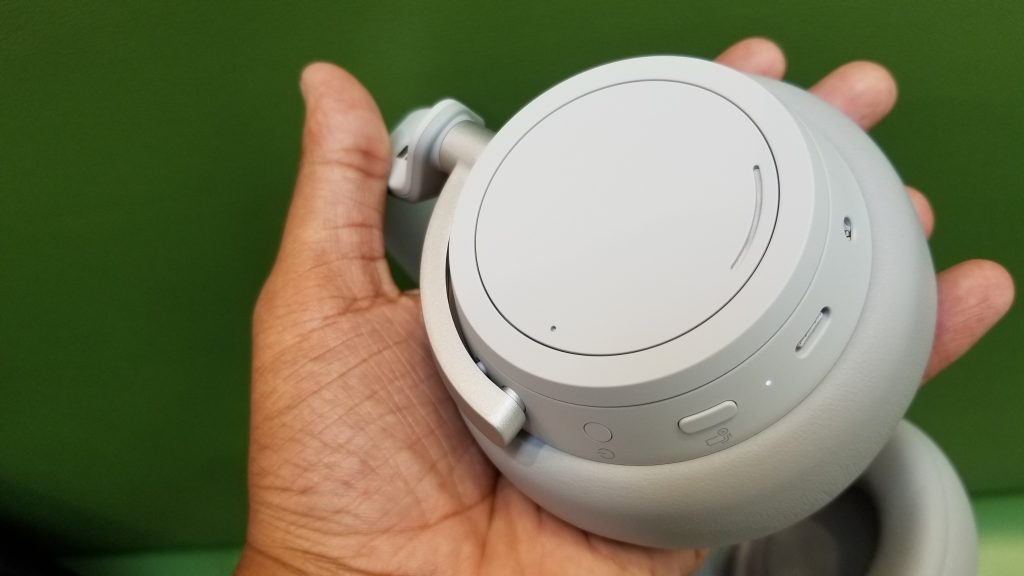
The right side of Surface Headphones
\n
I should also note that if you pull the headphones off your head, it will auto-pause the music. This was amazing to me, and it helped avoid awkward situations. In one instance, a JetBlue employee approached me and asked to see my ticket, and had to suddenly pull off my headphones. Thanks to auto-pause, loud music wasn’t blaring in front of her, as it would have if I were using any other pair of headphones.
\n
Sound quality overall is fairly great. I’m not an audiophile, but the audio was just as good as what I experienced with my Sephia in-ear earphones. When listening to the opening of The Cab’s Angel with Shotgun, I felt the bass rocking through both my ears. The 40 mm edge speakers really deliver on Microsoft’s promise for clear audio. When customizing the sound profiles to “pop” via the Cortana App on Android, I also got a truly lively and energetic experience when listening to MKTO’s American Dream. The headphones really were able to highlight the vocals, and the songs constant beats.
\n
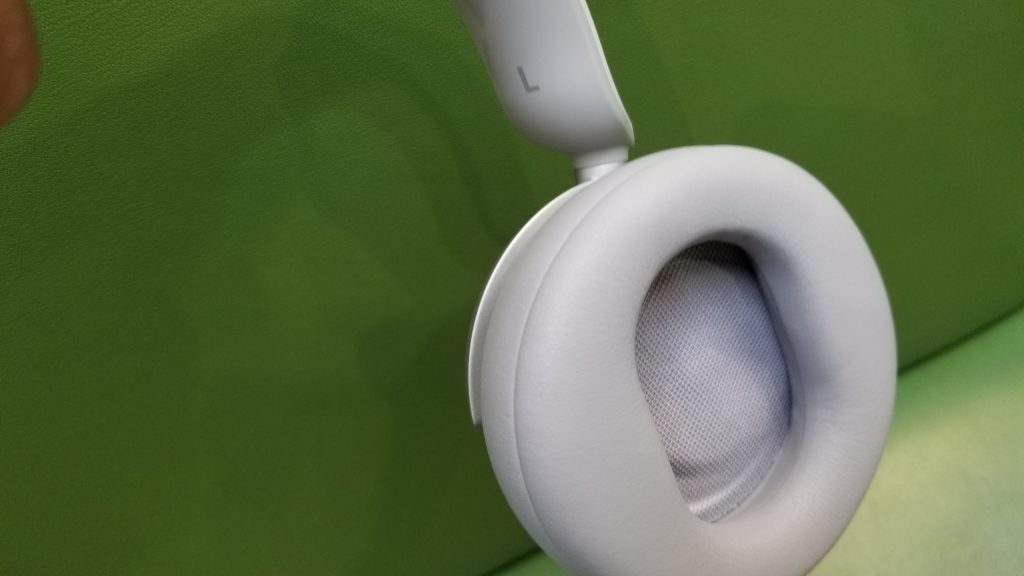
The left side of Surface Headphones
\n
Battery to last you all day
\n

\n

\n

\n
\n
\n\n
As I said before, my flight was delayed by 5 hours when coming back home to New York City. I needed to check out from my hotel at around 9 AM PT, so I was at the airport by 10 AM PT. My flight didn’t end up leaving until 7 PM, and I didn’t arrive home in NYC until around 1 AM PT (that’s +1 day in NYC time.) All that time, Surface Headphones were connected to Bluetooth to my phone. My phone needed to be charged one time in between, but the Surface Headphones outlasted it.
\n
Microsoft rates Surface headphones with a 15 hour battery life, and based on my experience, I can say it’s true. With the headphones just taking two hours to charge via USB-C, that battery life is really impressive. However, it might fall behind what you can get with other products like Sony’s 1000x M3 headphones.
\n
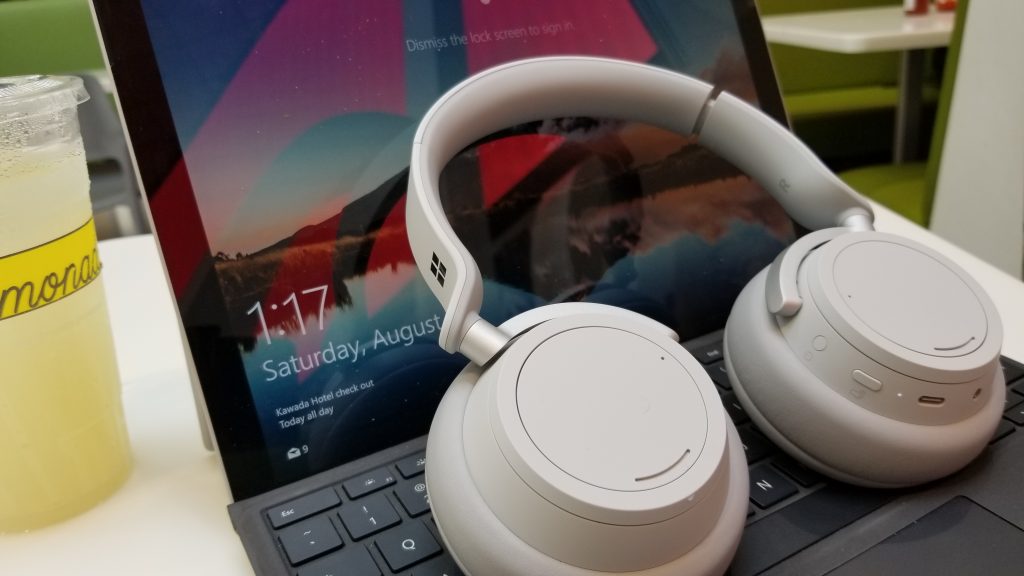
Surface Headphones with my Surface Pro 4
\n
Cortana’s here to help
\n
Another big feature of Surface Headphones is Cortana. You can summon the assistant with a long press on any of the two dials. Cortana has always been limited compared to other voice assistants, but it’s the core part of Surface headphones. Whenever I turned the headphones on, Cortana greeted me with battery estimates, and the name of the device I am a connected to. That’s great, especially since I didn’t have the time to head into the dedicated app to see battery levels during my rush to get to the airport.
\n
Cortana also can be used for certain tasks like calling someone or playing a specific song, setting a meeting, or reminders. I never really used Cortana for meetings or reminders, but i used Cortana to call my mom without touching my phone. Cortana also picked up my voice very well when I asked her to play Coldplay’s Paradise. She’ll even dim the music you’re listening to so you can hear her answers more clearly.
\n
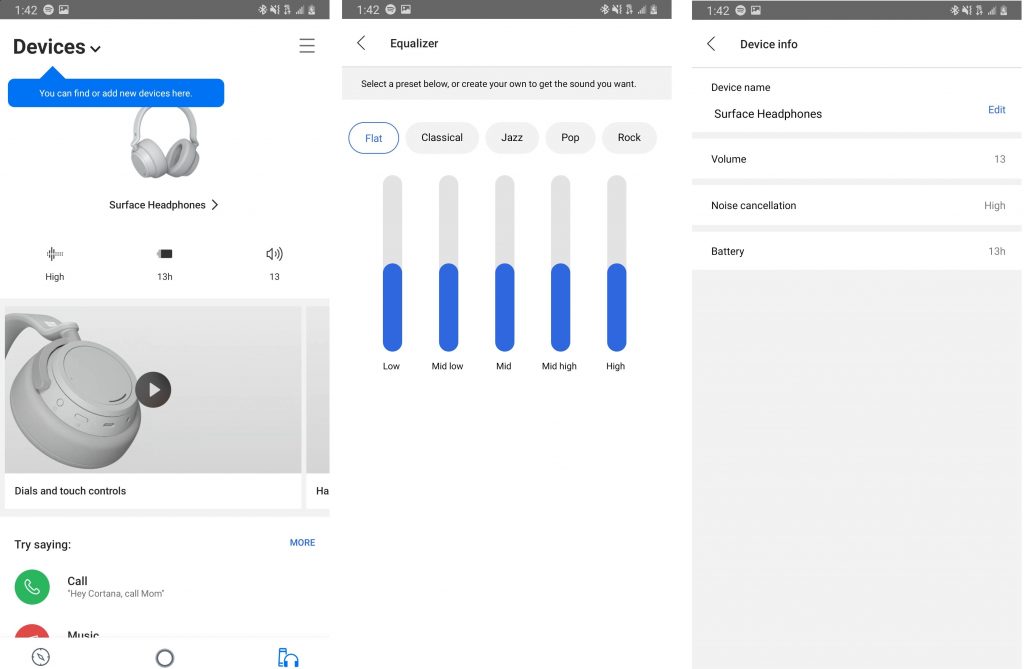
Some of the settings on the Cortana App
\n
Pairing and Connectivity
\n
To connect and pair with Surface Headphones via Bluetooth on iOS and Android, you’ll need to download the Cortana app. Pairing on Windows 10 or MacOS involves using the standard Bluetooth pairing procedure. There’s also a special Cortana Devices app on Windows 10, which helps manage the device once paired. I would have liked to see a separate Surface Headphones app on iOS and Android too, but I’ve been using the Cortana app for a while now, so it wasn’t an issue for me. The interface is informative. At a quick glance, it will show information on battery and noise cancellation.
\n
Pairing is quick, and the headphones can be used with up to 10 devices. I paired with my phone and Surface, and was easily able to switch between the two by turning Bluetooth off on the device I didn’t need anymore. It proved useful for when I was listening to music on my phone, but then wanted to switch over to my Surface to watch a Mets game.
\n
Elsewhere with connectivity, I was also able to stay about 30 feet away from my phone with the headphones before it disconnected — which was basically equal to a quick trip to the lavatory in the airplane. As a side note, Microsoft is still using Bluetooth 4.2 with these headphones though, which is behind the Bluetooth 5.0 you can get with other headphones.
\n
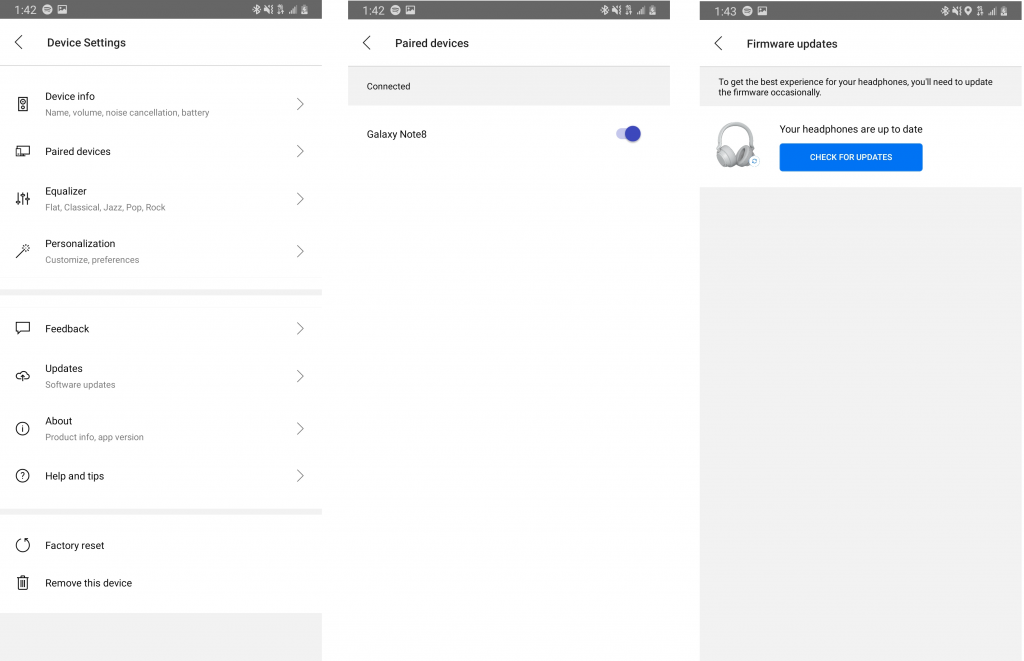
More Cortana Settings
\n
\n
It’s easy to pack and go … sometimes
\n

\n

\n

\n

\n

\n
\n
\n\n
One of the hardest things to do before going on vacation is packing, and, Surface Headphones didn’t make that easier for me. I love technology, and alongside Surface Headphones, I traveled with my Surface Pro 4. Fitting that all in my carry-on bag, with extra clothes and souvenirs for my return trip, proved quite tricky.
\n
The carry case for the Surface Headphones is very huge. It’s thick along the sides, and the top, which makes it hard to fit in a jam packed book bag like I traveled with. There is a “loop” to clip the case to the side of a bag, but I didn’t trust it enough to hang on my bag. In fact, I just ended up putting the case in my bag, and hanging the headphones around my neck, just because it was more convenient.
\n
Reliability issues, and the end
\n
\n
Really bummed out right now. I’m a big Surface fan, but my Surface Headphones just died on me. No sound coming from the right ear. Reset it, paired it, tried everything, and it’s still broken. I hope this isn’t a quality control issue.
\n
— Arif Bacchus (@abacjourn) July 12, 2019
\n
\n
At the end of the day, the Surface Headphones make for a nice accessory to pair up with any Microsoft device. Despite me having to exchange my headphones once for an issue with the right side audio (I got a free replacement from Microsoft,) it was absolutely reliable for me during my trip to LA.
\n
At $250 for the Sony WH-1000X M3, and $300 for the Bose QuietComfort 35 II Wireless Bluetooth Headphones, other headphones are cheaper and have better noise cancellation. However, no other Headphones will fit into the Microsoft ecosystem like Surface Headphones do. From the power of Cortana, great noise cancellation features, touch controls, as well as a very comfortable design, this is all I could have asked for in premium Microsoft headphones.
\n
You can buy Surface Headphones now for the sale price of $263. Otherwise, they typically retail for $350.
\n\nFurther reading: Microsoft, Surface, Surface headphones


