 \n
\n
There is a micro-cliché about sausage making that has been conversationalized to represent legislative procedures here in the US. Something to the extent of, “Legislation is like sausage. You want the outcome, but you don’t want to see how it’s made.” During President of the United States Barrack Obama’s push for national health care reform, talking heads used the analogous phrase regularly. “It’s all part of the sausage-making process,” became the go-to response when attempting to unravel the legislative mess national health care involved. The sausage-making quip is now used to encapsulate how ugly and complicated any legal process can be while also implying that as a whole, people are better off not knowing about how ugly it actually is.
\n
After enduring eight months of seemingly alpha-like testing, I’m of the opinion that Windows 10 Mobile development is a sausage making process I no longer want to be a part of. More to the point, Microsoft should end the Windows 10 Mobile Insider preview.
\n

\n
Before I’m tarred and feathered, understand that I’m not advocating for the end of Windows 10 Mobile development, nor am I ignorant of Microsoft’s ‘future’ mobile proposition. However, Microsoft’s current implementation of its Windows 10 Mobile Insider preview has left me wondering, what the net gain is for either Microsoft or Windows Phone users.
\n
Stagnation through Feedback
\n
Arguably, Microsoft’s, preview, insider or beta programs are tacit agreements between Microsoft and its users. On the surface level, these initiatives are meant as two-way semi-communicative platforms for the company to engage with its users while also gaining real-world telemetry on certain products and services. Much of the two-way communication of the beta-like testing is that Microsoft ‘previews’ features and updates, while users test and send feedback. Ultimately, the elements are updated, improved upon or scrapped depending on the user feedback gained from the preview. My first contention with the Windows 10 Mobile Insider preview is that this preview sets up a false dichotomy of addressing user feedback.
\n
[pullquote align=”right” cite=”” link=”” color=”” class=”” size=””]”it feels like the Windows team isn’t so much gaining useful feedback as it’s getting told to reimplement things”[/pullquote]
\n
Unlike Windows 10, where the OS gained more than it lost, Windows 10 Mobile appears to have been practically gutted. Aside from the Start Screen, App list, and late addition notification shade, much of the OS has been, for better or for worse, ‘transformed’. In doing so, the Windows team can easily say it’s listening to user feedback when much of the feedback is “give us back the stuff we had before.” I’m in a privileged position as a writer here at WinBeta to oversee hundreds of comments to our posts each day. However, any Windows 10 Insider can take an ancillary look at various forums or comment threads around the web to see people asking the Windows team to add back settings and features that were established in previous versions. Many of the complaints are, for the most part, about settings and features that were already well received. Furthermore, the feedback ranging from bringing back linked inboxes to adding sync features across desktop and mobile browsers is coming from the more ‘diligent’ Insiders. I would wager due to the often broken and buggy nature of most builds in the preview, the feedback the Windows team is getting, is from several Insiders who aren’t using the builds as daily drivers. In effect, it feels like the Windows team isn’t so much gaining useful feedback as it’s getting told to reimplement things.
\n
 Tangentially, the public reimplementation of stripped or repurposed features in Windows 10 Mobile feels like a waste of time for both Insiders and the Windows team. Part of Microsoft’s development process for Windows 10 was to compartmentalize engineering of the operating system into a more app style production. Microsoft pitched that uncoupling core features and repackaging them as apps, would allow development teams to quickly and nimbly address issues while rapidly adding features. Ideally, Microsoft’s plan is sound, and being similarly implemented on other operating systems such as Android.
\n
Unfortunately, the reality is that Microsoft announced this development seemingly before they realized the house of cards its engineering team built the old system on. To reach the utopian future where core apps are regularly updated and blessed with new updates routinely, Microsoft apparently had to completely rebuild its apps. While Microsoft is rebuilding apps to reestablish lost functionality, operating systems such as Android and iOS are testing and implementing fixes to NEW features and platform performance. The cycle of break and replace isn’t pushing the platform forward, but presenting a level of stagnation for both the Windows team and Windows Phone users.
\n
As Windows 10 Mobile Insiders finish downloading their latest builds from Microsoft, many if not most realize they’re testing and giving feedback on features that were already part of their previous mobile experience. I’ve spent eight months installing Insider builds, to ultimately have a slightly worse experience than I did on Windows Phone 8.1.
\n
My Groove just sync on first time. Then If I try to resync my collection/playlists it does not do anything! I have new music from OneDrive and playlists, but the only way to resync Groove is resetting the phone… This is happening in every new build they launch. Let’s see if this update solves the situation…” – Luis
\n
I mean, I appreciate Windows software engineer Ellen Kilbourne’s work and enthusiasm for the Groove music app. But, I have to ask why has it taken four months to reintroduce the Radio and Explore features that were already established in the sub-par Xbox Music app? Similarly, time spent fielding questions about ‘old’ features, and the course of reimplementing them could probably better be spent implementing in private and without an arbitrary deadline to hit for Insider flights.
\n
I understand that being part of the Windows 10 Mobile Insider preview would entail participation of a long and broken development cycle. Perhaps, what I wasn’t prepared for, was retesting features that have already been tested, implemented, stripped and reimplemented with a new coat of paint, and acting like its progress.
\n
Windows 10 Mobile doesn’t scale
\n
When I pitched the idea for this piece, several colleagues offered several valid counter arguments. Perhaps the most poignant one came from fellow writer Kip.
\n
Insiders aren’t really testing design features (although they may think they are) they’re testing the W10M bits on multiple configurations of devices only found in the wild.” –Kip
\n
To that I agree. However, I contend that Microsoft arguably has a treasure trove of potential user feedback, telemetry, and bug reports it can pull from the hundreds of millions of users it has around the world with Windows 10. The Windows 10 Mobile preview does not benefit from the same landscape. In 3rd place globally and representing a little less than 3 percent of the total smartphone market share, the Windows team is already starting with a limited sample size. A Windows 10 Insider preview net’s the Windows team real world usage from hundreds of millions of PC configurations and oddball setups all over the place. In short, the Windows 10 Insider preview scaled and made sense, while Windows 10 Mobile Insider preview doesn’t.
\n

\n
Even Apple’s iOS beta program taps into hundreds of millions of devices with (admittedly smaller) configuration setups. Windows 10 Mobile, on the other hand, deals with a small subset of users who have been made even smaller by the Windows team selection process. During this current Windows 10 Mobile Insider preview, the Windows team actively limited the number of devices and configurations it would be testing and deploying future builds on. A Windows Phone 8.1 device only runs one version of the operating system, on limited hardware configurations that have been specified by Microsoft. Unlike Windows on PCs, the Windows team won’t be running into any Lumia devices running Windows Phone 6.5 in a VM on a 2K resolution screen for example. The Windows 10 Mobile Insider preview also excludes the (albeit small) group of non-Lumia handsets around the world as well. How exactly is Microsoft testing for future devices made by OEM’s other than itself?
\n
Ironically, the Windows Phone 8 team managed to move some (not all) phone users from the CE kernel to an NT one without an Insider build and on far more configurations than the current Insider Preview covers. The configuration setups for Windows 7, 7.5 and 8 came from a much broader OEM lineup with various form factors (slide out keyboards), all without needing to be Insider tested.
\n
Does any of this matter?
\n
Perhaps, the more sobering thought I had about the Windows 10 Mobile Insider preview, is, does any of it matter?
\n
Commingling my previous thoughts, it becomes clear that the Windows 10 Mobile Insider preview doesn’t amount to a whole lot in the eyes of the Windows team. I’m not preaching a doom and gloom exodus from smartphone development for Microsoft. I’m also not advocating that the Windows team doesn’t care about mobile specifically. Rather that, the Windows team seems set on bringing Windows down to the phone counter to Apple’s method of bringing the phone up to desktop computing. In doing so, anyone who is a Windows 10 Insider is effectively already testing Windows 10 Mobile features at a much quicker pace and on an arguably more stable platform. There were a few outlying factors that helped crystallized my realization. Some outstanding instances include Microsoft’s pitch for its Continuum feature that turns the phone into a PC, Windows Universal App platform as well as the company’s pitch for One Windows.
\n
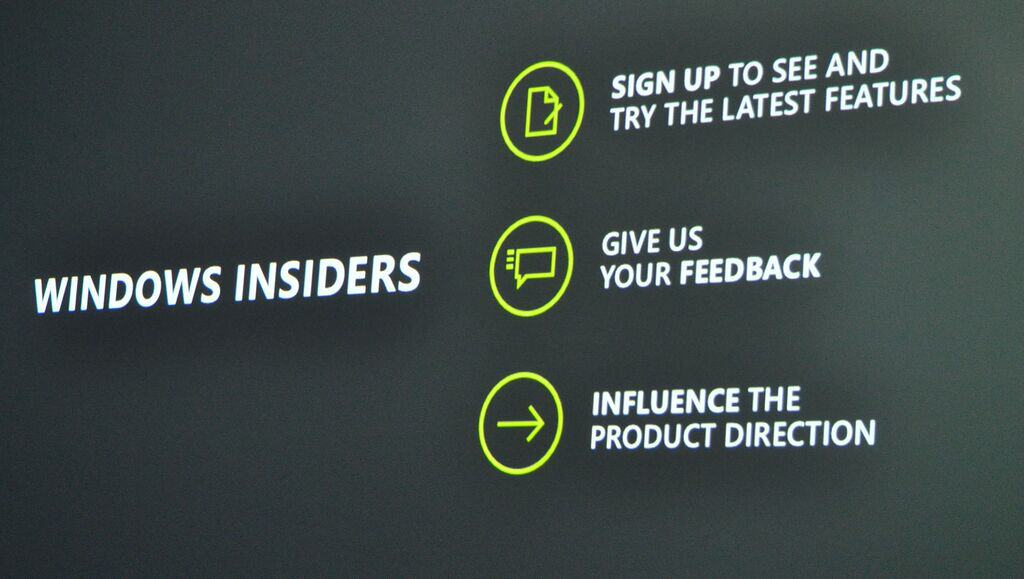
It’s noticeable that Windows 10 Mobile is more like Windows 10 PC than the opposite. Menu options, navigation, and feature sets in mobile are more aligned with its PC bigger brother. Arguably, Windows 10 Mobile Insiders would be better off addressing their feedback, suggestions and concerns to the Windows team on Windows 10 for PC than on mobile. With Windows 10 on more than 100 million devices and a confirmed 7 million Windows Insiders; it’s becoming increasingly clear that the future of Windows 10 Mobile development will be dictated by PC users more than the old guard of Windows Phone users.
\n

\n
Thus far, it seems all of the compelling features Microsoft will be pitching for its new phones and mobile OS are all PC-centric adjustments. Just to reiterate, Continuum transforms the mobile phone into a PC. Windows Universal Apps allow mobile first apps to become PC equivalents, and the One Windows mantra leans on the solid user base of Windows PC, not mobile.
\n
It’s not hard to see a future where Windows 10 PC specific features make their way down to smartphones such as Windows Hello, rather than mobile features such as convenient camera settings making their way up to Windows 10. Along that trend, Microsoft is arguably tailoring an experience for PC users who don’t already have or have used Windows phones prior. Adding the underlying Windows 10 PC bits, a visually similar interface and commingling of the Windows Universal App platform is designed to entice people who like Windows 10 on desktop and not the other way around.
\n
The program needs to end
\n
While I was among the millions of eager Windows 10 Mobile Insiders happy to help Microsoft test out its vision for the future, I’ve since watched the program fall flat on its face. To me, the Mobile Insider preview has been a hodgepodge of mismanagement and miscommunication. Eight months into the program insiders are being issued blog post explaining the lack of consistency in builds. Eight months in, the Windows team is making headlines for leaked builds that brick phones rather than trumpeting new stand-out features in mobile. To quote a journalist who has been at this much longer than I;
\n
If you’re starting to get the idea that the same Windows team which so elegantly handles Windows 10 builds for PCs treats Windows 10 Mobile builds for phones like some sort of absurd clown car of high comedy, well, you’re not alone. And while I’m not sensitive or shallow enough to claim that this kind of buffoonery really makes me nervous about the future of this platform, well, you know. It’s bad enough that Microsoft is getting killed in the market. The death from within stuff is both unnecessary and particularly hard to take.” – Paul Thurrott
\n
Unlike its PC counterpart, the Mobile Insider program is not making the kind of headlines or receiving the same sort of positive faith Windows 10 did, this late into the preview. That’s not a good thing.
\n
Plagued by inconsistencies in build deliveries, continually broken and buggy builds, I question whether or not fatigue is setting in with Mobile Insiders more so than genuine enthusiasm? If that is the case, is the Windows team receiving the feedback it needs to make the platform as robust as it needs to be?
\n
In light of all this, I argue that the Windows team needs to kill the Insider Program for Windows 10 Mobile. I say, continue the Windows 10 Insider Preview, which is where Mobile insiders will see much of their future features come from anyway. And reserve “previews” to Developer Previews that are stable, functional, and feature complete.
\n
I’ve seen how the sausage is made, and it truly is an ugly mess.
\n\nFurther reading: Microsoft, Windows 10 Mobile