\n
\n
Microsoft may have given up on the dream of people cradling 6-inch pieces of glass and metal with their company name plastered on the back but the fantasy of having their presence front and center on those handheld devices is perhaps more alive and well than it has been in recent years.
\n
Thanks to some clever development from their Garage team, Microsoft managed to finagle its way onto some Android phones via a customizable home screen launcher and over time, the company’s launcher experience has become as fluid and useful as any native OEM customization of Android.
\n
I’m going to lay it out there, the Microsoft Launcher isn’t the second coming of Windows Phone, nor has it been a sunshine and rainbows experience through its years of development but for the 15 million plus users who seek a bit of Microsoft refuge from the seeming inflexibility of the modern smartphone duopoly landscape, some of the updates recently brought to the launcher are a welcomed eschewal.
\n
My Launcher Experience
\n
During my time with my Lumia 950, I flirted with the purchase of a couple of low-cost Android phones (so it wouldn’t really count as cheating) and one of the first things I did was replace my relatively minimal Moto G 4 Play skin with the Arrow Launcher, at the time. I used the Arrow Launcher for testing and reporting purposes. I had no real attachment to the launcher and it didn’t serve as an everyday tool for me, so when things would glitch or break on the launcher, I would simply toss the phone in the drawer and chalk it up to poor development and go on enjoying my Lumia 950. It was easy to forget about the Arrow Launcher, as its limited ties into other Microsoft services were overshadowed by my newfound appreciation of access to a sky-high wall of apps experiences that were missing from my Lumia 950.
\n
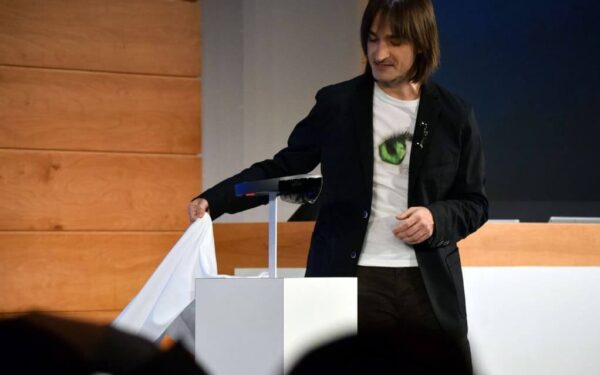
Then Mr. Windows phone death himself, Joe Belfiore, came back from hiatus and drove the final nail in the OS’ coffin, I was forced to reevaluate the future of my smartphone experiences.
\n

\n
After I cycled through my five steps of grief (a couple of times over), I finally made took the plunge and bought myself a Samsung Galaxy Note. While the rationale might seem irrelevant now, I justified my purchase at the time by claiming some future-proof nonsense that corresponded with its pen functionality. If I was going to leave my Lumia 950, it was going to be for a smartphone that could not only do more but help condense my tech load. I don’t use pen enough to warrant the purchase of a Surface Pro but I didn’t want to miss out on the few opportunities for pen interaction that could arise, such as signing documents, highlighting stuff in images, or when the weather is too cold to use an exposed fingertip (visiting the in-laws in New Hampshire during winter), so the Note 8 it was for me.
\n
I tried using the Samsung Experience for as long as I could before I started seeing ads for the new round of Pixel devices. There was just something about the marketing material that had me envious of that particular home screen layout; the button placement, the look of icons etc. So I went foraging through launcher experiences trying to replicate the look and feel of a Pixel on my Note 8. At times, I had a pretty close replica of the Pixel experience on my Note 8, but with launchers, that experience came at the expense of speed, bugs, and general glitches that ultimately were just off-putting.
\n
Switching back to the Samsung Experience, I still felt there was something lacking despite the launcher being a pretty fluid and straightforward experience. I couldn’t make good use of Bixby (took too long to accumulate points), I didn’t like the folder or icon layouts, and it didn’t offer any overt advantages to my mostly Microsoft-tied smartphone lifestyle, but my memories of the Arrow Launcher on my Moto G, kept prevented my fingers from pressing that install button; that was, until Build 2018.
\n

\n
Back In The Fold, Build 2018
\n
During Microsoft’s developer conference this year, the company showcased its revamped Arrow Launcher, now called Microsoft Launcher, and a handful of tweaks that will make my time on either my Note 8 or Windows 10 PC feel native on both devices, so I downloaded and installed it.
\n
Microsoft Launcher is a vastly improved experience over what I tested a year ago. Perhaps, with the full support of the company now behind the development, the developers are free to implement and deliver updates much quicker and add newer features at an accelerated pace. In the version of the Microsoft Launcher that I am using (non-beta, I would assume), the level of customization has been greatly improved:
\n
- \n
- Allowing users to set themes and get as granular as opacity, blur, accent and header colors.
- Determine the shape and color of app folder, allowing users to opt for a more rounder folder look rather than the standard rounded-square iPhone-esque folders used in the original Arrow Launcher
- Tweaks to the dock that allow system-wide sizing of the icons and use of icon packs if when available on the device.
- The App drawer can now be viewed/scrolled vertically AND horizontally for people trying to make the use out of smaller screen devices.
- A list of programmable gesture shortcuts that enable users to apply quick launch actions to double taps, multiple finger scroll
- Bing search has been expanded to include vision and voice
- Sort folders alphabetically (for the real anal retentive types)
- Sort app drawer alphabetically (this just makes sense)
- The ability to set Cortana as default search engine as well as the default digital assistant on the phone was a nice bonus.
\n
\n
\n
\n
\n
\n
\n
\n
\n
\n


\n
Beyond some of the tweaks to the existing Microsoft Launcher framework, some newer features that lured me back into the fold were the adjustments for Clipboard, Timeline (TM), search features built into the camera, and the inclusion of Microsoft Rewards integration.
\n
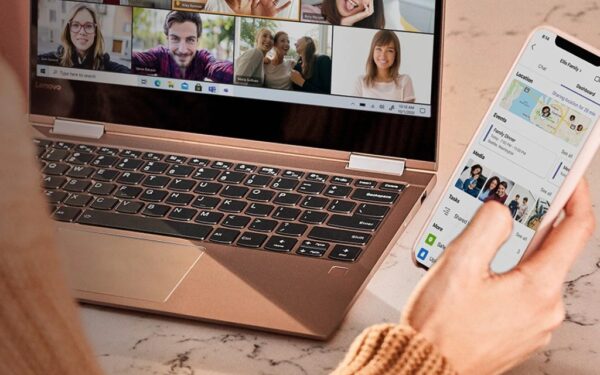
Now I can use the Clipboard feature recently developed into Windows 10 to bring a direct copy/paste of content straight to my phone with no need for an extra pasting app or paying for a 3rd party services or keyboard to fulfill my data transfer needs, sorta like using Edge’s Read Later feature across device ecosystem.
\n
I haven’t been able to try Timeline yet in this latest review of Microsoft Launcher, but it sure looks pretty damn interesting.
\n

\n
However, when I’m connected to both Microsoft Launcher and my Microsoft account, I’ve been able to rack up 3,100 points for Bing Rewards over the last week as I funnel most of my searches through Bing. Part of the secret sauce of Microsoft Launcher for me has been going back to using the Bing app and search service on my phone. I was previously using Google on my Note 8 as Bixby search seemed amorphous and lacking to me. But now, with Microsoft Launcher and the Bing app, the search experience on my Note 8 feels just as native, functional and useful as Google and Google Assistant.
\n
Tossing the Bing search Bar to the top of the home screen has prompted me to use Bing far more than I did with the Google Search Bar planted firmly at the bottom.
\n
For me, the bottom line has been that Microsoft has finally put some considerable resources behind its new approach to mobile. Not to speak ill of the dead, but for the last year or so, Microsoft’s mobile efforts have been centered around tangential app offerings and with the new Microsoft Launcher, it finally seems that the company has found the necessary webbing to pull all of its mobile offerings together.
\n\n
\n
 \n
\n\n
\n
\n
\n
\n\nFurther reading: Arrow Launcher, Bing, clipboard, Google, Launcher, Microsoft, Samsung Galaxy Note 8, Timeline, Windows 10