Skip to content
OnMSFT.com
  • Home
  • About
  • Contact
  • Windows
  • Surface
  • Xbox
  • How-To
  • OnPodcast
  • Edge
  • Teams
  • Gaming
Menu
  • Home
  • About
  • Contact
  • Windows
  • Surface
  • Xbox
  • How-To
  • OnPodcast
  • Edge
  • Teams
  • Gaming
  1. Home
  2. Deals
  3. Best “on the go” accessories for Surface and more

Best “on the go” accessories for Surface and more

Arif Bacchus Arif Bacchus
November 11, 2019
4 min read

\n

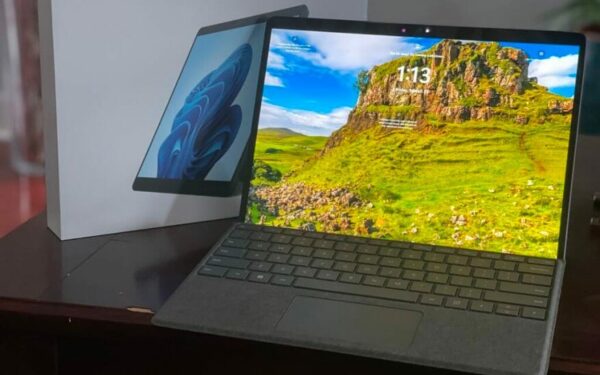
If you’ve just purchased a new Surface, or a new laptop, congratulations! But, there still might be a few extra things you still need to purchase to get the best “on the go” experience with your new device. Be it dongles, chargers, hubs, cases, in this guide, we’ll show you our best accessories for Surface, and more.

\n

RAV Power USB-C Power Bank

\n

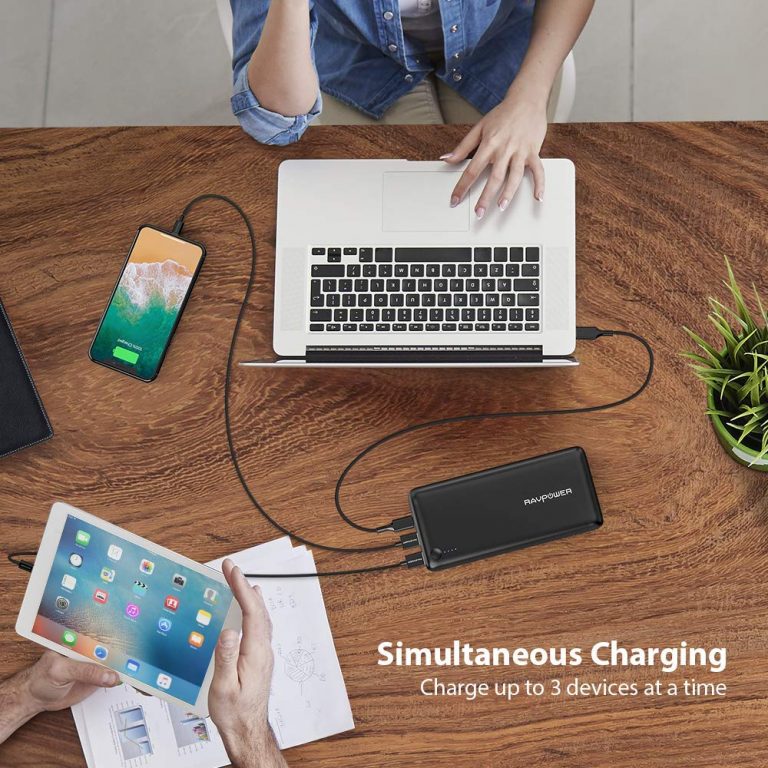
One of the benefits of the new Surface devices, and many other new Windows laptops or tablets is that you can charge up via USB-C when you’re not close to a power outlet. However, as we pointed out, not all USB-C charging banks are created equal. If you’re looking to charge up a Surface or Laptop on-the-go, you’ll need a portable charger that supports Power Delivery (also called PD) for it to safely charge up your device.

\n

This RavPower USB C Power Bank just so happens to be one of the best picks for portable chargers. It holds a total of 26,800 mAh of charge, which is above the typical 10,000 on most PD chargers. It also can be fast recharged in 4.5 hours, which means you can charge it up overnight, and then grab it to keep with you on the Go when you’re ready to head out with your laptop. And, for safety, the power bank includes overcharge, short circuit, and current surge protection.

\n

This means you’ll be able to charge your device in confidence. If you buy today at Amazon, you can clip a $4.00 coupon at checkout, and save on your purchase.

\n
\n

HP Envy USB-C Hub

\n

USB-C has been dubbed as the one port that does it all, and that is a reason that many newer devices like the Surface Pro X have all-USB-C connectivity. However, if you need to connect up an older device like a display or printer to your new Surface or laptop, you’ll be in need of a dongle.

\n

There are plenty out there, but not all are created equal. Some don’t support pass-through charging, or don’t have the required circuitry for power delivery or connecting up all your devices.

\n

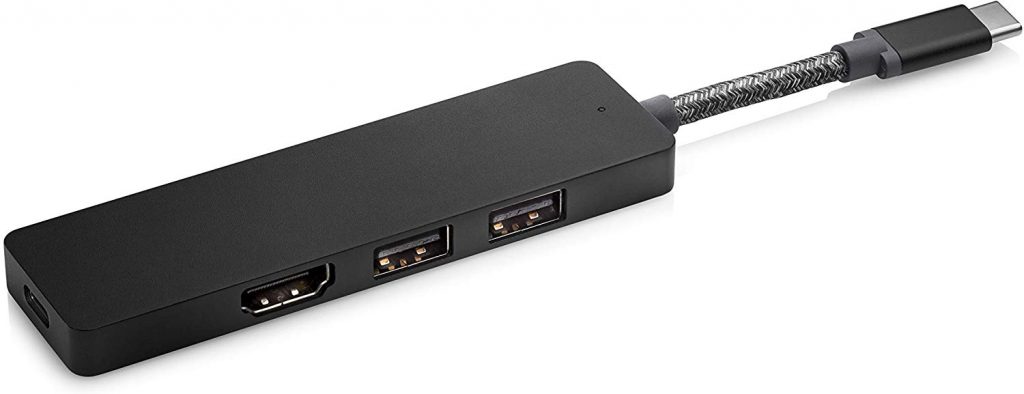
This HP USB-C hub, though, has all the safety precautions, as it supports pass-through charging up to 90watts. It also allows you to enjoy two USB-A ports and an HDMI 2.0 port for connecting up to a TV. The hub is typically on sale for $80 at other retailers, but the Microsoft Store has it discounted for the price of $60.

\n


\n
\n

HEX Surface Book Sleeve (15-inch)

\n

When you’re out and about and traveling, you’ll need to protect your new device so it won’t get scratched when in your bag. This is especially true for the Surface Pro X, which features an all-black finish, as well as a device like the XPS 13, which has a frosted finish on top.

\n

There are many sleeves that you can choose, but the HEX Surface Book Sleeve is perfectly sized to fit many 13-inch or 15-inch laptops and Surface devices. It even has a pocket on the back, where you can slide in your dongles, chargers, and more.

\n

For added protection, the sleeve also features a durable and water-resistant neoprene shell. This means your device won’t get wet when traveling in the rain or snow.  There’s even foam-padding to protect your device from bumps when in tight spaces like trains or airplanes.

\n

\n

SanDisk 128GB Ultra Fit USB 3.1 Flash Drive

\n

When you purchase a Surface device or a new laptop, the storage option you choose is usually the one that you’re stuck with. If you want extra storage space, you either need to turn to cloud services, or use a MicroSD card slot, USB, Drive, or SDCard slot if your device has one.

\n

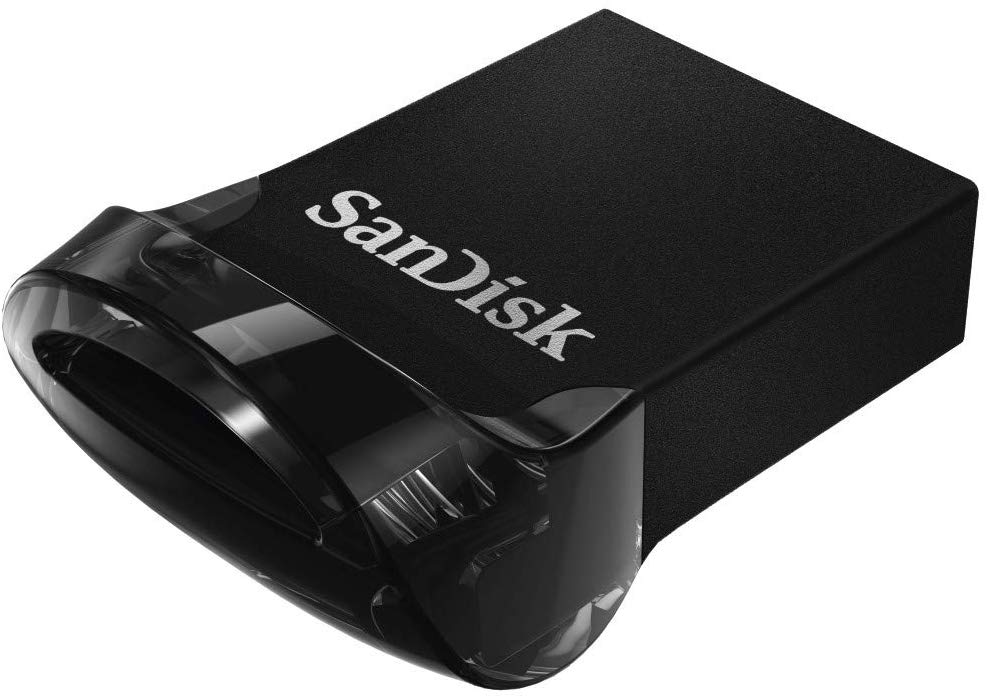
Well, the SanDisk 128GB Ultra Fit USB 3.1 Flash Drive is something for that. It’s an ultra-compact USB-drive that can plug into your USB-port on your device or your dongle. It’s low-profile, and sits out of the way, giving you extra storage, without the extra bulk. This usually retails for around $20, but Amazon currently has it for $15.

\n
\n

Which accessories are right for you?

\n

We’ve only given a look at our top four favorite accessories, but there’s so much more that you can buy to have the best on-the-go experience. Examples include the Microsoft Arc Mouse, or Griffin Surface Link Vehicle Charger. Be sure to keep it tuned to OnMSFT, as we’ll be writing more of these guides in the coming weeks, and we’ll also be looking through the web for the best deals on all things Microsoft, and tech.

\n\nFurther reading: Deals, Microsofr, Surface, Surface Pro X, USB-C
Share this article:
Tags:
Microsofr Surface Surface Pro X USB-C
Previous Article Microsoft Rewards new Rebates beta program gives you more ways to save on electronics, travel and more Next Article Microsoft releases first Windows 10 20H1 build for Insiders in the Slow Ring

Related Articles

Best Microsoft Deals During Prime Day 2022

July 12, 2022

Xbox Spring Sale Includes Up To 80% Off Xbox, PC Titles

April 9, 2022

Save on the Surface Pro 8

March 25, 2022

Leave a Comment Cancel reply

Your email address will not be published. Required fields are marked *

Recent Posts

  • Microsoft is no longer manufacturing the Windows RT powered Surface 2
  • Microsoft treats Windows Phone owners with extra 20GB of free SkyDrive storage for one year
  • Bing now showcases professional and celebrity Klout scores during search results
  • Bing now lets you search and browse for your friends’ Facebook photos
  • Bing now lets you explore free online courses and helps you find books to read

Recent Comments

No comments to show.

Archives

  • February 2026
  • December 2022
  • November 2022
  • October 2022
  • September 2022
  • August 2022
  • July 2022
  • June 2022
  • May 2022
  • April 2022
  • March 2022
  • February 2022
  • January 2022
  • December 2021
  • November 2021
  • October 2021
  • September 2021
  • August 2021
  • July 2021
  • June 2021
  • May 2021
  • April 2021
  • March 2021
  • February 2021
  • January 2021
  • December 2020
  • November 2020
  • October 2020
  • September 2020
  • August 2020
  • July 2020
  • June 2020
  • May 2020
  • April 2020
  • March 2020
  • February 2020
  • January 2020
  • December 2019
  • November 2019
  • October 2019
  • September 2019
  • August 2019
  • July 2019
  • June 2019
  • May 2019
  • April 2019
  • March 2019
  • February 2019
  • January 2019
  • December 2018
  • November 2018
  • October 2018
  • September 2018
  • August 2018
  • July 2018
  • June 2018
  • May 2018
  • April 2018
  • March 2018
  • February 2018
  • January 2018
  • December 2017
  • November 2017
  • October 2017
  • September 2017
  • August 2017
  • July 2017
  • June 2017
  • May 2017
  • April 2017
  • March 2017
  • February 2017
  • January 2017
  • December 2016
  • November 2016
  • October 2016
  • September 2016
  • August 2016
  • July 2016
  • June 2016
  • May 2016
  • April 2016
  • March 2016
  • February 2016
  • January 2016
  • December 2015
  • November 2015
  • October 2015
  • September 2015
  • August 2015
  • July 2015
  • June 2015
  • May 2015
  • April 2015
  • March 2015
  • February 2015
  • January 2015
  • December 2014
  • November 2014
  • October 2014
  • September 2014
  • August 2014
  • July 2014
  • June 2014
  • May 2014
  • April 2014
  • March 2014
  • February 2014
  • January 2014
  • December 2013
  • November 2013
  • October 2013
  • September 2013
  • August 2013
  • July 2013
  • June 2013
  • May 2013
  • April 2013
  • March 2013
  • February 2013
  • January 2013
  • December 2012
  • November 2012
  • October 2012
  • September 2012
  • August 2012
  • July 2012
  • June 2012
  • May 2012
  • April 2012
  • March 2012
  • February 2012
  • January 2012
  • December 2011
  • November 2011
  • October 2011
  • September 2011
  • August 2011
  • July 2011
  • June 2011
  • May 2011
  • April 2011
  • March 2011
  • February 2011
  • January 2011
  • December 2010
  • November 2010
  • October 2010
  • September 2010

Categories

  • Announcements
  • Deals
  • Developer
  • Editorial
  • Feature
  • Feature stories
  • Hero-post
  • Hotdeals
  • How-to
  • Latest news
  • Microsoft / office 365
  • News
  • Office 365
  • Onpodcast
  • Opinion
  • Our featured post
  • Polls
  • Review
  • Reviews
  • Videos
OnMSFT.com

OnMSFT.com covers Microsoft news, reviews, and how-to guides. Formerly known as WinBeta, we have been your source for Microsoft news since 1998.

Categories

  • Windows
  • Surface
  • Xbox
  • How-To
  • OnPodcast
  • Gaming
  • Edge
  • Teams

Recent Posts

  • Microsoft is no longer manufacturing the Windows RT powered Surface 2
  • Microsoft treats Windows Phone owners with extra 20GB of free SkyDrive storage for one year
  • Bing now showcases professional and celebrity Klout scores during search results
  • Bing now lets you search and browse for your friends’ Facebook photos
  • Bing now lets you explore free online courses and helps you find books to read

Quick Links

  • About OnMSFT.com
  • Contact OnMSFT
  • Join Our Team
© 2010–2026 OnMSFT.com LLC. All rights reserved.
About OnMSFT.comContact OnMSFT