Skip to content
OnMSFT.com
  • Home
  • About
  • Contact
  • Windows
  • Surface
  • Xbox
  • How-To
  • OnPodcast
  • Edge
  • Teams
  • Gaming
Menu
  • Home
  • About
  • Contact
  • Windows
  • Surface
  • Xbox
  • How-To
  • OnPodcast
  • Edge
  • Teams
  • Gaming
  1. Home
  2. Feature
  3. My Life On Microsoft: A look at my favorite Windows 10 Creators Update themes

My Life On Microsoft: A look at my favorite Windows 10 Creators Update themes

Arif Bacchus Arif Bacchus
April 11, 2017
3 min read

Windows 10 Creators Update\n

From improvements to Edge and even Cortana, the Creators Update enhances several of the experiences across the Windows 10 operating system that we’ve all come to love. Ever since I installed the Creators Update to my secondary Windows 10 device, a Lenovo T440S laptop, I’ve come to enjoy the ability to use and install multiple themes in Windows 10. These themes allow me to customize my background picture, highlight colors, and even sounds, making for a very cool experience. What follows is a look at my favorite Windows 10 themes.

\n

Community Showcase Cityscapes:

\n

Featuring the Seattle Space needle, and the downtown Manhattan skyline, this theme brings the famous locations from cities around the world right to your desktop. Jam-packed with a slideshow of 20 images, I find that this theme is perfect, since it brings images from across the world straight to my desktop without me ever having to do a Bing search. Keeping things classy, the theme also features a dark gray accent color and some much more modern system sounds which I think can match the upcoming Project NEON design overhaul. You can give the sounds a listen from the link below the image (Though you should lower your volume a bit since the track plays a bit too loud.)

\n
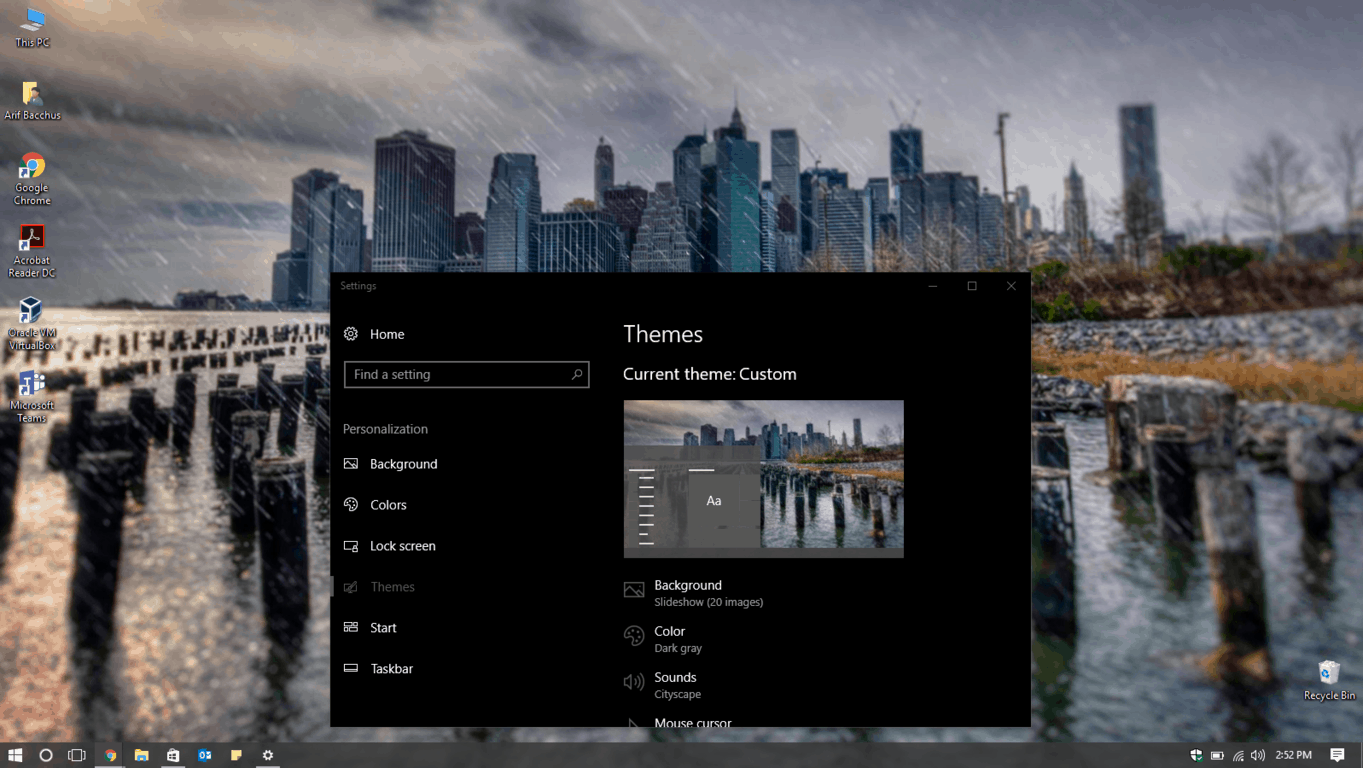
Community Showcase Cityscapes

Community Showcase Cityscapes

\n

\n

Cats Anytime:

\n

Let’s face it, sitting at the computer all day can get stressful, and what better way to relieve stress than with cats? If you’re like me and spend lots of time working on the computer, but do not have a feline friend of your own, the Cats Anytime theme is one for you to install on your Windows 10 device. The theme sets a default brown accent color and features 10 different cat wallpapers, which means I am able to smile and enjoy 10 different felines as the day progresses. Much adorable!

\n
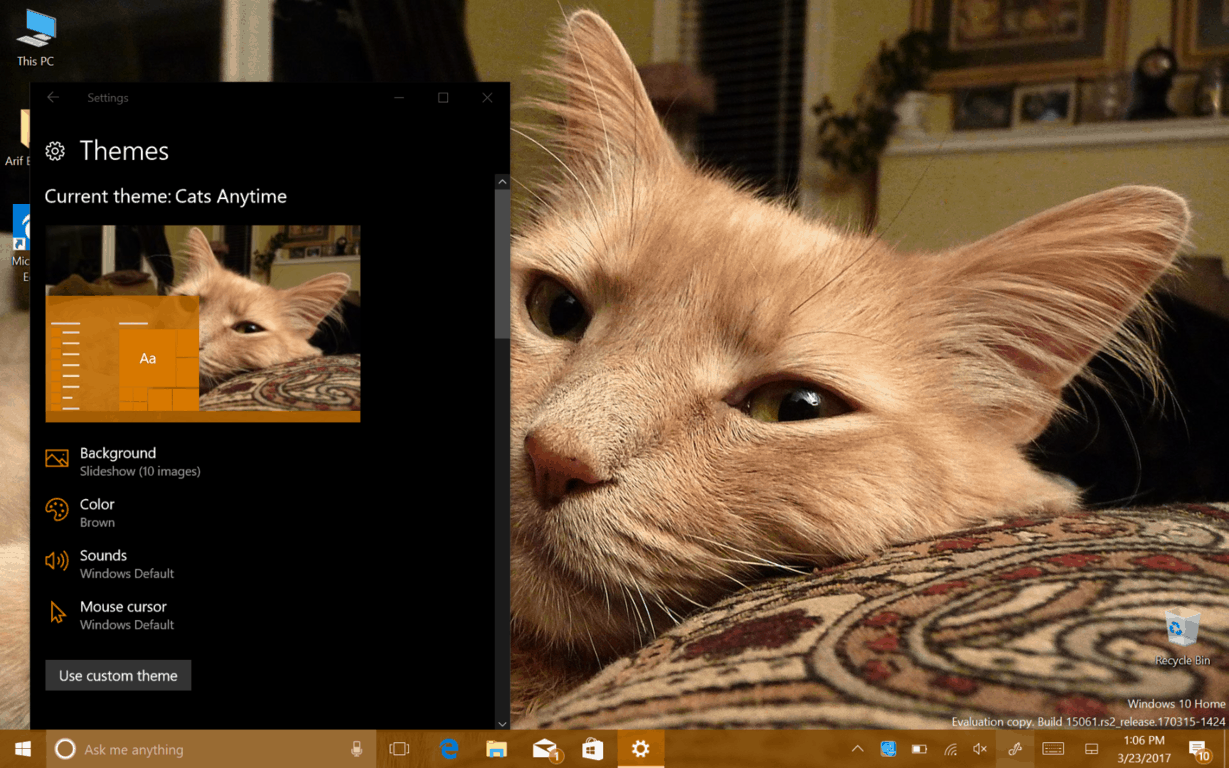
Cats

\n

Beautiful Blossoms by Elena Yansupova:

\n

Now that the cold and long winter has passed, spring has officially sprung, and flowers are blooming all across the USA. If you’re still working on planting your garden like I am then this is a theme for you. The theme changes your system color to green, and features 15 beautiful floral images shared by Photographer Elena Yansupova, which is further inspiration for me to get that green thumb going and plant a photogenic garden of my own!

\n

Beautiful Blossoms by Elena Yansupova:

Beautiful Blossoms by Elena Yansupova:

\n

Community Showcase Everyday Art 3:

\n

Sometimes, it’s the little everyday things in life that can become simple art.  I’m the kind of person that loves to think outside the box, and this is a theme that does the same. The theme features 21 everyday objects but places them artful spots. I love how this theme highlights the things we use every day, be it a bicycle or candles. It really gets me thinking and fires up my thoughts as I sit down for my shift here at OnMSFT.

\n

Community Showcase Everyday Art 3:

Community Showcase Everyday Art 3:

\n

Dark skies by Tracy Hymas:

\n

Spring is not all about flowers, since, as they say, April showers bring May flowers. Springtime in New York, (and even Seattle) can mean for some dark and stormy skies, and this is a theme which I love to switch to on a stormy day. Featuring photos by Tracy Hymas, this theme features 10 dark background images, complete with stormy skies. It also switches the system color to Dark blue, which has always been one of my favorite colors to use in Windows 10, since it just makes everything pop.

\n

Dark skies by Tracy Hymas

Dark skies by Tracy Hymas

\n

If any of these themes have caught your interest, you can find them by navigating to your system settings, then pressing on personalization. You can then click on “Themes” right along the left side, and press “Get more themes in the Store” button. This will open up a specific Windows Store area, only with Windows Themes. Once you’ve found the one that clicks with you, you can download it, and then press “launch,” taking you back to the system themes page where you can select a theme of your own, or further customize the sounds, colors, and looks of an existing theme!

\n\nFurther reading: Creators Update Features, Microsoft, My Life OnMSFT, themes, Windows 10, Windows 10 Creators Update


Share this article:
Tags:
Creators Update Features Microsoft My Life OnMSFT themes Windows 10 Windows 10 Creators Update
Arif Bacchus
Written by

Arif Bacchus

Arif is a freelance technology writer for OnMSFT and Digital Trends. He has over five years of experience covering all things Microsoft, including Surface, Windows 10, Xbox, Microsoft 365, and more. He also writes how-to guides, op-eds, reviews, and loves to play with the latest tech --- Microsoft or not.

Previous Article Get a free Surface Dock when you buy a Surface Pro 4 from US Microsoft Store Next Article AMD Ryzen 5 desktop processors are now globally available | On MSFT

Related Articles

Here is our Xbox 2022 wrap up – OnMSFT.com

December 27, 2022

Xbox classics revisited vol.8: classic racing games – OnMSFT.com

December 20, 2022

Here are some Xbox Christmas gifts for that gamer on your list – OnMSFT.com

December 20, 2022

Leave a Comment Cancel reply

Your email address will not be published. Required fields are marked *

Recent Posts

  • Bethesda’s Redfall may get pushed back to a May 2023 release – OnMSFT.com
  • Activision Blizzard deal approved in Chile, Japan may be next in line – OnMSFT.com
  • Xbox Games with Gold January 2023 lineup announced – OnMSFT.com
  • Activision Blizzard studio Proletariat becomes the latest game developer to unionize – OnMSFT.com
  • How to Fix the Phone Link App Not Working on Windows 11 – OnMSFT.com

Recent Comments

No comments to show.

Archives

  • December 2022
  • November 2022
  • October 2022
  • September 2022
  • August 2022
  • July 2022
  • June 2022
  • May 2022
  • April 2022
  • March 2022
  • February 2022
  • January 2022
  • December 2021
  • November 2021
  • October 2021
  • September 2021
  • August 2021
  • July 2021
  • June 2021
  • May 2021
  • April 2021
  • March 2021
  • February 2021
  • January 2021
  • December 2020
  • November 2020
  • October 2020
  • September 2020
  • August 2020
  • July 2020
  • June 2020
  • May 2020
  • April 2020
  • March 2020
  • February 2020
  • January 2020
  • December 2019
  • November 2019
  • October 2019
  • September 2019
  • August 2019
  • July 2019
  • June 2019
  • May 2019
  • April 2019
  • March 2019
  • February 2019
  • January 2019
  • December 2018
  • November 2018
  • October 2018
  • September 2018
  • August 2018
  • July 2018
  • June 2018
  • May 2018
  • April 2018
  • March 2018
  • February 2018
  • January 2018
  • December 2017
  • November 2017
  • October 2017
  • September 2017
  • August 2017
  • July 2017
  • June 2017
  • May 2017
  • April 2017
  • March 2017
  • February 2017
  • January 2017
  • December 2016
  • November 2016
  • October 2016
  • September 2016
  • August 2016
  • July 2016
  • June 2016
  • May 2016
  • April 2016
  • March 2016
  • February 2016
  • January 2016
  • December 2015
  • November 2015
  • October 2015
  • September 2015
  • August 2015
  • July 2015
  • June 2015
  • May 2015
  • April 2015
  • March 2015
  • February 2015
  • January 2015
  • December 2014
  • November 2014
  • October 2014
  • September 2014
  • August 2014
  • July 2014
  • June 2014
  • May 2014
  • April 2014
  • March 2014
  • February 2014
  • January 2014
  • December 2013
  • November 2013
  • October 2013
  • September 2013
  • August 2013
  • July 2013
  • June 2013
  • May 2013
  • April 2013
  • March 2013
  • February 2013
  • January 2013
  • December 2012
  • November 2012
  • October 2012
  • September 2012
  • August 2012
  • July 2012
  • June 2012
  • May 2012
  • April 2012
  • March 2012
  • February 2012
  • January 2012
  • December 2011
  • November 2011
  • October 2011
  • September 2011
  • August 2011
  • July 2011
  • June 2011
  • May 2011
  • April 2011
  • March 2011
  • February 2011
  • January 2011
  • December 2010
  • November 2010
  • October 2010
  • September 2010

Categories

  • Announcements
  • Deals
  • Developer
  • Editorial
  • Feature
  • Feature stories
  • Hero-post
  • Hotdeals
  • How-to
  • Latest news
  • Microsoft / office 365
  • News
  • Office 365
  • Onpodcast
  • Opinion
  • Our featured post
  • Polls
  • Review
  • Reviews
  • Videos
OnMSFT.com

OnMSFT.com covers Microsoft news, reviews, and how-to guides. Formerly known as WinBeta, we have been your source for Microsoft news since 1998.

Categories

  • Windows
  • Surface
  • Xbox
  • How-To
  • OnPodcast
  • Gaming
  • Edge
  • Teams

Recent Posts

  • Bethesda's Redfall may get pushed back to a May 2023 release - OnMSFT.com
  • Activision Blizzard deal approved in Chile, Japan may be next in line - OnMSFT.com
  • Xbox Games with Gold January 2023 lineup announced - OnMSFT.com
  • Activision Blizzard studio Proletariat becomes the latest game developer to unionize - OnMSFT.com
  • How to Fix the Phone Link App Not Working on Windows 11 - OnMSFT.com

Quick Links

  • About OnMSFT.com
  • Contact OnMSFT
  • Join Our Team
© 2010–2026 OnMSFT.com LLC. All rights reserved.
About OnMSFT.comContact OnMSFT

