
 \n
\n
Windows 10’s “as-a-service” development model means we see new major feature releases on a biannual basis. As such, keeping up-to-date with the latest and historical version numbers can quickly become confusing. If you want to check which is the newest Windows 10 release, or see which features released when, then this is the guide for you.
\n
We’ve compiled details of every Windows 10 build which has been released to the public to-date. We’ve included update names, version numbers and build numbers, as well as a concise list of the major user-facing changes introduced in each release. This is by no means exhaustive – you should refer to Microsoft’s documentation for complete update changelogs.
\n
Before we start, you might want to check which Windows 10 version you’re running, or revise how update names, numbers and build numbers are used. If that’s the case, we suggest you read our guide to Windows 10 version numbers first. Otherwise, here’s the list, ordered from newest-to-oldest release.
\n
Windows 10 October 2018 Update
\n
Version number: 1809
\nBuild number: 17763
\nReleased: October 2018
\n

\n
The October 2018 update focused on refining and enhancing key Windows functionality. The launch of the Your Phone app made it simpler to use Windows 10 in tandem with a mobile device, while features such as Cloud Clipboard added further cross-device convenience.
\n
Unfortunately for Microsoft, the update got off to a bad start, as the company was forced to pull it from distribution after release amid reports of data loss.
\n
General availability did not resume until January 2019, with the rollout progressing at a much slower pace than previous releases.
\n
Notable changes
\n
- \n
- Dark theme support in File Explorer
- Phone integration with new “Your Phone” app to sync notifications and SMS messages
- Touch keyboard powered by SwiftKey
- Cloud clipboard sync across devices using Win+V
- New “Snip and Sketch” app to replace Snipping Tool for screenshots
- Updated Skype for Windows 10 experience supporting the new Skype interface
- Improvements to Notepad interface and functionality
- Settings app displays battery status of Bluetooth accessories
- Focus Assist automatically enables while playing a game
- Windows displays information about new features after installing major updates
- Microsoft Edge settings interface refined and sorted into categories
- Settings app support for changing text scaling across the entire system
- Use of machine learning to attempt to guess an optimal time to restart and install updates
- Game Bar includes system resource usage visualisations
- Task Manager displays approximate app power usage details
- Windows Defender interface renamed to Windows Security
\n
\n
\n
\n
\n
\n
\n
\n
\n
\n
\n
\n
\n
\n
\n
\n
\n
Windows 10 April 2018 Update
\n
Version number: 1803
\nBuild number: 17134
\nReleased: April 2018
\n

\n
The April 2018 update continued the introduction of Fluent Design across the Windows 10 interface, with many more elements being converted to the new style.
\n
It also saw the launch of Windows Timeline, a new feature to make it simpler to reopen files and websites you’ve previously used – on any of your devices.
\n
Miscellaneous changes included modernisation of several Settings components, as well as the usual round of under-the-hood optimisations.
\n
Notable changes
\n
- \n
- Windows Timeline introduced
- Increased use of Fluent Design
- Nearby Sharing feature to quickly transfer files between devices
- Redesigned Windows Game Bar
- Homegroup (from Windows 7) removed from Windows
- Use Windows Ink pens to write into any text field in any app
- Focus Assist launched as modernised replacement for Quiet Hours
- Automatic quick pairing of Bluetooth devices
- Optimised update process to reduce update install times
- Fonts visible in the Settings app and installable from the Microsoft Store
- Microsoft Edge interface improvements including a redesigned hub for bookmarks, favourites and history
- Redesigned Cortana interface with clearer distinction between personal content and smart home skills
- People Bar improvements including drag-and-drop and the option to display more people tiles
- Improved app permission options
- Ability to view the contents of diagnostic data files
- Improved DPI awareness for apps running on devices with multiple displays attached
\n
\n
\n
\n
\n
\n
\n
\n
\n
\n
\n
\n
\n
\n
\n
\n
\n
Windows 10 Fall Creators Update
\n
Version number: 1709
\nBuild number: 16299
\nReleased: October 2017
\n
\n
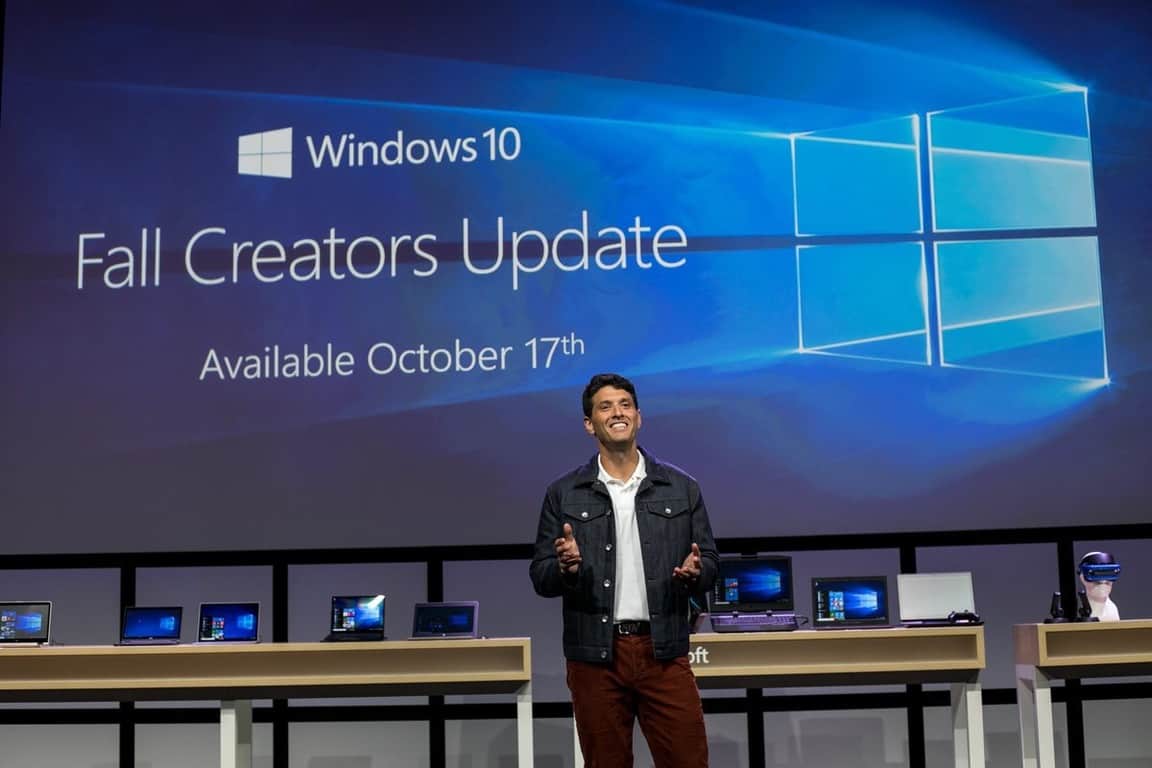
The Fall Creators Update was the first Windows 10 release to fully trial the biannual release cadence. Microsoft finalised the new build six months after the Creators Update, confirming the new timeline was viable.
\n
This was one of the largest updates in terms of unmissable features, with the launch of Fluent Design transforming the look of many interface components. Many new convenience functions helped improve productivity, including the long-requested reinstatement of OneDrive placeholders – now known as Files on Demand.
\n
The Fall Creators Update was also the very last build to be released for Windows 10 Mobile, although there were no major feature additions for phones.
\n
Notable changes
\n
- \n
- OneDrive Files on Demand, reinstating placeholders from Windows 8.1
- Introduction of new Fluent Design system across the Windows interface
- Support multi-step notification flows
- Styluses supported for navigating through the entire operating system; improved handwriting panel for pen input
- Launch of Windows People Bar to pin favourite contacts to the taskbar
- Touch keyboard gesture typing, powered by SwiftKey
- Fullscreen mode, ability to pin websites to the taskbar, reading enhancements and many convenience features added to Microsoft Edge
- Automatic throttling of background tasks to reduce battery consumption
- Windows Defender helps protect against ransomware
- Additional Windows Subsystem for Linux distributions available in the Windows Store
- Phone integration into Windows 10, controlled by new “Phone” section in the Settings app
- Emoji input panel available for keyboard users
- Control the volume of UWP apps from the volume mixer
- Windows Store games can consume additional system resources
- Augmented reality viewer available on every device with a camera
- HDR display options exposed within the settings app
- Launch Windows Store apps on startup
- Accessibility improvements including colour filters, eye control support and magnifier and narrator enhancements.
- Limit bandwidth used for updates
- Many under-the-hood changes and minor tweaks and improvements to apps
\n
\n
\n
\n
\n
\n
\n
\n
\n
\n
\n
\n
\n
\n
\n
\n
\n
\n
\n
\n
\n
Windows 10 Creators Update
\n
Version number: 1703
\nBuild number: 15063
\nReleased: April 2017
\n

\n
The aptly-named Creators Update marked the launch of a new Microsoft initiative aimed at engaging content creators such as digital artists and 3D modellers.
\n
This build added new apps and features specifically aimed at creators, including Paint 3D and tools for Mixed Reality workloads.
\n
Aside from its creators focus, the release also improved desktop functionality with new features such as Night Light mode and more Cortana capabilities.
\n
Notable changes
\n
- \n
- Launch of 3D and virtual/mixed reality applications including Paint 3D and 3D Viewer
- Night Light mode to reduce blue light output
- Game Mode launched to boost gaming performance
- Native support for broadcasting gameplay from Game Bar
- Dolby Atmos support
- Edge improvements including a new tab preview bar, ability to set tabs side and EPUB reading support
- Fullscreen Cortana interface when a device is locked
- Cortana integrated into Windows first-run setup
- Integrations between Cortana and third-party apps
- Refined privacy experience when using Windows 10 for the first time
- Ability to block installation of desktop apps
- Redesigned system-wide Share menu
- Automatically free up storage with Storage Sense
- Automatically lock your PC when you walk away using Dynamic Lock
- New modern Windows Defender interface
- Picture-in-picture mode support for Windows Store apps
- Enhanced notifications – apps can include progress bars and other rich information
- Create folders in the Start menu
- Virtual touchpad available for touchscreens
- Install themes from the Windows Store
- Ebooks in the Windows Store
- As ever, minor improvements and tweaks across the system
\n
\n
\n
\n
\n
\n
\n
\n
\n
\n
\n
\n
\n
\n
\n
\n
\n
\n
\n
\n
\n
\n
\n
Windows 10 Anniversary Update
\n
Version number: 1607
\nBuild number: 14393
\nReleased: August 2016
\n

\n
The Anniversary Update was a landmark build for Windows 10, introducing many new features for both PC and Mobile editions.
\n
The Anniversary Update also proved to be the last official Windows 10 build for older, Windows Phone 8-era Lumia phones.
\n
Notable changes
\n
- \n
- Redesigned Start screen; “all apps” menu removed
- Pin apps to desktops in Task View Virtual Desktops
- Tablet mode enhancements to reinstate some features from Windows 8
- Taskbar clock integrates with the calendar
- Option to hide email address on the lock screen
- Action Center overhauled with redesigned notifications and customisable quick actions
- Settings redesigned to improve usability
- Further Cortana improvements, including support for using Cortana from the lock screen and across multiple devices
- Official launch of system dark theme
- Microsoft Edge updated with support for extensions, web notifications, pinned tabs and many other features
- Use Windows Hello to authenticate to apps and websites
- Launch of Windows Ink, a suite of new apps and tools for digital stylus users
- Windows Defender interacts with third-party antivirus solutions
- Skype overhauled again; new “Skype Preview” app included by default
- Windows Subsystem for Linux launched, initially enabling access to a Bash shell running in a native Ubuntu environment
- Renewed push to facilitate Windows Store app development, through initiatives such as the desktop app converter bridge
- Countless other changes and improvements across the system
\n
\n
\n
\n
\n
\n
\n
\n
\n
\n
\n
\n
\n
\n
\n
\n
\n
\n
Windows 10 November Update
\n
Version number: 1511
\nBuild number: 10586
\nReleased: November 2015
\n

\n
The November 2015 update was the very first feature update release for Windows 10. It was the first time users benefitted from Microsoft’s “as-a-service” development model, since the update arrived automatically and at no extra cost.
\n
The build mostly focused on tidying up the loose ends and bugs present in the Windows 10 day one build. It also added several new features which didn’t make the cut for the initial release.
\n
Notable changes
\n
- \n
- Microsoft Edge supports cross-device favourites and history sync, alongside many other additional features
- Improved Cortana reminders and search features
- Major releases of apps including Mail, Calendar and Photos
- Revised Skype experience, integrated into Windows
- More personalisation options, including coloured title bars
- Install apps to external drives
- “Find my Device” is available on all Windows 10 devices
- Jump lists return to the Start menu and taskbar for Windows Store apps
- Multitasking improvements
- Allow disabling the lockscreen hero image
- Many other under-the-hood improvements and interface tweaks
\n
\n
\n
\n
\n
\n
\n
\n
\n
\n
\n
\n
Windows 10 (initial release)
\n
Version number: 1507
\nBuild number: 10240
\nReleased: July 2015
\n

\n
This was Windows 10’s very first public release offered at the launch of the operating system.
\n
If you installed Windows 10 on day one, this is the build you would have been using.
\n
It had the shortest lifespan of any Windows 10 release to date, since the November 2015 update arrived just four months later to patch initial bugs and add in missing features which weren’t ready on day one.
\n
You’ve reached the end!
\n
For complete feature lists and update guidance, we recommend reading Microsoft’s official Windows 10 update history pages.
\n
We’ll keep updating this post with each new Windows 10 release, so you can add it to your bookmarks and consult it each time you need to check when an update launched.
\n
Generally, Microsoft targets a 6-month update cadence, although in practice most builds have seen a slightly longer development cycle. In any case, you should see two major updates a year, although some will include more major changes than others.
\n\nFurther reading: Windows 10, Windows 10 Anniversary Update, Windows 10 April 2018 Update, Windows 10 Creators Update, Windows 10 October 2018 Update, Windows update


