Skip to content
OnMSFT.com
  • Home
  • About
  • Contact
  • Windows
  • Surface
  • Xbox
  • How-To
  • OnPodcast
  • Edge
  • Teams
  • Gaming
Menu
  • Home
  • About
  • Contact
  • Windows
  • Surface
  • Xbox
  • How-To
  • OnPodcast
  • Edge
  • Teams
  • Gaming
  1. Home
  2. Latest news
  3. Registry Editor (regedit) in Windows 10 build 14942 now has an address bar | On MSFT

Registry Editor (regedit) in Windows 10 build 14942 now has an address bar | On MSFT

Dennis Bednarz Dennis Bednarz
October 8, 2016
2 min read

Registry Editor (regedit) in Windows 10 build 14942 now has an address bar
Dennis Bednarz
11 months ago in Latest news

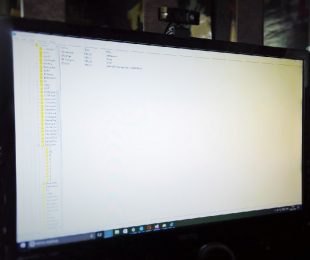
The registry editor hasn’t really changed much since Windows XP, up until Windows 10 Anniversary Update where it received some small improvements and a new icon. Now, Microsoft has announced another update for it via their blog. The update is bundled with the Windows 10 14942 Insider Build and includes a new address bar for much easier navigation.

This feature addition is very much welcome to the Registry Editor. Many users may not even know what it is, however, all power users that need to configure Windows in a specific way, do. The Windows Registry is a database used by all programs running on the operating system, containing a lot of information that programs and Windows use, like Window Border thickness, install locations, app versions, startup attributes and much more.

Navigating through the registry was really painful at times but should be easier now, thanks to the added address bar where you can just paste or type in the location you want to go to.

registry-editor

Thanks to Jen from Microsoft!

Here is a further description of the feature made by the official Windows Blog:

Knowing where you are in the registry: For our power users, we have added something special in this build – Registry Editor (regedit) now has an address bar! This enables you to easily see your current registry key path, and copy it if needed. You can also paste or type in paths, and pressing enter will take you to that location. You can use Alt + D to set focus to the address bar.

We hope to see more additions like these because this is something power users greatly appreciate. Seeing that Microsoft recently remembered that the registry editor is still present in the system, we might see more features materialise for it soon.

Tweet thisFacebook ShareShare on RedditPost to Pinterest


Further reading: Microsoft, regedit, Registry Editor, Windows Insider Program
What do you think of this new feature? Where could Regedit be improved further?


Read these stories next

Adobe offers a workaround for running Photoshop Elements 15 on Windows 10 S

Here’s whats fixed an improved in Windows 10 Mobile Insider Preview build 15245

Here’s what’s in Windows 10 Insider Preview Build 16275 for PC

Surprise, Microsoft has released new builds to the Fast Ring on PC and Windows 10 Mobile

Bing celebrates season seven finale of Game of Thrones with custom wallpaper themes

The new Xbox One X is coming, but it’s hurting current sales, says GameStop in new earnings report

Land a plane in your room with REWIND’s Red Bull Air Race HoloLens app

Microsoft promotes 2017-18 Showcase Schools, Innovative Educators


From the OnMSFT Store

Share this article:
Tags:
Microsoft regedit Registry Editor Windows Insider Program
Previous Article Here’s what Microsoft’s new Paint app for Windows 10 looks like | On MSFT Next Article Windows 10 Build 14942 might increase RAM usage for some users

Related Articles

Microsoft is no longer manufacturing the Windows RT powered Surface 2

February 23, 2026

Microsoft treats Windows Phone owners with extra 20GB of free SkyDrive storage for one year

February 23, 2026

Bing now gives smarter results for home, medical, and school-related searchs

February 23, 2026

Leave a Comment Cancel reply

Your email address will not be published. Required fields are marked *

Recent Posts

  • Microsoft is no longer manufacturing the Windows RT powered Surface 2
  • Microsoft treats Windows Phone owners with extra 20GB of free SkyDrive storage for one year
  • Bing now showcases professional and celebrity Klout scores during search results
  • Bing now lets you search and browse for your friends’ Facebook photos
  • Bing now lets you explore free online courses and helps you find books to read

Recent Comments

No comments to show.

Archives

  • February 2026
  • December 2022
  • November 2022
  • October 2022
  • September 2022
  • August 2022
  • July 2022
  • June 2022
  • May 2022
  • April 2022
  • March 2022
  • February 2022
  • January 2022
  • December 2021
  • November 2021
  • October 2021
  • September 2021
  • August 2021
  • July 2021
  • June 2021
  • May 2021
  • April 2021
  • March 2021
  • February 2021
  • January 2021
  • December 2020
  • November 2020
  • October 2020
  • September 2020
  • August 2020
  • July 2020
  • June 2020
  • May 2020
  • April 2020
  • March 2020
  • February 2020
  • January 2020
  • December 2019
  • November 2019
  • October 2019
  • September 2019
  • August 2019
  • July 2019
  • June 2019
  • May 2019
  • April 2019
  • March 2019
  • February 2019
  • January 2019
  • December 2018
  • November 2018
  • October 2018
  • September 2018
  • August 2018
  • July 2018
  • June 2018
  • May 2018
  • April 2018
  • March 2018
  • February 2018
  • January 2018
  • December 2017
  • November 2017
  • October 2017
  • September 2017
  • August 2017
  • July 2017
  • June 2017
  • May 2017
  • April 2017
  • March 2017
  • February 2017
  • January 2017
  • December 2016
  • November 2016
  • October 2016
  • September 2016
  • August 2016
  • July 2016
  • June 2016
  • May 2016
  • April 2016
  • March 2016
  • February 2016
  • January 2016
  • December 2015
  • November 2015
  • October 2015
  • September 2015
  • August 2015
  • July 2015
  • June 2015
  • May 2015
  • April 2015
  • March 2015
  • February 2015
  • January 2015
  • December 2014
  • November 2014
  • October 2014
  • September 2014
  • August 2014
  • July 2014
  • June 2014
  • May 2014
  • April 2014
  • March 2014
  • February 2014
  • January 2014
  • December 2013
  • November 2013
  • October 2013
  • September 2013
  • August 2013
  • July 2013
  • June 2013
  • May 2013
  • April 2013
  • March 2013
  • February 2013
  • January 2013
  • December 2012
  • November 2012
  • October 2012
  • September 2012
  • August 2012
  • July 2012
  • June 2012
  • May 2012
  • April 2012
  • March 2012
  • February 2012
  • January 2012
  • December 2011
  • November 2011
  • October 2011
  • September 2011
  • August 2011
  • July 2011
  • June 2011
  • May 2011
  • April 2011
  • March 2011
  • February 2011
  • January 2011
  • December 2010
  • November 2010
  • October 2010
  • September 2010

Categories

  • Announcements
  • Deals
  • Developer
  • Editorial
  • Feature
  • Feature stories
  • Hero-post
  • Hotdeals
  • How-to
  • Latest news
  • Microsoft / office 365
  • News
  • Office 365
  • Onpodcast
  • Opinion
  • Our featured post
  • Polls
  • Review
  • Reviews
  • Videos
OnMSFT.com

OnMSFT.com covers Microsoft news, reviews, and how-to guides. Formerly known as WinBeta, we have been your source for Microsoft news since 1998.

Categories

  • Windows
  • Surface
  • Xbox
  • How-To
  • OnPodcast
  • Gaming
  • Edge
  • Teams

Recent Posts

  • Microsoft is no longer manufacturing the Windows RT powered Surface 2
  • Microsoft treats Windows Phone owners with extra 20GB of free SkyDrive storage for one year
  • Bing now showcases professional and celebrity Klout scores during search results
  • Bing now lets you search and browse for your friends’ Facebook photos
  • Bing now lets you explore free online courses and helps you find books to read

Quick Links

  • About OnMSFT.com
  • Contact OnMSFT
  • Join Our Team
© 2010–2026 OnMSFT.com LLC. All rights reserved.
About OnMSFT.comContact OnMSFT