
 \n
\n
If the number of Windows 10 active devices is slowly inching closer to 1 billion, we now know that Microsoft has been doing significant work in the past couple of years to make Windows 10 more modular. That’s the main purpose of Windows Core OS, which will power new devices and form factors such as HoloLens 2, the Surface Hub 2X, the next-gen Xbox console codenamed “Project Scarlett,” as well as a new lightweight PC OS that the tech press is currently reffering to as “Windows Lite.”
\n
We don’t have many details about Windows Lite yet, but this new platform is expected to debut on Chromebook-like devices and dual-screen form factors. Google has seen major success with Chromebooks in the US education market, mostly because these devices are simple to use and easy to manage for IT admins. Steve Ballmer’s Microsoft used to mock Chromebooks with an unforgettable “Scroogled” ad campaign, but the new Microsoft is definitely taking Chromebooks very seriously.
\n
\n
It’s not clear yet if Windows Lite will be compatible with all Windows 10 UWP apps and legacy Win32 apps, but Google recently brought support for Android and Linux apps on ChromeOS. Chromebooks are no longer the underpowered cheap PCs that become useless without an Internet connection, they’re actually a pretty good alternative to cheap Windows laptops for people who don’t need the full power of Windows.
\n
I had never used a Chromebook until I saw a great deal on a 14” Chromebook from HP. For just €200, the model I bought (which doesn’t seem to be available in the US) comes with a FullHD IPS screen, a dual-core AMD CPU, 4 gigs of DDR4 RAM, and 64GB of eMMC storage (expandable with a microSD card). The build quality is pretty good, and this machine also has two USB 3.1 Type C ports and 2 standard USB 2.0 ports, a pretty solid trackpad and an excellent chiclet keyboard.
\n

\n
It’s been fun discovering how Chrome OS works on this machine, and as a regular Windows 10 and macOS user there’s actually a lot to like about Chromebooks in general. There are also a couple things that I didn’t like, but I hope that Microsoft’s Windows Lite will take the best from Chrome OS and mix it up with some unique Windows things, providing users the best of both worlds.
\n
What will follow will be a short review of Chrome OS from a Windows 10/macOS fan, and I should add that I didn’t really become a Chrome OS power user in the two weeks since I purchased this Chromebook. There are probably some things that I have yet to discover on Chrome OS, but I’m already convinced that Chromebooks can already satisfy the needs of most casual PC users. This entire article has also been written on Chrome OS, and I’m pretty sure I could do most of my work-related tasks on a Chromebook without any issues.
\n
The good
\n
The great thing with Chromebooks is that they’re very easy to setup. I had to install a software update after unboxing mine, which didn’t take longer than 30 min, but after that I just logged in with my Gmail account and the machine was up an running. Google Chrome had also already synced all my bookmarks and extensions, and the web browser works flawlessy on this Chromebook. Chrome is a key part of Chrome OS, and everyone knowing how to use it should have no real trouble using a Chromebook.
\n
ChromeOS has an equivalent to the Windows task bar where you can pin all the web apps you have, as well as Android and Linux apps (more on that later). Just like on Windows, this “Shelf” can also be moved to the left or right sides of your screen if you prefer. There’s a launcher button on the left corner of the Shelf, and an equivalent to the Windows 10 Action Center on the right corner. This section includes various quick settings, recent notifications, as well a buttons for signing out of your session or shutting down your Chromebook.
\n

\n
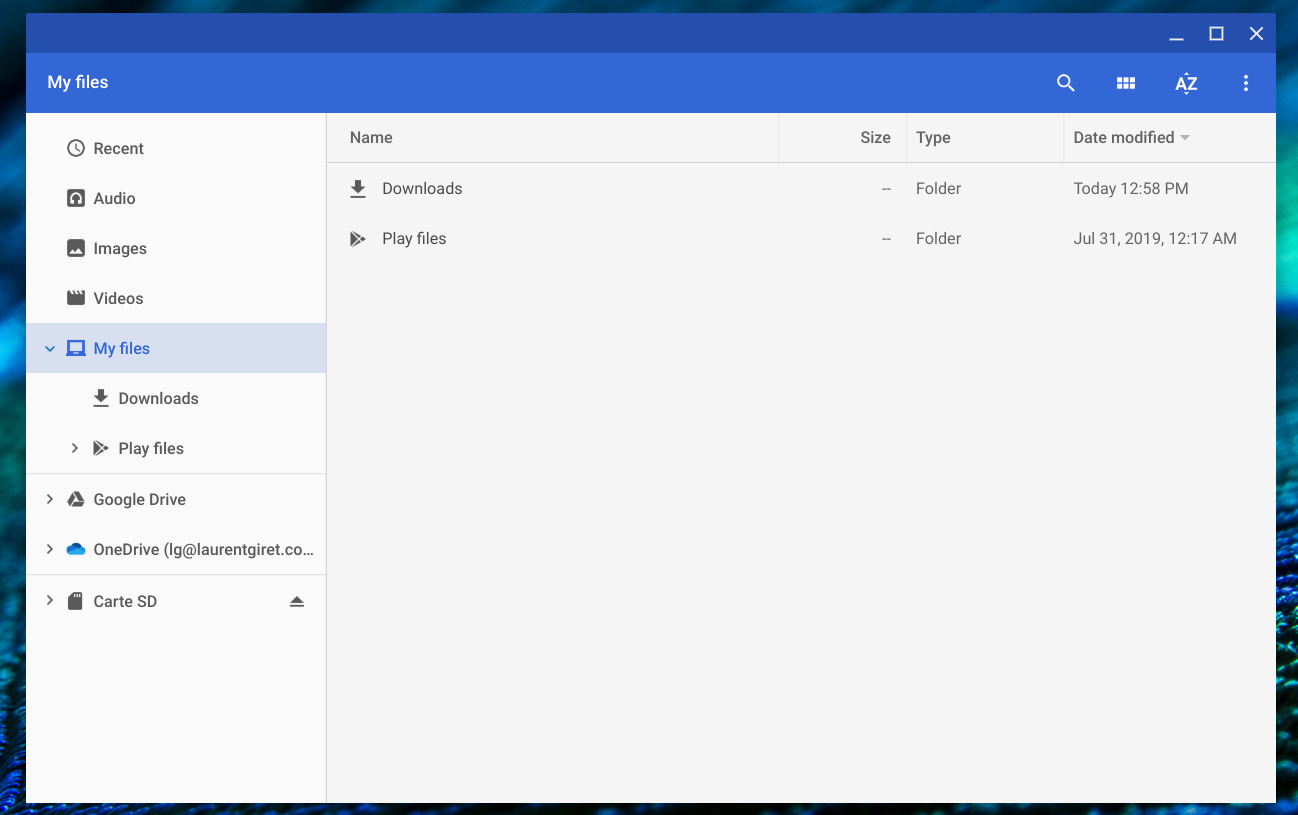
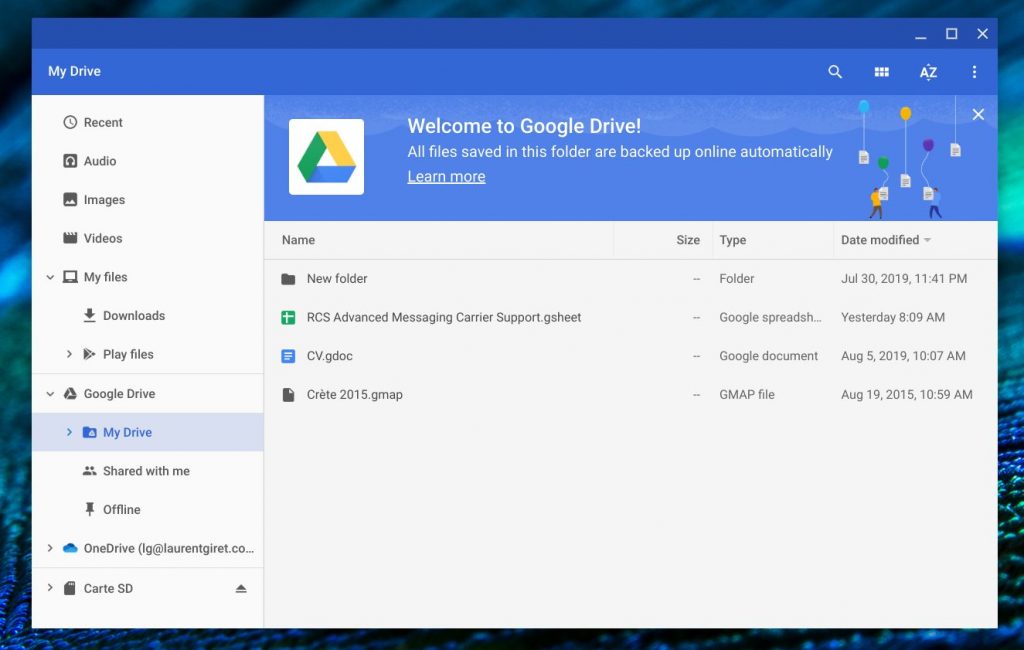
Chrome OS also ships with a native Files app for managing all your Files, and it puts Google’s Drive cloud storage service front and center. This Files app can also integrate with other cloud storage services such as Microsoft’s OneDrive, and my OneDrive folders automatically showed up once I installed the OneDrive Android app. It’s also possible to access network share files from the Files app, but I didn’t get the chance to test it on this machine.
\n
\n
It’s worth noting that Chromebooks should be compatible with most accessories: I’ve been able to use various USB peripherals without any issues, and I also had no trouble connecting to my external monitor on my desk. Just like on Windows, Chrome OS displays notifications every time you connect a new peripheral, and you really shouldn’t be lost coming from a Windows PC.
\n
Compared to Windows 10, I found that Chrome OS provides a distraction-free experience. You won’t see “ads” about Microsoft products or annoying feedback notifications here and there, and you also won’t find Candy Crush, Paint 3D or other apps you don’t need being preinstalled. OS updates follow Chrome updates and happen every six weeks or so, which is better than the two or three patches that Microsoft can release for a single version of Windows 10 every month.
\n
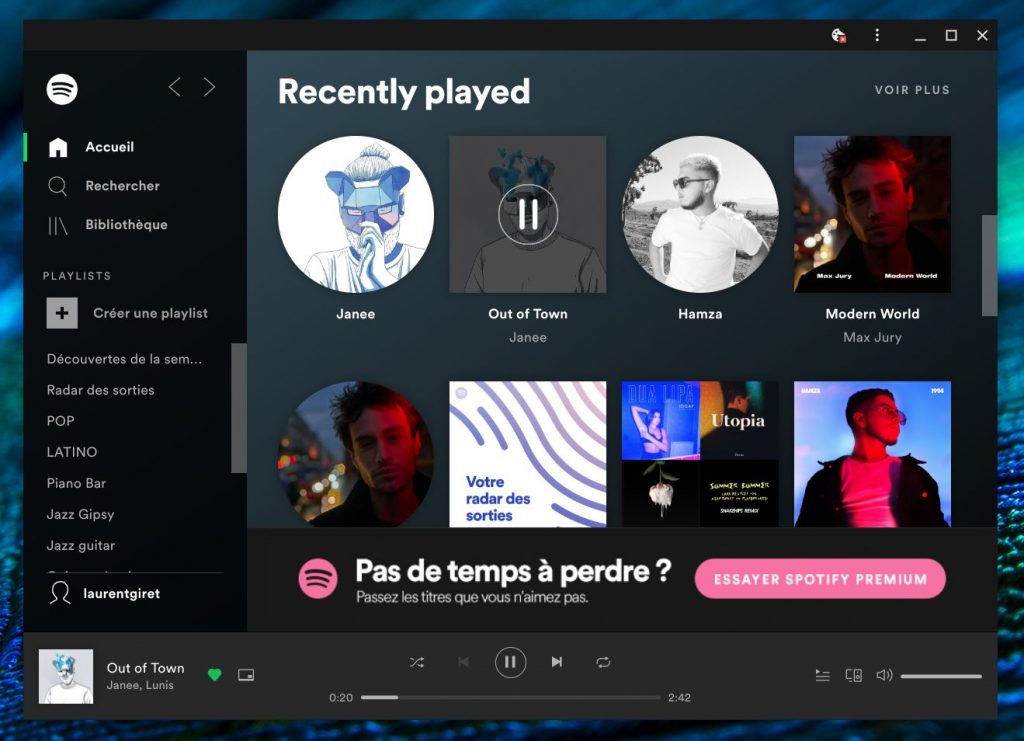
Using Chrome also feels great on Chrome OS. I’ve noticed that some websites will ask you if you want to pin them on your task bar, something you can also do with Chrome or the Chromium-based Edge on Windows. The result is a web app that open in a separate window without the browser UI, looking just like a regular desktop app. Here’s an example with the Spotify web app below.
\n
\n
Using Android apps or Linux is entirely optional, but I have found that some Android apps can be really useful. Gmail is a pretty good email client that can sync with Outlook.com and Office 365 accounts, and the two columns layout works pretty good on a laptop screen. As said above, installing the OneDrive Android app will make your OneDrive folder appear in the native Files app, just as it works in the Windows 10 File Explorer.
\n
Google Play Music is also a great media player on Chrome OS, especially if you’ve uploaded your own music collection into the service for free. The app also integrates with the notification center where you can control music playback without opening the app. There’s actually a separate Settings apps for Android apps on Chrome OS, which looks the same as the Settings app for Android. There, you can control app permissions, notifications, and more, and again Android users should be very familiar with it.
\n
Android apps are definitely nice to have on Chrome OS, especially since the Google Play Store has much more apps than the Windows 10 Microsoft. However, not all Android apps are compatible with Chrome OS, and some big names such as OneNote or Microsoft Edge are still missing as of this writing.
\n
The bad
\n
It took years for Google to bring Android apps to Chrome OS, and only recent Chromebook models actually support the Google Play Store. Android apps work generally well on the Chromebook I’m using, but I’ve encountered some crashes from times to times. It’s also worth mentioning that many apps are also not optimized for Chromebooks, and I’ve also noticed some performance issues when dragging Android apps windows over my screen.
\n
Android apps also have some annoying limitations on Chrome OS: One of the first ones I’ve noticed is that sound coming from Android apps will automatically stop once you open a web page with background audio, or any another Android app using sound. That’s likely an Android limitation, but it’s really weird on a non-mobile platform like Chrome OS.
\n
Most Android apps also don’t work well while offline, but you can actually use some web apps in offline mode on Chrome OS. Gmail, Google Drive, and Google Docs can all work offline on Chrome OS, though I’ve had a lot of trouble enabling this on my Chromebook. Offline mode is currently opt-in and requires the installation of a dedicated extension for Google Docs, and I wished this is something Google had made much easier to set up.
\n
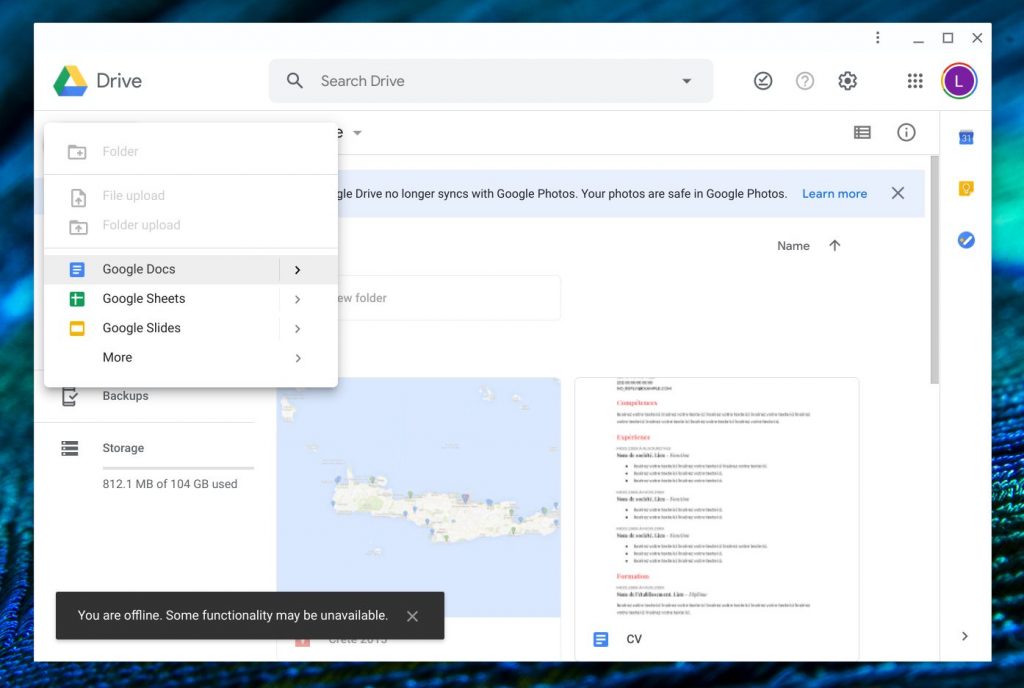
You can use Google Docs while offline.
\n
Anyway, when it works, being able to access Gmail or write documents in Google Docs without an Internet connection is quite amazing. It really demonstrates the power of the web, and I wish Microsoft did something similar with its OneDrive and Office web apps.
\n
The ugly
\n
I’ve mentioned the Chrome OS Files app earlier, which is pretty good, but files management on Chrome OS can be quite confusing coming from Windows and macOS. First of all, there’s no trash bin on Chrome OS, and files you delete will be gone forever. That’s a really weird limitation, and that’s also why Google invites users to put all their important files in Google Drive (which has an online trash bin). Moreover, Google indicates that any file in the Downloads could get deleted if your Chromebook runs out of space, so the risk of losing important files shouldn’t be underestimated on a Chromebook.
\n
On Chrome OS, it’s also impossible to put or save any files right on your desktop. If you like to have a mix of folders, files, and app shortcuts on your desktop, Chrome OS is probably not for you. Chromebooks are also not for you if you’re a diehard fan of the dark themes on Windows 10 and macOS, as the option is currently missing on Chrome OS.
\n
\n
Last but not least, Chromebooks users should know that Google won’t support their devices with software updates indefinitely. According to this support page, “Google provides each new hardware platform with 6.5 years of Auto Update support.” That seems to be roughly in line with what Apple currently provides for its new iPhone and iPads, but people running the latest Windows 10 update on PCs from the past decade should still find that very curious, especially since Chrome OS is a very light OS compared to Windows 10.
\n
There’s probably many more things to say about Chrome OS, but in the end I would still recommend Chromebooks to people who don’t really need a Windows PC, and who rather not learn how to use a mobile-centric OS like the one on the iPad. Chromebooks definitely offer a lot of value at a low price point, they’re easier to use and support compared to a Windows 10 PC, and they have all the apps you need thanks to Chrome, the Google Play Store, and Linux apps if you’re into that. It took years for Google to get Chromebooks to be taken seriously, and it’s not clear if Microsoft will be able to achieve the same level of success with its new Windows Lite platform.
\n
The strength of Windows remains the huge ecosystem of apps that developers have built over the years, and Windows Lite will likely be DOA if doesn’t support all these legacy apps. Additionally, Windows 8, Windows RT, and Windows 10 to a lesser extent have all shown that Windows users generally hate change, and even the rumored deprecation of Live Tiles on Windows 10 and Windows Lite already seems to be troubling news for people who liked them.
\n
Overall, this is a complicated equation to solve for Microsoft as the company need to better compete with Chromebooks and bring Windows to more diverse form factors, but at the same time the company can’t really give up on what makes Windows the most popular desktop OS of all time. We hope Microsoft will finally light our lanterns when it’s ready to unveil Windows Lite, but just like Windows Phone, it may already be too late to compete with Google.
\n\nFurther reading: Chrome OS, Chromebooks, Google, Windows 10, Windows Lite


